
Affordable Indicators Trade Copier Review 2026: NinjaTrader Copier Pricing and Setup
Our Affordable Indicators trade copier review covers how Duplicate Account Actions copies inside NinjaTrader 8, what it costs once, its two copy modes, and how it compares with Replikanto.

Published
The Affordable Indicators trade copier, sold as Duplicate Account Actions, is a NinjaTrader 8 add-on that copies one lead account to any number of follower accounts for a one-time price instead of a monthly fee. It suits futures traders who already trade in NinjaTrader Desktop on Windows and want each prop firm account at its own size, and its strongest point is the optional Account Risk Manager, which adds daily loss and profit limits per account. It isn't a fit if you need copying while your computer is off, because it only runs while NinjaTrader is open.
This review draws on Affordable Indicators' own pages and on the other vendors' pages, all checked on 20 November 2026. We haven't run the copier ourselves, so any speed figures below are the vendor's claims. It is listed among our futures trade copiers.
What Is the Affordable Indicators Trade Copier?
Affordable Indicators is a NinjaTrader add-on developer based in Suwanee, Georgia, which describes itself as having 18 years of NinjaTrader programming experience and more than 8,000 customers. Its trade copier page presents the copier for futures traders, and the product itself is called Duplicate Account Actions. The two names refer to the same software.
You trade one account, the master or lead, and the copier places the same trades on the followers you pick. One Accounts Dashboard window shows every account's positions, pending orders and status. The vendor sets no limit on the number of followers, which can be prop firm, brokerage or sim accounts.
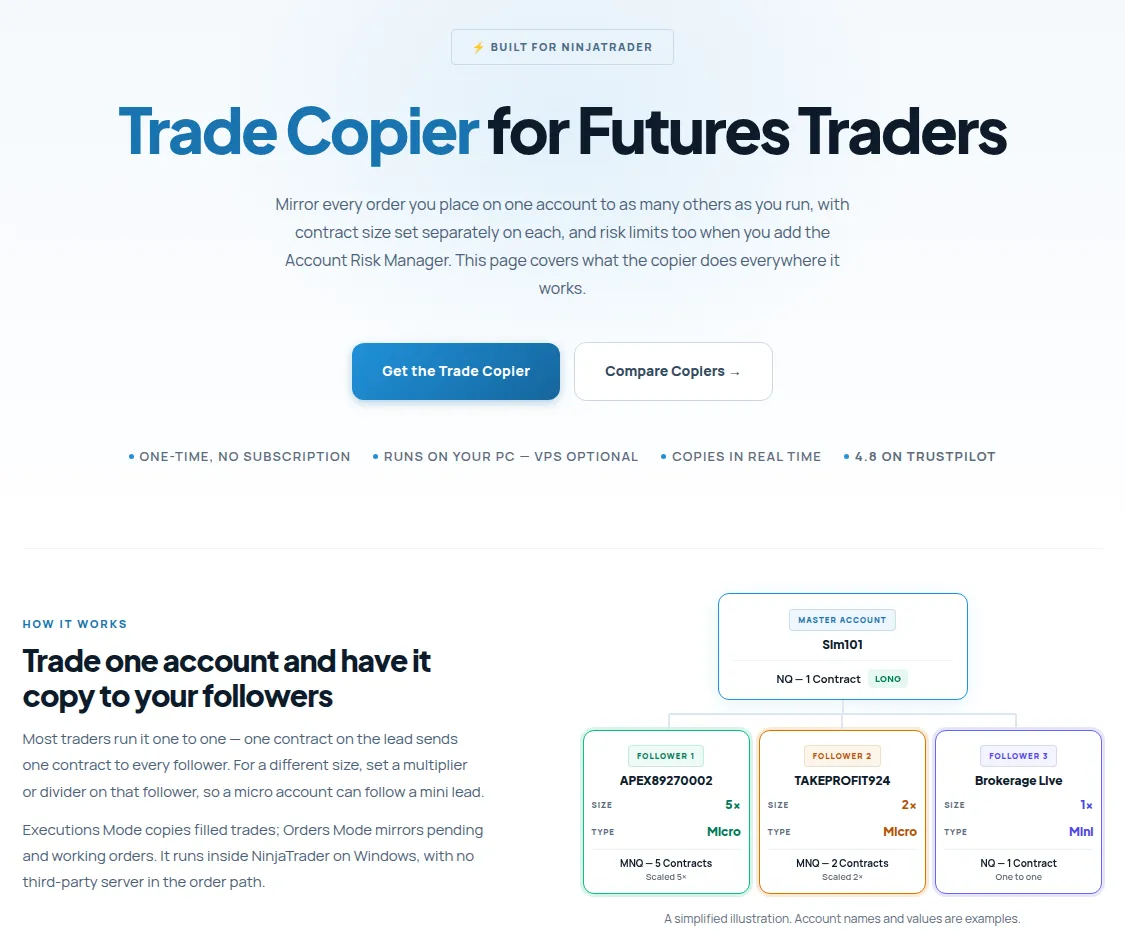
Because it is a NinjaTrader add-on, it runs on the machine where NinjaTrader runs. The vendor points out that this keeps a third-party server out of the order path, which is the main difference from cloud copiers such as Tradesyncer or Tradecopia.
How the Affordable Indicators Trade Copier Works
The copier reads the lead account inside NinjaTrader and sends orders to every follower connected in the same NinjaTrader session. Each follower has its own row in the dashboard, where you set its size multiplier or divider, its contract type, its copy mode and, optionally, Fade Mode.
Setting it up in NinjaTrader
The setup on the product page takes about 10 minutes by the vendor's estimate and needs no coding:
- Download the file from the Members Area, and import it into NinjaTrader Desktop with Tools › Import.
- Connect every account in NinjaTrader at the same time, because the copier can only reach accounts that are connected and visible in the Control Center.
- Add the Accounts Dashboard to a chart, choose the master in the Select Master account slot and add your followers.
- Set each follower's size, contract type and copy mode, then switch the copier on.
The vendor suggests adding a sim account as a follower first. A user manual and video guide come with the download, and support runs through live chat and Discord.
Executions Mode vs Orders Mode
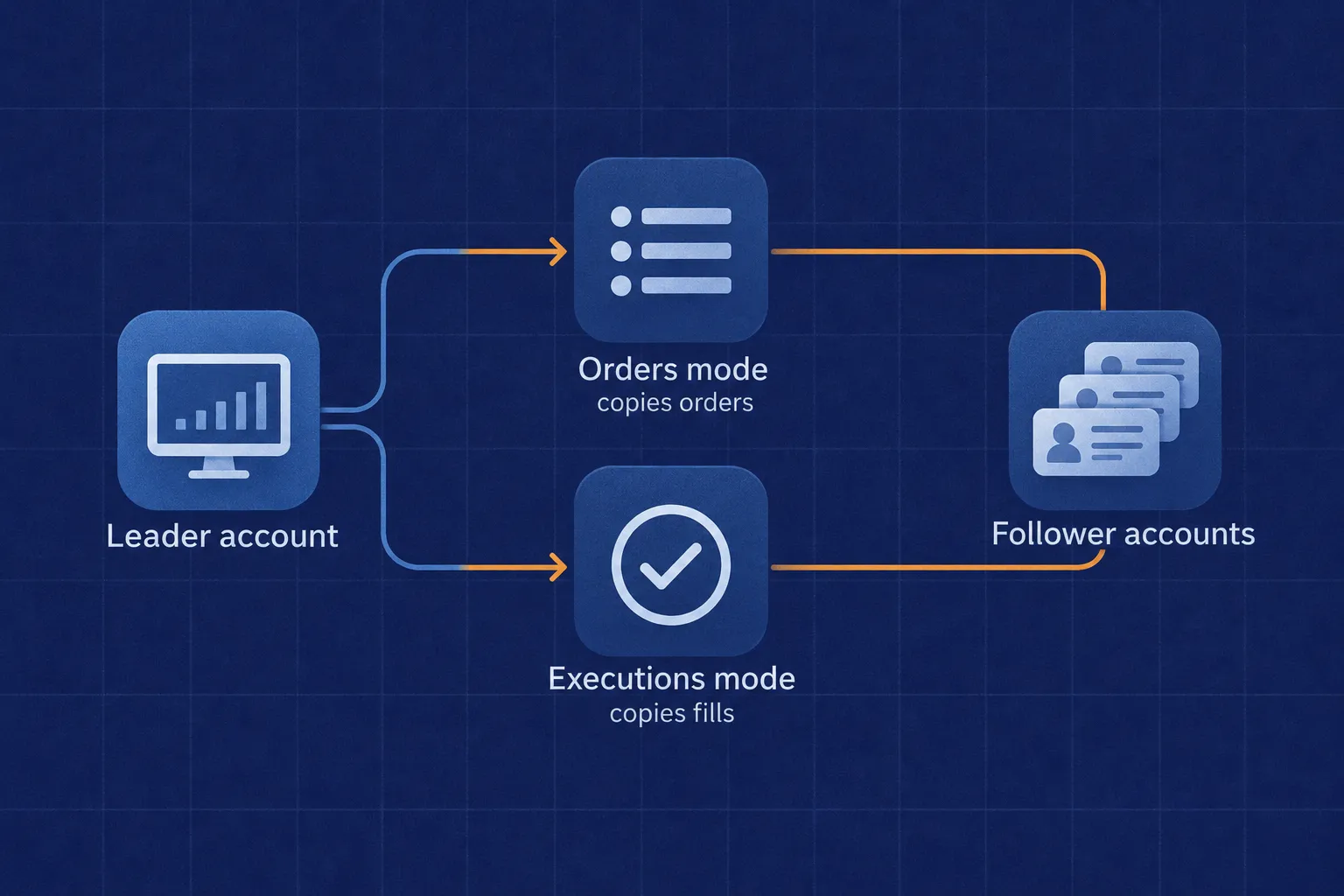
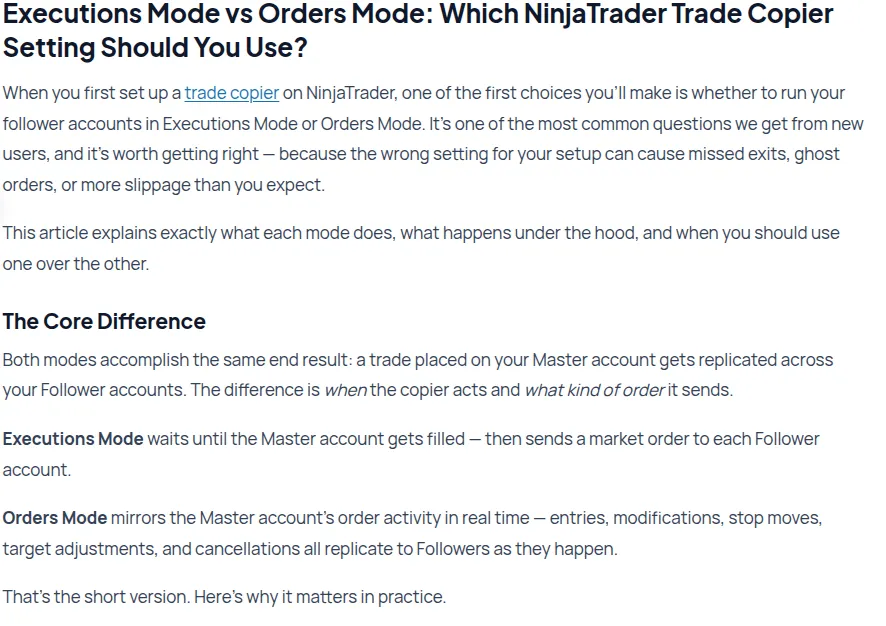
The copier has two modes, and you choose one per follower. Affordable Indicators' article on Executions Mode vs Orders Mode (14 April 2026) explains the difference as a question of when the copier acts and what kind of order it sends.
Executions Mode
Executions Mode waits until the master account is filled and then sends a market order to each follower. Followers always get filled, whatever order type the master used, but they can fill a little away from the master's price. The vendor puts that slippage at typically one to two ticks on NQ, MNQ, ES or MES in normal conditions, and says it can be more around fast moves such as economic releases. Followers don't hold the master's stop and target orders in this mode; they are closed with a market order when the master's exit fills.
Orders Mode
Orders Mode mirrors the master's order activity as it happens: limit entries, stop moves, target changes and cancellations all reach the followers. Each follower can also run its own ATM strategy, so its stops and targets come from that strategy. This gives followers a real attempt at the master's entry price, but the vendor notes that partial fills, rejected orders and disconnects need more handling, and that mixed follower sizes take more testing.
Which mode to start with
The vendor's advice is to start in Executions Mode if you are new to copiers, if your followers differ in size, or if each account has its own risk setup. Orders Mode suits followers of a similar size to the master, setups where a few ticks on the entry matter, and traders who want a different ATM strategy on each follower. You can mix the two, for example Executions Mode on several small micro accounts and Orders Mode on two larger funded accounts, from the same dashboard.
Pricing and Free Trial
The copier is a one-time purchase with a lifetime licence, free updates and live chat support, and there is no subscription. On 20 November 2026, the product page listed these prices, shown as 40% off the list price during the vendor's Black Friday sale:
| Product | 1 PC | 2 PCs | List price (1 PC) | What it adds |
|---|---|---|---|---|
| Duplicate Account Actions | $175 | $285 | $295 | The trade copier |
| Accounts Dashboard Suite | $295 | $475 | $495 | The copier plus the Account Risk Manager |
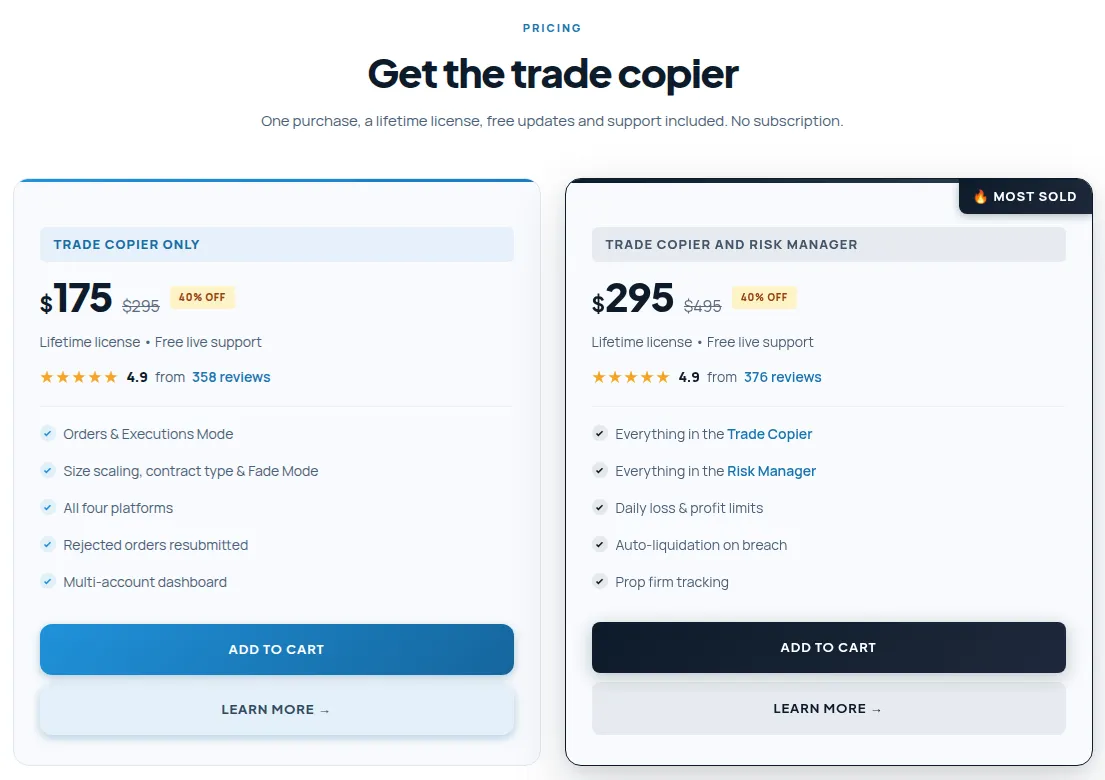
The licence is tied to the computer it runs on, so buy the 2 PC option if you want the copier on a home PC and a VPS. A 30-day money-back guarantee applies if the product doesn't work as advertised and the vendor can't fix it within 14 days of your report.
The 7-day free trial includes every copier and Risk Manager feature and needs no credit card. Prices move with the vendor's sales, so check the product page on the day you buy.
Is there an Affordable Indicators coupon code?
We didn't find a coupon code for the copier on Affordable Indicators' own site. Its discounts page lists codes for prop firm evaluations, not for its own products, and on 20 November 2026 the copier's discount was already applied in the listed price.
Supported Platforms
The copier installs into NinjaTrader Desktop (NinjaTrader 8) on Windows, so NinjaTrader is always required. The vendor lists every 8.1.x.x release, including 8.1.9.0, and NinjaTrader 8.0.28.0, which takes its own build that you request after buying. Like every NinjaTrader add-on, it doesn't run on NinjaTrader Web or the NinjaTrader mobile app.
Trades placed on NinjaTrader, TradingView, Tradovate or Rithmic are copied once the account is connected to NinjaTrader Desktop, so a trade you place on TradingView reaches every follower as long as NinjaTrader stays open and connected.
Connections are where the limits are. The vendor notes that NinjaTrader doesn't limit Tradovate connections, so accounts at several Tradovate-based firms can be copied together. NinjaTrader Desktop runs one Rithmic login at a time, though, so accounts on different Rithmic logins need Unlimited Prop Firm Connections, an add-on the vendor sells separately. Mac traders run NinjaTrader and the copier on a Windows VPS.
Key Features
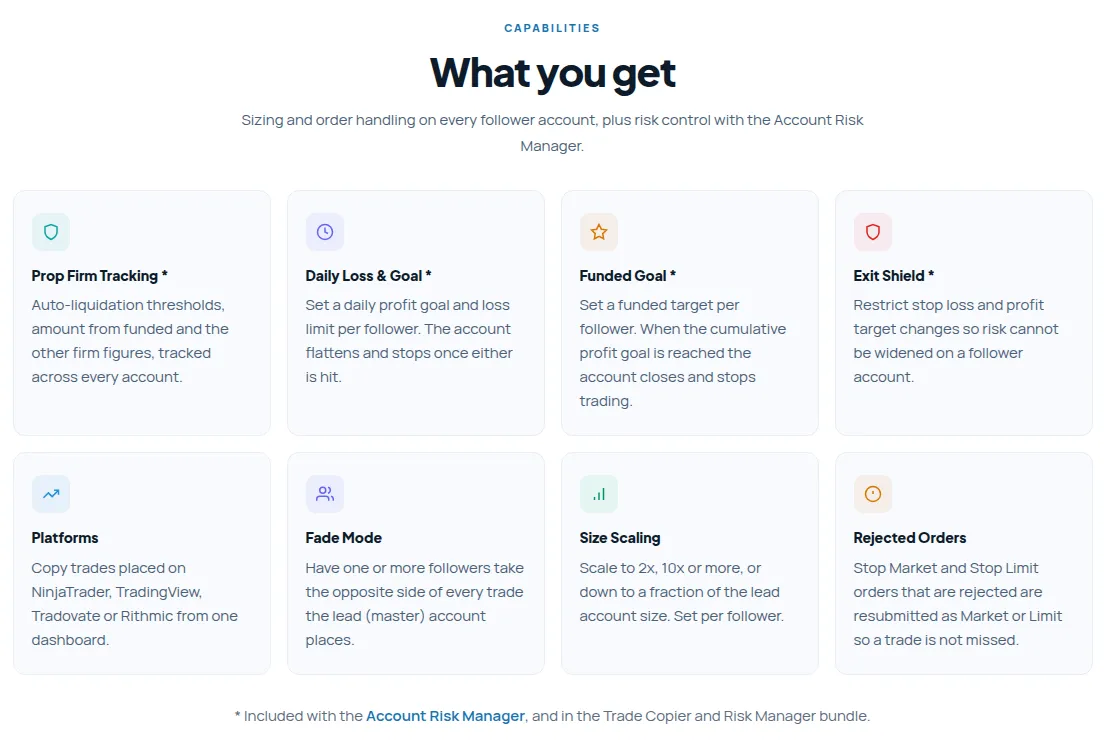
The copier's features cover sizing and order handling on each follower, and the Account Risk Manager adds per-account risk limits. The trade copier page marks which features need the Risk Manager.
In the copier
- Size scaling: each follower trades a multiple of the master, such as 2x or 10x, or a fraction of it.
- Contract type: each follower can trade the micro while the master trades the mini, and the September 2026 release notes add E-nano contracts.
- ATM strategies: in Orders Mode each follower can run its own ATM strategy for independent stops and targets.
- Fade Mode: chosen followers take the opposite side of every master trade.
- Rejected orders: rejected Stop Market and Stop Limit orders are resubmitted as Market or Limit orders, and a rejection on one follower doesn't stop the others.
- Instrument scope: the copier copies all instruments by default, or you can restrict a window to a single instrument.
The public release notes list 22 updates between 5 May and 6 November 2026.
With the Account Risk Manager
The Account Risk Manager, sold alone or in the Accounts Dashboard Suite, adds a daily loss limit and profit goal per account, a funded goal that closes the account once its cumulative target is reached, trailing drawdown and auto-liquidation tracking, Exit Shield, which stops a follower's stop or target being moved to a riskier level, and a One Trade button for firms with daily trade rules. An account that hits its limit is flattened and stops trading.
Affordable Indicators vs Replikanto and the Apex Trade Copier
Replikanto and the Apex Trade Copier are the other two NinjaTrader 8 add-ons on our futures copier list, and all three copy only the accounts connected in NinjaTrader. Our Replikanto review and Apex Trade Copier review cover each in full. The table uses each vendor's own page, checked on 20 November 2026.
| Affordable Indicators | Replikanto | Apex Trade Copier | |
|---|---|---|---|
| Price | $175 one-time (1 PC), $285 (2 PCs) | $249 a year or $299 lifetime (1 machine); $299 or $399 for 2 | $150 one-time for 2 computers |
| Free trial | 7 days, no card | 7 days | None |
| Copy modes | Executions or Orders, per follower | Several sizing methods, ATM strategy copying | Entries, exits, ATMs, stop and target changes |
| Mini to micro | Yes | Yes | Yes |
| Daily loss and profit limits | With the Account Risk Manager | Not built in | Not listed |
| Copy to another machine | No, every account is connected in one NinjaTrader | Yes, over the network or to a VPS | Not listed |
Replikanto's strength is distribution: its 2 Machines licence covers a home computer and a VPS, and it can copy from one to the other over the internet through FlowBots' cloud. Its lifetime licence includes one year of updates, after which renewing is optional. Affordable Indicators' strength is risk control: neither rival lists daily loss limits or funded goals per account. The Apex Trade Copier, sold by Apex Investing rather than the prop firm Apex Trader Funding, is the cheapest of the three and covers two computers, but it has no trial.
Affordable Indicators also publishes its own comparison with Replikanto, written, of course, by one of the two vendors.
Prop Firm Fit
The copier is built around prop firm accounts. The vendor lists 50 firms it has confirmed work with NinjaTrader, including Apex Trader Funding, Lucid Trading, Tradeify, Take Profit Trader and Bulenox. With the Account Risk Manager, each account can carry its firm's daily loss limit, trailing drawdown and profit target, and be flattened automatically before it breaks a rule.
Firm rules still decide what is allowed. The large futures firms allow copying between accounts you own but ban copying other people's trades, and Apex and Topstep prohibit holding opposite positions across your accounts, which rules out Fade Mode on funded accounts at those firms. Our prop firm section on the copier hub summarises each firm's copying rules, and our guide to managing multiple prop firm accounts covers the wider setup. Check your firm's current rules before you connect a funded account.
Running It on a VPS
The copier doesn't need a VPS on Windows, but it only copies while NinjaTrader is running and connected. If your PC sleeps, restarts or loses its connection mid-session, the followers stop copying, which is why the vendor says Windows traders who want the machine on around the clock often use a VPS. For Mac traders a Windows VPS is the only way to run it.
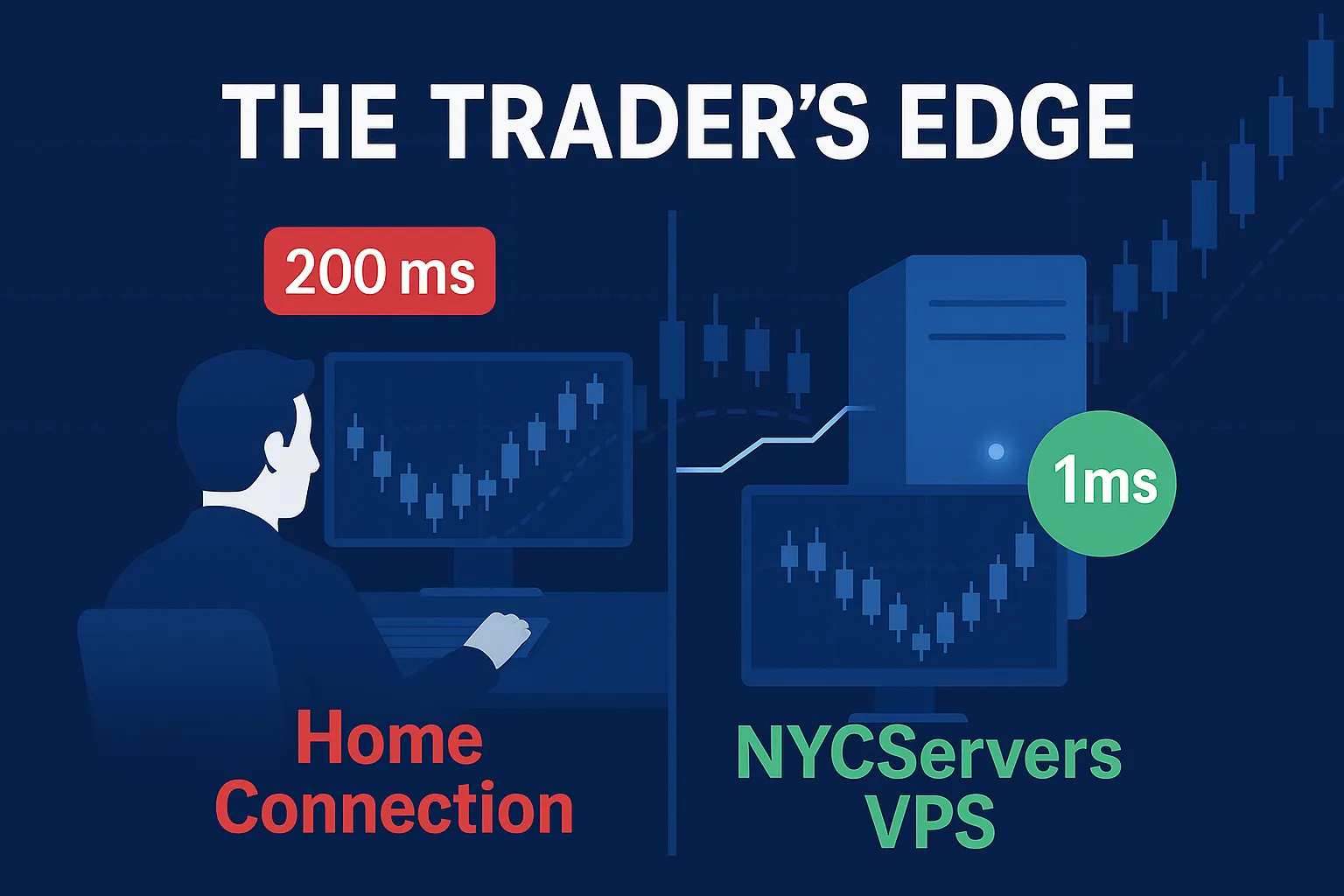
An NYCServers NinjaTrader VPS is built for running NinjaTrader around the clock. Remember that the licence is per computer: buy the 2 PC licence if you want the copier on both a home PC and a VPS. Our article on why NinjaTrader lags on a home PC explains when moving it to a VPS helps.
Pros and Cons
Pros
- A one-time licence with free updates, rather than a monthly bill.
- Daily loss limits, profit goals and funded goals per account with the Account Risk Manager, which the other two NinjaTrader add-ons don't list.
- A choice of Executions or Orders Mode for each follower, and a separate ATM strategy per follower in Orders Mode.
- Rejected stop orders are resubmitted, so a follower doesn't silently miss a trade.
- A 7-day trial with every feature and no credit card, and a 30-day money-back guarantee.
Cons
- It runs only while NinjaTrader Desktop is open on Windows, with no cloud option and no copying with your PC off.
- Accounts on more than one Rithmic login need a separate add-on.
- The licence is per computer, so a second machine costs extra.
- The risk limits that set it apart cost $120 more as the Accounts Dashboard Suite.
- Executions Mode followers fill at market and hold no working stop between the master's fills.
Who It Suits
The copier suits futures traders who already trade in NinjaTrader Desktop on Windows, run several prop firm accounts at different sizes, want those accounts held inside their firm's limits automatically, and would rather pay once than subscribe. It suits you less if you trade from a browser or a phone, need copying while your computer is off, or hold accounts on several Rithmic logins, and in those cases a cloud copier fits better.
Alternatives
Within NinjaTrader, Replikanto is the alternative for copying out to a VPS or across machines, and the Apex Trade Copier is the cheapest one-time option. If you would rather not depend on NinjaTrader at all, cloud copiers such as Tradesyncer, Tradecopia, TradersConnect and Heron Copier connect to Rithmic and Tradovate accounts directly and keep copying with your PC off, for a monthly fee. If your trades start as TradingView alerts, PickMyTrade routes them to Tradovate and other futures accounts. Tradovate's own Group Trade also places one order across several Tradovate accounts at the same brokerage or prop firm. Our futures trade copier hub compares all of them side by side.
Verdict
The Affordable Indicators trade copier is a strong choice for NinjaTrader traders who copy across prop firm accounts and care about staying inside each firm's rules. Its two copy modes are clearly documented, the one-time price compares well with a year of any subscription copier, and the Accounts Dashboard Suite adds per-account risk limits that its NinjaTrader rivals don't list. The trade-off is that it depends on NinjaTrader running on a Windows machine, so plan for a VPS if you need it on all session, and use the 7-day trial on sim accounts to settle which mode suits your followers.
FAQ
How much does the Affordable Indicators trade copier cost?
On 20 November 2026 it cost a one-time $175 for one PC or $285 for two, shown as 40% off a $295 list price during the vendor's Black Friday sale. The Accounts Dashboard Suite, which adds the Account Risk Manager, cost $295 for one PC.
Is there a free trial?
Yes. The 7-day free trial includes every copier and Risk Manager feature, and no credit card is required.
Should I use Executions Mode or Orders Mode?
The vendor recommends Executions Mode, which sends market orders once the master fills, as the starting point for most traders. Orders Mode, which mirrors the master's working orders, suits followers of a similar size, and you can set the mode separately for each follower.
Does the Affordable Indicators trade copier need a VPS?
Not on Windows, but it only copies while NinjaTrader is running, so traders who want it on all session often use a NinjaTrader VPS. Mac traders need a Windows VPS to run it at all.
Can I use it with Apex Trader Funding accounts?
Yes. Apex is on the vendor's list of firms that work with NinjaTrader, and Apex allows copying between funded accounts you own. It prohibits hedging, so keep Fade Mode off on those accounts.
Is Affordable Indicators legit?
Affordable Indicators, Inc. lists a business address in Suwanee, Georgia, publishes its release notes and offers a 30-day money-back guarantee. Its site shows a 4.8 rating on Trustpilot; that is the vendor's figure, as Trustpilot's page wasn't available to us when we checked.
Matthew Hinkle
Lead Writer & Full Time Retail Trader
Matthew is NYCServers' lead writer. In addition to being passionate about forex trading, he is also an active trader himself. Matt has advanced knowledge of useful indicators, trading systems, and analysis.
- Forex Trading
- Technical Analysis
- Trading Systems
- Market Indicators
Written by Matthew on
View profile