
PickMyTrade Review 2026: Pricing, Pros & VPS Fit
PickMyTrade review for 2026: pricing, supported brokers, TradingView setup, pros, cons, and when traders still need a VPS instead of webhooks.
What PickMyTrade Is
PickMyTrade is a cloud-based automation tool that connects TradingView alerts to live trading accounts. Instead of keeping a trading platform open on your own computer, you create an alert in PickMyTrade, paste the generated message and webhook URL into TradingView, and let the service route the signal to a connected broker or prop firm account.
This PickMyTrade review looks at the product from a trader’s perspective in 2026: what it does well, what it costs, which workflows it fits, and where a dedicated TradingView VPS or broader forex VPS still makes more sense. The short version is simple: PickMyTrade can be useful if your strategy starts in TradingView and your broker is supported. It is not a full replacement for every trading VPS, especially if you run MT4, MT5, NinjaTrader, local bots, EAs, or desktop software that needs to stay online.
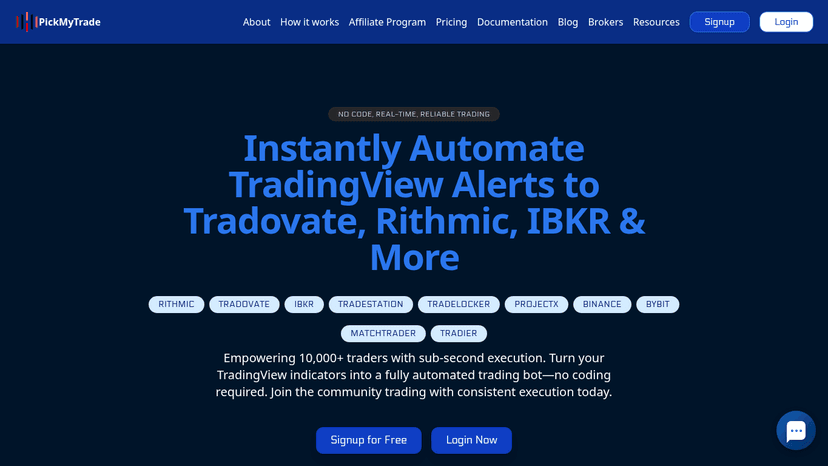
As of May 22, 2026, PickMyTrade’s official site describes the product as a no-code TradingView automation platform with a five-day free trial, broker connections for futures and multi-asset trading, and subscription pricing at $50 per month, $135 per quarter, or $500 per year. Those details should always be rechecked before subscribing because trading software pricing and broker integrations can change quickly.

How PickMyTrade Works With TradingView Alerts
PickMyTrade sits between TradingView and your broker. TradingView creates the signal. PickMyTrade receives the alert through a webhook. The connected broker receives the order instruction. That makes PickMyTrade a bridge for traders who want to automate TradingView strategies without writing their own execution server.
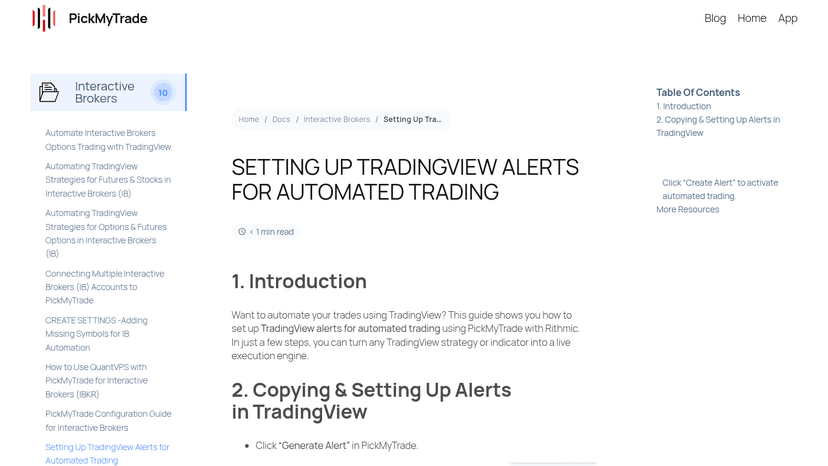
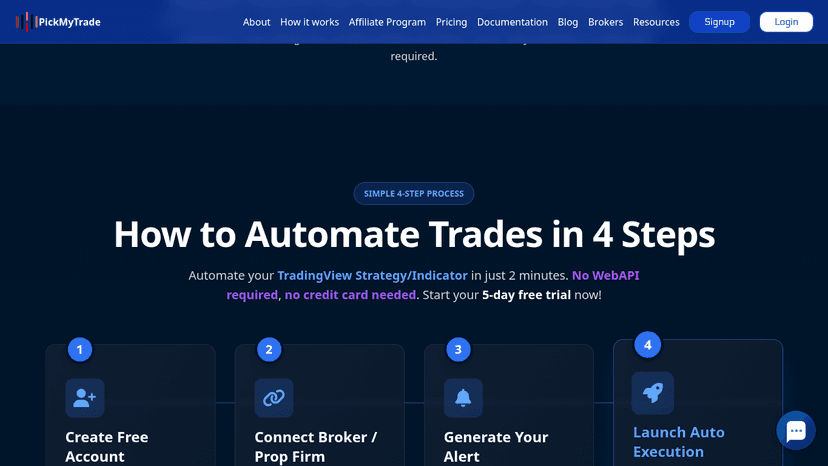
The typical setup flow is straightforward. First, you create or connect your PickMyTrade account. Next, you connect the supported broker, prop firm, or trading account you want to use. Then PickMyTrade generates the alert message and webhook URL. Finally, you create a TradingView alert, paste the generated message into the alert body, add the PickMyTrade webhook URL, and activate the alert.
The official PickMyTrade TradingView alert setup guide describes this same basic process: generate the alert in PickMyTrade, paste the alert code into TradingView, copy the webhook URL, and create the alert. It is designed to remove the custom coding step that normally sits between TradingView and broker execution.
There is still an important distinction. TradingView alerts are not the same thing as a broker-native execution engine. TradingView sends a request when the alert triggers, and PickMyTrade tries to convert that request into an order through the connected account. The quality of the final result still depends on your strategy logic, alert settings, account connection, broker rules, market conditions, and risk controls.
PickMyTrade Pricing And Free Trial
PickMyTrade currently positions itself as a paid automation service with a short free trial. On the official PickMyTrade site checked on May 22, 2026, the pricing shown was $50 per month, $135 per quarter, or $500 per year. The same page also advertised a five-day free trial with no card required.
That price puts PickMyTrade in a different category from a free alert workaround or a simple notification tool. You are paying for the bridge between TradingView and supported brokers, plus the convenience of generated alert payloads, broker connection handling, multi-account execution features, and cloud-based routing.
For a trader who already has a profitable TradingView strategy and needs supported broker execution, the monthly price may be easy to justify. For someone who is still testing indicators, learning Pine Script, or manually placing trades, the value is less obvious. In that case, it may be better to first test the strategy logic, execution assumptions, and alert behavior before committing to another recurring software cost.
When reviewing the price, compare it against the cost of the whole workflow. A PickMyTrade subscription does not remove TradingView plan costs, broker costs, data costs, exchange fees, prop firm fees, or trading losses. It also does not replace every kind of hosting need. If your system uses MetaTrader EAs or other desktop-based software, you may still need a VPS even if part of your research or charting starts in TradingView.
Supported Brokers, Prop Firms, And Markets
The official PickMyTrade homepage lists support for brokers and platforms including Tradovate, Rithmic, Interactive Brokers, TradeStation, TradeLocker, ProjectX, Binance, Bybit, MatchTrader, and Tradier. It also describes use cases around futures, broker accounts, and prop firm accounts.
This is one of the main reasons traders look at PickMyTrade. TradingView is strong for charting, alerts, and strategy research, but direct automated execution depends on the broker and integration path. PickMyTrade’s pitch is that it gives TradingView users a simpler path from alert to order for supported accounts.
Before relying on it, verify the exact broker or prop firm connection you plan to use. Do not assume that a supported platform means every account type, symbol, contract, order type, or funding program rule is supported. Futures, crypto, CFDs, and prop firm environments can behave differently, and the supported feature set may vary by broker.
Also be careful with similar names. PickMyTrade.io and the PickMyTrade documentation appear to be the target product for this article. Pickmy.trade is a separate service and should not be used as a source for PickMyTrade.io pricing or features.
Key Features: Alerts, Risk Controls, And Multi-Account Execution
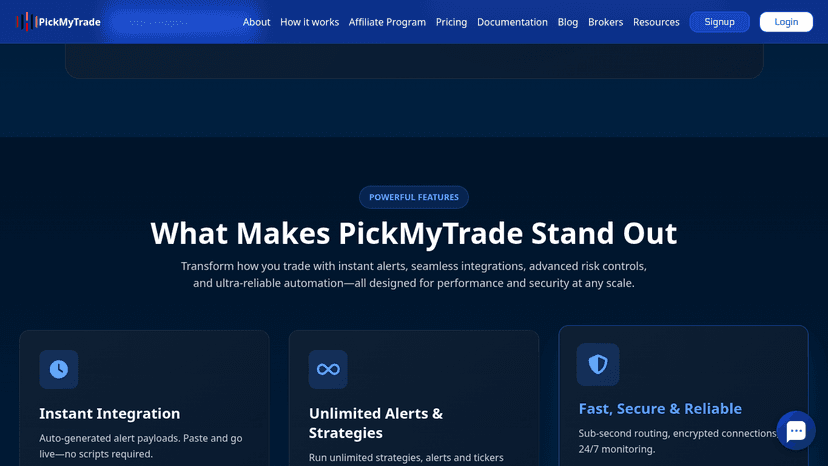
PickMyTrade’s most useful feature is the generated alert workflow. Instead of asking the trader to build a custom server, parse TradingView webhook messages, and manually format broker API calls, PickMyTrade creates alert instructions that are meant to be pasted into TradingView.
The product also emphasizes multi-account execution, risk controls, stop-loss and take-profit handling, symbol mapping, and cloud-based operation. Those features matter because a basic webhook bridge is not enough for most real trading workflows. Traders need to control position size, account exposure, symbol translation, order behavior, and what happens when an alert misfires or arrives late.
Official TradingView webhook alerts documentation is worth reading before using any automation bridge. TradingView explains that webhook alerts send POST requests to a URL, that alert messages can be sent as JSON when formatted correctly, and that users should not include sensitive credentials in the webhook body. TradingView also notes practical limits such as endpoint response time and accepted ports.
That means PickMyTrade is only one part of the automation chain. Your TradingView alert logic still matters. Your webhook message needs to be correct. Your broker connection needs to be active. Your account risk settings need to be sane. And your strategy should be tested before any live account is connected.
Where PickMyTrade Fits Versus A Trading VPS
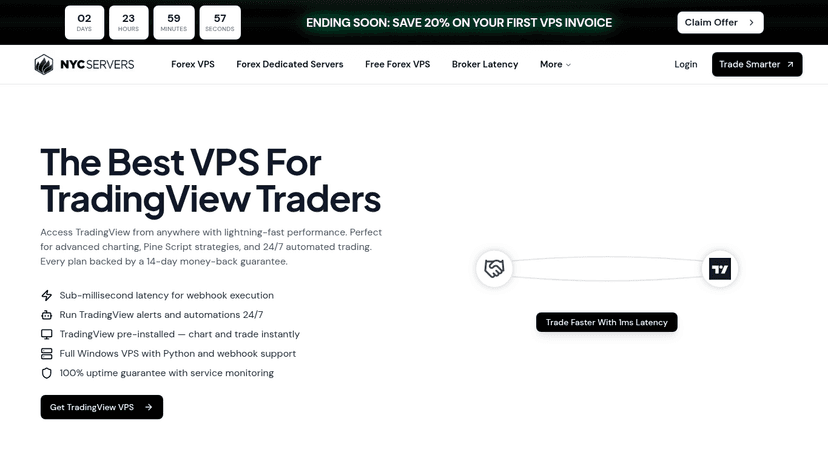
PickMyTrade can reduce the need for a VPS in one specific workflow: TradingView alert to supported broker execution. If your strategy lives in TradingView, your execution account is supported, and you do not need to run local software, a cloud bridge may be enough.
A VPS becomes relevant when the trading system depends on software that must stay online. That includes MT4 or MT5 Expert Advisors, desktop terminals, copy-trading tools, custom Python bots, local bridge software, cTrader/cBot setups, NinjaTrader, or anything that requires a stable Windows environment. In those cases, PickMyTrade does not replace the hosted machine because the strategy or connector still needs somewhere to run.
This is the same decision traders face when comparing TradingView vs MetaTrader. TradingView is excellent for charting, alerts, and Pine Script workflows. MetaTrader is still common for EA-based execution and broker-hosted forex automation. The right infrastructure depends on where your strategy actually runs.
For many traders, the cleanest split is this: use PickMyTrade when TradingView is the source of the signal and your execution venue is supported; use a VPS when your broker platform, EA, local bot, or desktop automation stack has to stay connected 24/7.
Pros And Cons
PickMyTrade has a clear value proposition, but it is not risk-free. The strongest benefit is convenience. A trader can move from TradingView alert to broker execution without building a custom webhook server. That saves time and reduces the number of technical pieces a non-developer has to maintain.
Another benefit is workflow fit. If you already use TradingView for strategy alerts and your broker is supported, PickMyTrade matches how you already think. You can keep the charting and signal logic in TradingView while offloading the execution bridge.
The cons are mostly about dependency and scope. You become dependent on TradingView alerts, PickMyTrade routing, the broker connection, and the quality of your own alert logic. If any part of the chain is misconfigured, delayed, disconnected, or unsupported, the trade may not behave the way you expect.
The other limitation is platform coverage. PickMyTrade is not a universal automation host. It is not where you run MT4 EAs, MT5 robots, NinjaTrader strategies, local Python scripts, or every possible broker connector. Traders who need those workflows should compare dedicated hosting, broker-native options, and related MetaTrader webhooks and auto execution paths before deciding.
Who Should Use PickMyTrade
PickMyTrade is most interesting for traders who already have a TradingView-based system and want automated execution through a supported broker. It can be a good fit if your strategy uses TradingView indicators or Pine Script alerts, you understand how to configure alerts, and your order logic is simple enough to route through webhook messages.
It may also suit prop firm or futures traders who want to automate supported accounts without maintaining a custom execution server. In that workflow, the subscription pays for speed of setup and reduced infrastructure work.
PickMyTrade is less compelling if you are still looking for a strategy. Automation does not make a weak strategy profitable. If you are still testing ideas, start with research, backtesting, journaling, and basic free forex trading tools before adding a paid automation layer.
It is also not the right answer if you need full control over every execution detail. Developers, high-frequency systems, complex portfolio logic, and custom risk engines may need broker APIs, custom servers, or dedicated infrastructure instead of a packaged alert bridge.

Who Should Use A VPS Instead
Use a VPS instead of PickMyTrade when your trading stack needs a computer to stay online. MT4 and MT5 Expert Advisors are the clearest example. The EA runs inside the terminal. If the computer shuts down, loses connection, updates unexpectedly, or sleeps, the EA can stop working. A VPS solves that problem by keeping the platform running in a hosted environment.
A VPS is also better when you run NinjaTrader, cTrader, local Python scripts, broker desktop software, copy-trade bridges, or custom tools that cannot run entirely inside TradingView and PickMyTrade. In those cases, the key question is not whether TradingView can send an alert. The question is where the rest of the automation stack lives.
Latency-sensitive traders should think carefully too. PickMyTrade may advertise fast routing, but total execution time includes TradingView alert generation, webhook delivery, PickMyTrade processing, broker routing, market conditions, and exchange or liquidity behavior. A VPS near the broker or exchange can help in some platform-based workflows, but it is not a cure for a bad strategy or a slow broker.
If you use a hybrid workflow, you might use both. For example, TradingView can send alerts to a cloud bridge for one account while a VPS runs MetaTrader or another platform for a separate strategy. The practical choice depends on your broker, platform, strategy type, and tolerance for technical maintenance.
PickMyTrade Alternatives And Checks Before Going Live
Before using PickMyTrade with real money, compare it against the alternatives that match your platform. TradingView users may look at other webhook-to-broker tools, broker-native TradingView integrations, manual alerts, or custom API infrastructure. MetaTrader users should compare EAs, VPS hosting, bridge tools, and broker-supported plugins. Futures traders should check the exact broker and prop firm rules before routing automated orders.
Run a demo test before connecting a meaningful account. Confirm the alert fires at the expected time. Confirm the webhook message is accepted. Confirm order size, side, symbol mapping, stop loss, take profit, account selection, and duplicate alert behavior. Then review logs from TradingView, PickMyTrade, and the broker.
Also test failure cases. What happens if the market is closed? What happens if the symbol is mapped incorrectly? What happens if your alert fires twice? What happens if the broker rejects an order? Good automation setup is not just about the happy path. It is about knowing what breaks and how much damage a bad alert can cause.
PickMyTrade can be a useful tool for the right trader, but it should be treated as execution infrastructure, not a trading strategy. The strategy, risk rules, broker choice, and monitoring process are still your responsibility.
PickMyTrade Review Verdict: Is It Worth It?
PickMyTrade is worth considering if you want to automate TradingView alerts into supported brokers without building and hosting your own webhook execution stack. The setup flow is approachable, the pricing is clear on the official site, and the product solves a real pain point for traders who already use TradingView as their strategy and alert hub.
It is not a universal VPS replacement. It is best understood as a TradingView-to-broker bridge. If your automation runs inside MetaTrader, NinjaTrader, cTrader, desktop software, custom scripts, or local tools, you still need a stable environment to keep that software online.
The best decision is workflow-based. If the signal starts in TradingView and the supported broker connection covers your needs, test PickMyTrade in demo and evaluate the full execution path. If the strategy depends on local or desktop software, choose a VPS-first setup and only add webhook automation where it truly fits.
FAQ
Is PickMyTrade legit?
PickMyTrade appears to be a real TradingView automation product with an official website, documentation, broker setup guides, and a free trial. That does not remove trading risk. Test it in demo, verify broker support, and confirm every alert and order setting before using live funds.
How much does PickMyTrade cost?
As of May 22, 2026, the official PickMyTrade site listed pricing at $50 per month, $135 per quarter, or $500 per year, with a five-day free trial. Recheck the official site before subscribing because SaaS pricing can change.
Does PickMyTrade replace a VPS?
Only in some TradingView webhook workflows. If your strategy lives in TradingView and your broker is supported, you may not need a VPS for that specific setup. If you run MT4, MT5, NinjaTrader, cTrader, local bots, or desktop software, a VPS is still the better fit.
Does PickMyTrade work with MetaTrader?
PickMyTrade is mainly positioned around TradingView alert automation into supported brokers and platforms. If your strategy depends on MT4 or MT5 Expert Advisors running inside MetaTrader, you should plan around MetaTrader hosting or a VPS-based workflow.
What brokers does PickMyTrade support?
The official PickMyTrade homepage lists integrations including Tradovate, Rithmic, Interactive Brokers, TradeStation, TradeLocker, ProjectX, Binance, Bybit, MatchTrader, and Tradier. Check the current PickMyTrade site and docs for the exact account types and features you need.
Should beginners use PickMyTrade?
Beginners should be cautious. PickMyTrade can simplify execution, but it does not create a profitable strategy or prevent trading losses. New traders should first understand alerts, position sizing, broker behavior, and demo testing before automating live orders.

About the author
Matthew Hinkle
Lead Writer & Full Time Retail Trader
Matthew is NYCServers' lead writer. In addition to being passionate about forex trading, he is also an active trader himself. Matt has advanced knowledge of useful indicators, trading systems, and analysis.
Areas of Expertise