
7 Best Forex Signal Providers for 2026
Compare the 7 best forex signal providers for 2026 — pricing, delivery, track records, and which service fits copy traders, beginners, and pros.
The best forex signal providers are not the services with the loudest win-rate claims. They are the ones that show enough history for you to judge risk, explain how trades reach your account, and let you control position size. For broker-integrated technical and fundamental ideas, IG Forex Signals is the strongest fit; for automatic copying, start your comparison with ZuluTrade, eToro CopyTrader, or DupliTrade.
The quick verdict is that no single provider is best for every trader. Choose a manual alert service if you want to approve each entry, a broker-integrated feed if you want sourced analysis beside your order ticket, or an auto-copy platform if you value convenience. In every case, treat signals as research and execution tools—not guaranteed profit.
This list covers seven established services and platforms with different delivery models. It deliberately excludes providers whose sites appear stale or unavailable, and it does not repeat unverified subscription prices or accuracy percentages. Prices, access rules, and platform availability can change, so confirm current terms before depositing or subscribing.

How We Picked These Forex Signal Providers
A forex signal can be a manual alert with an entry, stop-loss, and take-profit, or a trade that a platform copies automatically into your brokerage account. Those models solve different problems. Manual alerts preserve control but require you to react; auto-copying reduces input but exposes you to the provider’s timing, sizing, and strategy decisions.
We compared providers using criteria that matter after the marketing pitch:
- Track-record transparency: whether you can inspect history, drawdown, open trades, or third-party verification rather than relying on a headline win rate.
- Delivery and latency: whether signals arrive through a web or app alert, a broker platform pane, a MetaTrader subscription, or direct account copying.
- Cost clarity: whether the service offers free access, paid tiers, provider-set subscriptions, or broker-linked access without hiding the basic model.
- Risk controls: whether you can limit exposure, stop copying, or use tools designed to contain losses.
- Broker and platform context: whether trades run through a connected broker or platform and whether the executing entity—not merely the signal seller—has relevant oversight in your jurisdiction.
- Beginner usability: whether the provider explains the trade and risk or simply pushes an instruction with no context.
We did not rank providers by vendor-promoted profit rates. A short winning run can conceal large open losses, aggressive leverage, or a strategy that has not faced different market conditions. Verification quality and risk visibility carry more weight than a polished dashboard.
Forex Signal Provider Comparison
| Provider | Type | Delivery | Starting cost | Best for |
|---|---|---|---|---|
| ZuluTrade | Auto copy-trading platform | Integrated broker account | CopyTrading feature is free | Hands-off copying with risk tools |
| eToro CopyTrader | Social copy trading | Native eToro account | Free copying; $200 minimum allocation | Multi-asset social copying |
| DupliTrade | Curated auto-copy strategies | Connected MT4/MT5 broker account | Broker and access terms apply | Curated strategies through your broker |
| IG Forex Signals | Broker-provided technical + fundamental signals | IG web/mobile platform; copy to order | Free with IG International account | Broker-integrated, explainable trade ideas |
| FXLeaders | Manual signal service | Web and app | Free signals; premium tier available | Testing a free alert feed |
| MQL5 Signals | Signal marketplace | Native MT4/MT5 subscription | Provider-set subscription price | MetaTrader-native copying |
| Myfxbook AutoTrade | Verified-system copying | Connected broker account | Verify current broker and access terms | Track-record-focused traders |
“Free” describes the copying feature or signal tier, not the total cost of trading. Your broker or platform may still charge spreads, commissions, conversion charges, withdrawal fees, or other account costs. Compare the complete route from provider to execution rather than treating the subscription line as the final price.

1. ZuluTrade: Best for Hands-Off Auto-Copying
ZuluTrade is an auto copy-trading platform that lets you follow strategy providers called Leaders through an integrated broker account. Its CopyTrading feature is free, and ZuluGuard adds a risk-management layer intended to protect the account when the behavior of a copied Leader changes. You still need to inspect each Leader and set exposure that matches your own tolerance.
Key Specs
- Model: Automatic copying of strategy providers known as Leaders.
- Connection: Copying runs through an integrated broker account.
- Copying cost: The CopyTrading feature is free, although trading and broker costs can still apply.
- Risk feature: ZuluGuard is designed to respond when a copied Leader’s behavior changes.
Strengths and Caveats
ZuluTrade’s practical advantage is that you do not have to enter every signal by hand. Once the broker connection and allocation are configured, the platform handles the copying workflow. That can suit traders who cannot react to alerts throughout the trading week. ZuluGuard is also a meaningful distinction for anyone who wants a platform-level risk layer rather than relying only on the Leader to remain consistent.
Automation does not solve the selection problem. Leaders can use different methods and levels of risk, so compare their histories, losses, and consistency before allocating funds. Set exposure for the loss you can tolerate, not for the return shown at the top of a ranking. The free CopyTrading feature should not be confused with cost-free trading because the connected broker’s spreads, commissions, and account terms still matter.
ZuluTrade states that 73% of its investors make a profit when copying top Leaders correctly, but that is a vendor marketing claim—not independent evidence and not a forecast for your account. Your result depends on the Leader selected, your allocation, and the broker executing the positions. Also verify the broker entity serving your jurisdiction rather than assuming the copy-trading platform itself provides the same regulatory protections.
Best for: Traders who want automated copying across an integrated broker setup and prefer platform-level risk tools over manually entering every alert.

2. eToro CopyTrader: Best for Multi-Asset Social Copying
eToro CopyTrader lets you copy investors within eToro’s social trading platform. As of July 2026, eToro says the CopyTrader feature carries no additional copying charge. The minimum allocation to copy one trader is $200, the minimum copied position is $1, and one portfolio can copy up to 100 traders. Those rules make diversification possible, but they do not make every copied trader suitable.
Key Specs
- Model: Social copy trading inside an eToro account.
- Copying cost: No additional CopyTrader charge as of July 2026.
- Minimums: $200 to copy one trader and $1 per copied position.
- Portfolio capacity: Up to 100 copied traders.
Strengths and Caveats
The clearest strength is the combination of social discovery and multi-asset copying in one platform. You can compare investors and spread an allocation across more than one approach instead of tying the account to a single signal feed. The $1 minimum copied-position rule lets eToro scale positions within an allocation, while the 100-trader ceiling leaves substantial room to diversify.
That capacity is a limit, not a recommendation to copy 100 people. Adding traders who hold similar positions can create concentrated exposure that looks diversified only by name. Review each investor’s history, open risk, and trading style, then decide whether another copied trader actually adds a different source of risk. eToro operates under regulation in multiple jurisdictions, but you should still confirm which entity and protections apply where you live.
Account costs still matter. For a USD account, eToro lists a $5 withdrawal fee and a $30 minimum withdrawal, while some currency-conversion fees exclude copy trading. Check the fee schedule and regional availability before funding because terms can vary. Free copying therefore does not mean the account has no costs, and a copied investor’s past performance remains evidence to assess rather than a promised result.
Best for: Traders who want forex ideas within a broader multi-asset social environment and are comfortable doing due diligence on each investor they copy.
3. DupliTrade: Best for Curated Broker-Connected Strategies
DupliTrade focuses on auto-copying vetted strategy providers through a connected regulated brokerage account. Its MT4 and MT5 model suits traders who want to keep execution at their own supported broker while using a curated set of strategies instead of browsing a wide-open marketplace. The distinction matters: the brokerage account executes the trades, while DupliTrade supplies the copying layer.
Key Specs
- Model: Automatic copying from vetted strategy providers.
- Execution: Trades run through a connected regulated brokerage account.
- Platforms: Broker-connected MT4 and MT5 workflow.
- Cost: Broker and access terms apply; verify current conditions directly.
Strengths and Caveats
DupliTrade’s positioning is narrower than an open signal marketplace. The vetted-provider model gives you a curated starting set, while the connected-broker structure keeps trade execution in a brokerage account rather than asking you to act on every alert. This can reduce the time spent sorting through large numbers of unfiltered listings and suits traders who already prefer a MetaTrader-based setup.
The broker connection deserves as much attention as the strategy choice. Confirm that your broker is supported, identify the account entity that holds your funds, and review its current trading terms before allocating capital. “Regulated” in this setup refers to the connected brokerage account; it should not be read as a blanket claim that every strategy or result is approved by a regulator.
DupliTrade also warns that your positions can differ from a provider’s positions because of broker or technical factors. That gap can affect entry, exit, and realized results, especially in fast markets. Compare the copied position in your account with the provider’s displayed trade during an initial limited test. A vetted strategy can still lose, change behavior, or perform differently under your execution conditions, so curation is a filter rather than a guarantee.
Best for: Traders who prefer a screened strategy lineup and broker-connected MetaTrader execution over manual signal alerts.

4. IG Forex Signals: Best for Broker-Integrated Analysis
IG Forex Signals is a broker-provided research feature inside IG International’s own platform rather than a standalone subscription or an auto-copy marketplace. The signals are optional buy and sell suggestions triggered by chart patterns or key price levels, and they appear in the same interface as the chart and the order ticket. Autochartist produces the technical signals; Acuity produces the fundamental ones.
You review the analysis behind a signal on desktop or mobile, then use “copy to order” to load a selected idea into an order ticket. Nothing fires by itself. That makes this a decision-support layer for traders who already hold an IG International account, not an automation route, and it is free to use with that account as of August 2026.
Key Specs
- Model: Broker-provided technical and fundamental forex signals, not automatic copying.
- Sources: Autochartist supplies the technical signals; Acuity supplies the fundamental signals.
- Delivery: IG International web platform and mobile app, with a user-controlled “copy to order” step.
- Cost: Free with an IG International account as of August 2026; broker trading costs are separate.
Strengths and Caveats
Attribution is the standout feature. IG names the engine behind each signal type instead of presenting an anonymous feed: Autochartist scans for chart patterns and key levels across multiple timeframes, while Acuity adds running commentary, entry and exit levels, support and resistance, and wider economic context. You can read why a suggestion appeared rather than acting on a bare instruction.
The in-platform placement also shortens the distance between research and order preparation. Because the signal pane sits beside the ticket, you are not retyping levels from a chat message or email into a separate terminal, which removes a common source of transcription errors and delay. Execution still belongs to you: you can resize the position, move the stop, or skip the idea entirely.
The caveats are real. The product documentation explains methodology but does not publish an audited performance history, so treat this as inspectable methodology rather than a verified profitable track record. Access is marketed specifically to IG International traders, so confirm availability in your region before opening an account. “Copy to order” is not auto-copying, and free signals are not risk-free trading — IG International’s own CFD risk warning stated that 70% of retail client accounts lose money when trading CFDs with that provider as of August 2026.
Best for: IG International traders who want broker-integrated forex ideas with named technical and fundamental sources, while keeping final control over every order.
5. FXLeaders: Best Free-Tier Starting Point
FXLeaders offers free live signals covering forex as well as gold and crypto, with a premium account tier for users who want broader access. Signals are delivered through the web and app with the practical fields a manual trader needs: entry, stop-loss, and take-profit. That makes it easy to inspect an idea before deciding whether it belongs in your account.
Key Specs
- Model: Manual trading signals rather than automatic account copying.
- Markets: Forex, gold, and crypto signals.
- Delivery: Web and app alerts with entry, stop-loss, and take-profit fields.
- Cost: Free live signals with a premium account tier available.
Strengths and Caveats
The free tier gives you a practical way to test the service’s workflow before paying. You can watch when alerts arrive, check whether all three trade levels are clear, and see whether the covered markets match the instruments you trade. Because execution remains manual, you also retain the choice to reject an idea, reduce its size, or avoid entering when the available price has moved too far.
That control comes with a timing burden. The service is a better fit for active traders than for someone seeking full automation, because an alert does nothing until you review and place it. A valid signal can still produce a different result if you enter late, use another broker, or alter the stated risk levels. Web and app access improve availability, but they do not eliminate those execution differences.
Use the free tier to assess delivery and workflow before considering a paid option, and verify current premium terms directly. Do not treat the existence of a paid tier as evidence that its signals are more profitable. Compare the clarity and consistency of the setups you can actually observe, including how losing ideas and stop-losses are handled, rather than relying on an advertised accuracy figure.
Best for: Traders who want to test manual signals without beginning with a subscription and who can act when an alert arrives.

6. MQL5 Signals: Best for Native MetaTrader Copying
MQL5 Signals is MetaTrader’s native signal marketplace, built for one-click copying inside MT4 or MT5. Each provider sets its own subscription price, so there is no single starting fee that applies across the marketplace. The main advantage is workflow: discovery, subscription, and copying sit close to the terminal many forex traders already use.
Key Specs
- Model: Marketplace containing individual signal providers.
- Delivery: One-click copying within MT4 or MT5.
- Pricing: Subscription price is set separately by each provider.
- Workflow: Discovery, subscription, and copying remain close to the MetaTrader terminal.
Strengths and Caveats
Native integration is the reason to shortlist MQL5 Signals. An MT4 or MT5 user does not have to translate an alert from a separate chat or manually recreate every order. That reduces workflow friction and makes the marketplace easier to fit into an existing MetaTrader setup. Provider-set subscriptions also let you assess listings individually rather than treating the marketplace as one uniform service.
The other side of that choice is variation. A marketplace can contain providers with different histories, methods, prices, and levels of risk, so the MQL5 name is not a quality guarantee for any listing. Compare track-record length, drawdown, trading frequency, and open exposure rather than sorting by recent growth alone. Avoid assuming that the highest-return profile is the strongest choice when its downside or open risk is unclear. Review one provider at a time before adding another subscription to the same account.
Check the complete operating route before subscribing: the listing, your broker conditions, and the MetaTrader environment that will perform the copying. Native delivery cannot prevent execution differences or losses from the underlying strategy. Availability, current listing details, and the provider’s current subscription price should all be confirmed in your MetaTrader environment, especially because there is no marketplace-wide starting fee to quote.
Best for: Experienced MT4 or MT5 users who want native copy trading and know how to filter provider histories critically.

7. Myfxbook AutoTrade: Best for Verified Track-Record Research
Myfxbook AutoTrade is designed to copy trading systems with Myfxbook-verified histories into a connected broker account. Its appeal is the research layer: verification can give you a stronger starting point than screenshots or self-reported results. It does not remove strategy risk, and a verified past record still cannot tell you what the next market regime will produce.
Key Specs
- Model: Automatic copying of trading systems.
- Track records: Myfxbook-verified performance histories.
- Delivery: Trades copy into a connected broker account.
- Cost and access: Verify current broker connections and terms before planning around the service.
Strengths and Caveats
The strongest reason to consider AutoTrade is the emphasis on verified history. Independent verification provides a better research base than a seller’s screenshot because it gives you a record to examine rather than a single promotional result. That fits traders who want to start with evidence and compare systems before connecting one to a brokerage account. Use that record to identify the losses and exposure you would need to tolerate before copying begins.
Verification should be treated as authentication of past reporting, not certification that a system is safe or likely to remain profitable. Inspect the shape of the record, including drawdown, open exposure, losing periods, and any change in behavior. A strategy that performed well under one set of market conditions can react differently when volatility, liquidity, or trends change.
Review the current broker connections, access conditions, and system availability before planning around AutoTrade, because these details can change. Also compare the provider’s historical conditions with your own broker and account setup; copied execution may not perfectly match the displayed system. Start with limited allocation and compare actual entries and exits before deciding whether the track record translates well to your account.
Best for: Traders who prioritize independently verified history and are willing to investigate the risk behind the headline return.
How to Choose a Forex Signal Service
Start with the delivery model, not the ranking. Your available screen time, platform, and willingness to intervene determine whether manual forex trading signals or automatic copying make sense. Then evaluate cost and track record in the context of that model.
Build a shortlist by answering four practical questions. Do you want to learn the reasoning or only receive the trade? Can you act when an alert arrives, including during overnight sessions? Which broker and platform will execute the position? How quickly can you disable the service if its behavior changes? A provider that looks impressive on paper can still be a poor operational fit.
Then run a small workflow test before judging performance. Check whether the entry, stop, target, timestamp, and instrument are unambiguous. For copied trades, compare the provider’s displayed position with the position that reaches your account. This reveals delivery and execution friction without requiring you to trust a marketing page.
Manual Signals vs Auto-Copy Trading
Manual signals give you a proposed entry, stop-loss, and target, leaving the final order in your hands. This is useful when you want to reject trades around news, check the chart, or reduce size. The weakness is timing: a delayed notification or slow response can leave you entering at a materially different price.
Auto-copy trading removes the manual entry step and can keep execution consistent while you are away. In return, you surrender some control to the provider’s strategy and the platform’s copying process. Use account-level limits, know how to stop copying, and inspect positions regularly rather than treating automation as permission to ignore the account.
Free vs Paid Forex Signals
Free signals can be useful for testing delivery speed, clarity, and how a provider behaves during losing trades. Paid access may add more signals, education, analytics, or community support, but a fee does not prove quality. Avoid annual plans until you understand what is included and have observed the service long enough to evaluate its process.
Calculate the total trading cost, not just the subscription. Spreads, commissions, slippage, conversion costs, and withdrawal fees can change the result you receive relative to the published track record. If a provider will not explain the delivery method or show meaningful history before payment, walk away.
What a Credible Track Record Shows
Look beyond win rate. You need enough information to understand maximum drawdown, average gain and loss, open exposure, trading frequency, and whether performance includes unrealized positions. A strategy can win often and still fail if occasional losses are much larger than its gains.
Third-party verification is stronger than a screenshot, but it is not a guarantee. Check whether the record is current, whether deposits or withdrawals distort the chart, and whether the strategy changed its risk after a losing period. Past performance gives you evidence to analyze; it does not give you a promised outcome.
Regulation and Execution
Do not assume a signal seller is regulated because its website mentions a regulated broker. Identify the legal entity holding your funds and executing your trades, then check the relevant regulator for your jurisdiction. A service can provide ideas while an entirely separate broker controls custody, margin, pricing, and withdrawals.
Test withdrawals and copying controls with limited risk capital before scaling. Confirm that you can stop a provider, close copied positions, and change allocation without contacting support. If the pitch focuses on guaranteed returns or pressures you to send funds through an unusual payment route, do not proceed.
Why a VPS Matters for Forex Signals
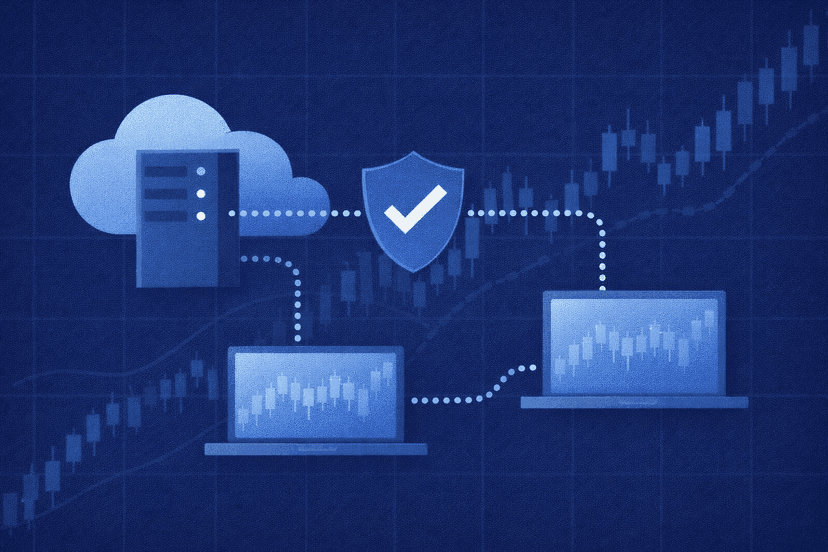
A VPS matters when the signal workflow depends on software running on your side. MetaTrader subscriptions, Telegram-to-MetaTrader copiers, Expert Advisors, and some broker-connected tools need the terminal to remain online. A home computer that sleeps, reboots, loses power, or drops its connection can miss an entry, exit, or stop adjustment.
Running the terminal on a forex VPS keeps the platform available through the 24/5 trading week and can place it closer to the broker’s infrastructure. That does not turn a weak signal into a profitable trade. It reduces avoidable execution differences caused by downtime and an unstable connection.
You may not need a VPS when the provider performs all copying on its own servers and your broker account stays connected without your device. Ask where the copying process actually runs. If closing your laptop stops the workflow, persistent hosting is relevant; if the platform executes server-side, it may be optional.
Test the complete setup before leaving it unattended. Restart the terminal, reconnect it after a brief interruption, and confirm that alerts or copied positions still arrive as expected. Keep platform credentials secure and do not give a signal seller withdrawal access. Reliable infrastructure limits preventable failures, but account permissions and risk settings remain your responsibility.
Forex Signal Risk Checklist
Decide your failure rules before the first trade. Write down what would make you pause the provider, such as unexplained position-size changes, missing stops, unavailable reporting, or behavior that no longer matches the published method. A preset exit rule is easier to follow than an emotional decision during a drawdown.
- Use only money you can afford to lose and decide your maximum account risk before activating a provider.
- Check verified history, drawdown, open exposure, and strategy changes—not just total return or win rate.
- Start with limited allocation and confirm entries, exits, fees, and withdrawal mechanics in your own account.
- Know which regulated broker or platform holds your funds; never transfer money directly to a signal seller merely because it claims a broker relationship.
- Reject any offer promising guaranteed or easy profits, secret access, or recovery of losses for an upfront payment.
The CFTC warns that forex is volatile and “not the place to put any money you cannot afford to lose.” It also reports a sharp rise in forex scams, including pitches built around easy or guaranteed profit. That is the right baseline for evaluating every provider on this list: evidence first, risk controls second, marketing last.
Final Verdict
IG Forex Signals stands out for broker-integrated technical and fundamental analysis you can inspect before acting. ZuluTrade and DupliTrade suit broker-connected auto-copy workflows, while eToro is the clearest choice for social copying across multiple asset types. FXLeaders provides a practical free starting point, MQL5 serves native MetaTrader users, and Myfxbook appeals to traders who put verified history first.
Pick the delivery model that fits how you trade, then compare providers by transparency and downside rather than advertised accuracy. No provider removes the need to size risk, monitor execution, and stop when the evidence no longer supports the strategy.
Forex Signal Provider FAQ
Are forex signals profitable?
They can be profitable for a period, but no signal service can guarantee future results. Your outcome can differ from the provider’s history because of position sizing, spreads, slippage, timing, and broker execution. Evaluate drawdown and losses as carefully as returns, test with limited risk, and never use money you cannot afford to lose.
Are free forex signals better than paid signals?
Neither model is automatically better. A free tier can show whether alerts are timely and complete, while a paid service may add education, analytics, or more setups. Judge the documented process and track record, not the price. A costly subscription with opaque results is weaker than a transparent free service.
Are forex signal providers legal or regulated?
Rules vary by jurisdiction and by what the service actually does. A provider selling analysis is different from a broker holding client funds or a platform exercising discretion over an account. Check the entity that executes trades and holds your money with the appropriate local regulator; do not treat a broker partnership as proof that the signal seller itself is licensed.
Do I need a VPS for copy trading?
You need persistent hosting when the copier or MetaTrader terminal must remain open on your own machine. A VPS keeps that software online during forex market hours and avoids interruptions from home power, internet, or computer restarts. If copying happens entirely on the provider’s servers, a VPS may not be required.
How do I spot a forex signal scam?
Walk away from guaranteed returns, pressure to deposit immediately, unverifiable screenshots, anonymous operators, or requests to send money outside a recognized broker or payment channel. Check independent history, company identity, withdrawal terms, and the broker that holds funds. A legitimate service should explain risk and losing periods rather than promise effortless income.

About the author
Matthew Hinkle
Lead Writer & Full Time Retail Trader
Matthew is NYCServers' lead writer. In addition to being passionate about forex trading, he is also an active trader himself. Matt has advanced knowledge of useful indicators, trading systems, and analysis.
Areas of Expertise