
TSCopier Review 2026: Pricing, Features, Risks & Verdict
TSCopier review covering current pricing, features, setup, VPS needs, refund terms, user feedback, alternatives, and key risks for forex traders.
TSCopier review: quick verdict
As of 2026: Telegram Signals Copier is one of the broadest Telegram-to-broker automation tools on the market, with support for MT4, MT5, cTrader, DXTrade, and TradeLocker plus genuinely granular risk controls in its Pro edition. It earns a qualified recommendation — buy a monthly license, run it on a demo account first, and only consider a lifetime plan once you have watched it parse your own signal providers correctly.
The caution is deliberate. TSCopier’s speed figures are vendor claims, not independently measured results. Its refund policy is narrow, the operator publishes no registered legal entity, and several one-star Trustpilot reviews from May 2026 allege Telegram account deletions and missed trades. Those are user allegations rather than proven findings, but they are enough reason to keep a lifetime purchase on hold until the software behaves on your own setup.
To be clear about method: this is a research-based review built from TSCopier’s own documentation, pricing pages, refund terms, and public user feedback. It is not a hands-on execution test, and no latency or fill-quality claim below has been measured by us.
What is TSCopier, and who is it for?
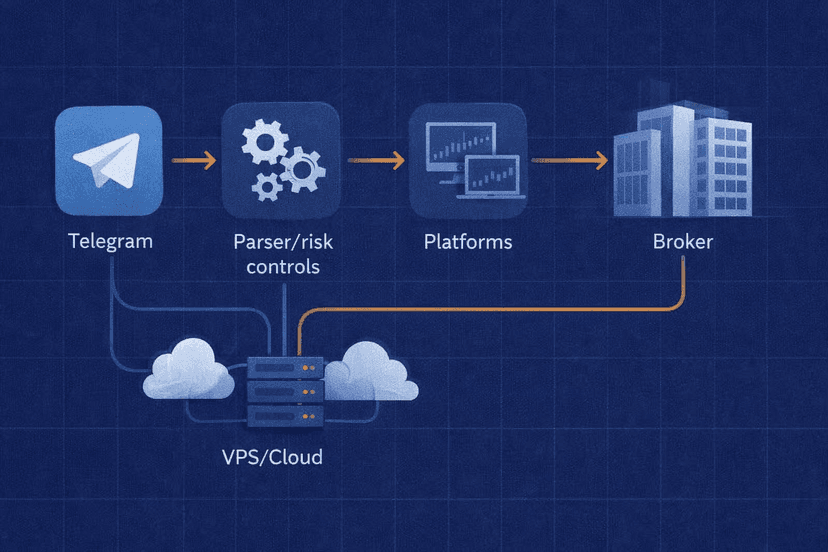
TSCopier — full name Telegram Signals Copier — is Windows software that reads trade signals posted in Telegram channels and turns them into live orders on your broker account. You point it at the channels you follow, define how much risk each signal is allowed to take, and it handles entry, stop loss, take profits, and subsequent edits without you sitting at the screen.
The core product is a desktop application paired with an Expert Advisor on the trading terminal. TSCopier also markets a separate browser-based Cloud edition that promises 24/7 operation with no installation, and its own managed VPS product for traders who want the desktop version running around the clock without leaving a home PC on. Those are three distinct purchases, not one bundle — a detail that trips up buyers who assume the standard license is cloud-hosted.
The software suits three groups particularly well. Traders who follow several signal channels at once and cannot realistically be awake for every alert. Traders who want mechanical risk sizing applied to someone else’s calls rather than eyeballing lot sizes at 3 a.m. And traders on non-MetaTrader platforms — cTrader, DXTrade, TradeLocker — who find that many Telegram MetaTrader copier options are MT4-only.
It is a poor fit if you want a set-and-forget profit machine. A copier automates execution, nothing more. It does not improve the quality of the signals it receives, does not guarantee your fill matches the provider’s, and does not protect you from slippage, spread widening, or a bad month from the channel you subscribed to. If the underlying signals lose money, TSCopier will lose it faster and more consistently than you would by hand.
TSCopier features and supported platforms
TSCopier’s homepage advertises copying from an unlimited number of Telegram channels to MT4, MT5, cTrader, DXTrade, and TradeLocker. Two conditions in the vendor’s own FAQ matter more than the headline list: DXTrade and TradeLocker require broker API access, and your broker must permit robots and Expert Advisors in the first place. Check both with your broker — and with your prop firm’s rulebook — before you pay for anything.
The parsing engine is the part that actually determines whether the product works for you. It reads free-text signal messages in whatever format your provider writes them, extracts symbol, direction, entry, stop, and targets, and then tracks the channel for follow-up edits — moving a stop to break-even, closing partials, cancelling a pending order. Providers who post screenshots instead of text, or who write in a house shorthand, are where any parser struggles.
Risk management is where TSCopier separates itself from simpler copiers. Rules can be set per channel rather than globally, so a provider you trust and one you are trialling do not carry the same exposure. On top of position sizing, the feature list includes trade analytics reporting on how each channel has actually performed through your account, which is the number that matters more than the provider’s own screenshots.
Standard vs Pro: what the extra money buys
TSCopier splits its features across two editions, and the split is not cosmetic. Standard covers one Telegram account and up to four take-profit levels per signal, with a vendor-stated average execution time of 250 milliseconds. Pro raises that to multiple Telegram accounts and up to 100 take-profit levels, with a vendor-stated 70-millisecond average.
| Capability | Standard | Pro |
|---|---|---|
| Telegram accounts | 1 | Multiple |
| Take-profit levels per signal | Up to 4 | Up to 100 |
| Vendor-stated average speed | 250 ms | 70 ms |
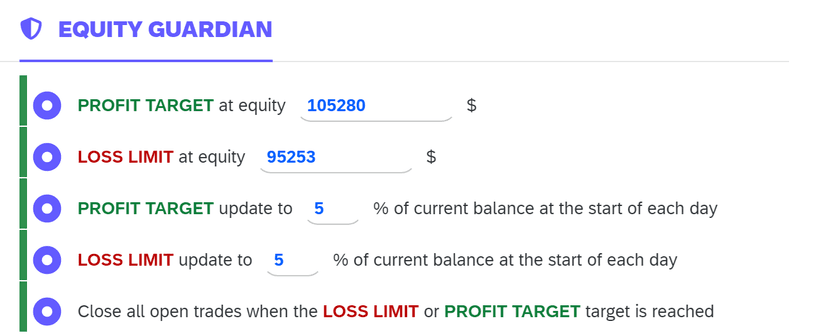
| Equity Guardian (account-level drawdown stop) | No | Yes |
| Economic-event filtering | No | Yes |
| Custom strategy rules | No | Yes |
| Supported platforms | MT4, MT5, cTrader, DXTrade, TradeLocker | MT4, MT5, cTrader, DXTrade, TradeLocker |
Both millisecond figures are TSCopier’s own numbers. Treat them as marketing until you have measured your own round trip, and remember that copier latency is only one link in a chain that also includes Telegram’s delivery time, your internet route, and your broker’s execution queue. A 70-millisecond parser sitting behind a 400-millisecond broker connection is still a 400-millisecond trade.
Two Pro-only features deserve attention if you trade funded accounts. Equity Guardian applies an account-level drawdown stop, which maps directly onto prop-firm daily-loss rules. Economic-event filtering suppresses copying around scheduled news, which is where signal channels and prop-firm rule violations most often collide. If either matters to you, Standard is not the edition to buy — and that pushes the real entry price well above the advertised headline.

TSCopier For 2026
The following desktop prices were displayed on TSCopier’s official pricing page as of July 2026. Licensing scales by the number of trading accounts you want to copy to, and each tier is sold either monthly or as a one-time “lifetime” payment.
| Accounts | Standard monthly | Standard lifetime | Pro monthly | Pro lifetime |
|---|---|---|---|---|
| 1 account | $30 | $260 | $54 | $459 |
| 2 accounts | $54 | $299 | $81 | $521.55 |
| 3 accounts | $81 | $340 | $108 | $560.50 |
| 4 accounts | $108 | $380 | $135 | $598.50 |
The break-even maths is worth doing before you reach for the lifetime button. At one account, Standard lifetime costs the equivalent of roughly 8.7 monthly payments; Pro lifetime is about 8.5 months. That is a fast payback on paper — but only if the product parses your providers correctly and the operator is still shipping updates in year two. Neither is guaranteed, which is exactly why a monthly license first is the cheaper risk.
TSCopier’s managed VPS is priced separately at $18.99, $22.99, $26.99, and $30.99 per month for one, two, three, and four accounts respectively, as of July 2026. It requires a TSCopier license on top — the VPS is hosting, not software. Budget accordingly: a one-account Pro subscription plus the vendor’s VPS is roughly $73 per month, not $54.
The Cloud edition is where the pricing gets murky. TSCopier’s Cloud page markets browser-based, no-install, 24/7 operation, but the lifetime amounts displayed there were internally implausible when we checked in July 2026 — a Standard figure higher than the Pro figure for the same single account. We are not publishing those numbers, and neither should you rely on them. Load the checkout page and confirm the amount you will actually be charged before entering card details.
Trust, privacy, refunds, and trading risk
On the public scoreboard, TSCopier looks strong. Its Trustpilot profile, claimed since July 2021, showed 4.6 out of 5 from 225 reviews when checked in July 2026, with 91% five-star and 6% one-star ratings. For a niche trading utility, that is a healthy distribution and a multi-year track record.
The 6% is where the useful information sits. Several one-star reviews posted in May 2026 allege that users’ Telegram accounts were deleted or banned while running the software. Others describe missed or delayed trades, and disputes over support responsiveness and refunds. These are user allegations. Nobody has independently demonstrated that TSCopier caused the account actions, and complaint clusters can have several explanations. But a cluster of the same complaint in the same month is a signal worth acting on.
Some context on why the ban question is plausible in principle: Telegram’s API terms require third-party clients to protect user privacy and not act on a user’s behalf without their knowledge and consent, and they reserve the right to discontinue API access for violations. That does not establish that TSCopier breached anything. It does mean any tool logging into your Telegram account carries a non-zero account risk, and the sensible mitigation is cheap — use a secondary Telegram account, not the one holding your personal and business conversations.
Who you are actually buying from
TSCopier’s terms and conditions identify the provider as “TSCopier” and give an email address. There is no registered legal entity, no company number, and no street address. For a $459 lifetime purchase, that is thin. It also limits your options if something goes wrong, because there is no named counterparty to escalate to.
Worth stating plainly: TSCopier is software, not a broker. There is no financial regulator overseeing it, no investor compensation scheme behind it, and no audited performance record. Your funds sit with your broker; the copier only sends instructions. Any protection you have comes from your broker’s regulator, not from this product.
The refund policy, in plain terms
Read this before you buy, because it is more restrictive than most trading software. Subscriptions auto-renew. Cancelling leaves your access running to the end of the paid term with no prorated refund for unused time. Automatic renewals and lifetime licenses are described as nonrefundable outright.
An initial refund request can be made within seven days, but only where the product does not work as described. Explicitly excluded: platform-connection problems, operating-system compatibility issues, and change of mind. In practice, the two most common reasons a copier disappoints a buyer — it will not connect to my broker, and it will not run on my machine — are both carved out of the refund window.
That single fact should shape your purchase. Seven days on a $30 monthly license is a manageable experiment. Seven exclusion-riddled days on a $459 lifetime license is not.
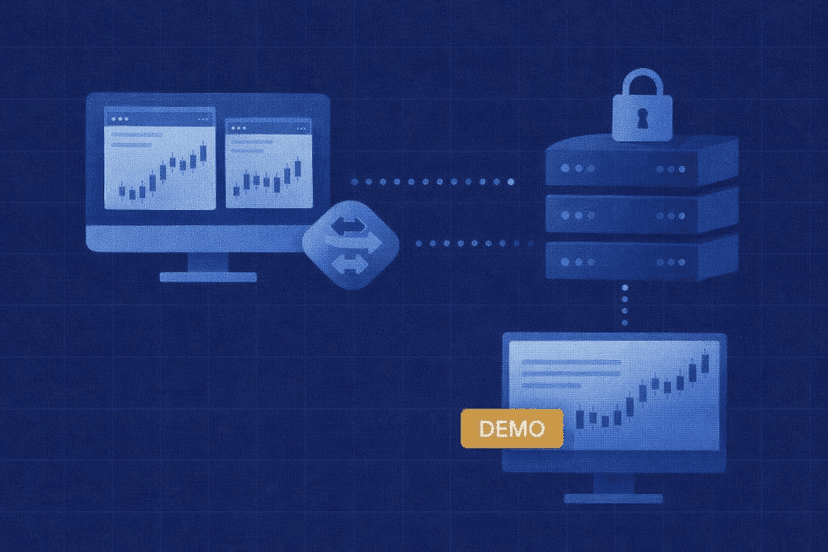
How To Set Up TSCopier
Setup is a multi-step process across three systems — Windows, Telegram, and your trading platform — and this is the stage where most negative first impressions are formed. Work through it on a demo account.
- Install on Windows. The desktop application needs a Windows machine that stays powered and connected. Install the companion Expert Advisor into your MetaTrader terminal and enable algorithmic trading, or arrange broker API access if you are on DXTrade or TradeLocker.
- Connect Telegram. Authorise the copier against a Telegram account and select the channels you want copied. Use a secondary account, not your primary one, and grant the minimum access the software needs to function.
- Connect the broker account. Link the terminal or API credentials for a demo account first. Confirm the copier can see balance, symbols, and open positions before you point it at anything funded.
- Configure risk per channel. Set lot sizing or risk percentage, maximum concurrent trades, and which take-profit levels you actually want filled. On Pro, set Equity Guardian and any economic-event filter here too. Do this before enabling copying, not after.
- Validate your providers’ message format. Let real signals arrive and check what the parser did with each one — symbol mapping, entry type, stop placement, and whether follow-up edits like break-even moves were picked up. Symbol suffixes (EURUSD vs EURUSD.m) are a classic failure point.
- Run a demo period, then go live small. Give it enough sessions to include news events, weekend gaps, and at least one messy signal. Compare the copier’s fills against the provider’s posted results, then move to live capital at a size you would accept losing.
Step five is the one people skip, and it is the one that decides whether the software works for you. Parsing quality is provider-specific: TSCopier may read one channel flawlessly and mangle the next, and no amount of vendor documentation tells you which you have until real messages arrive.
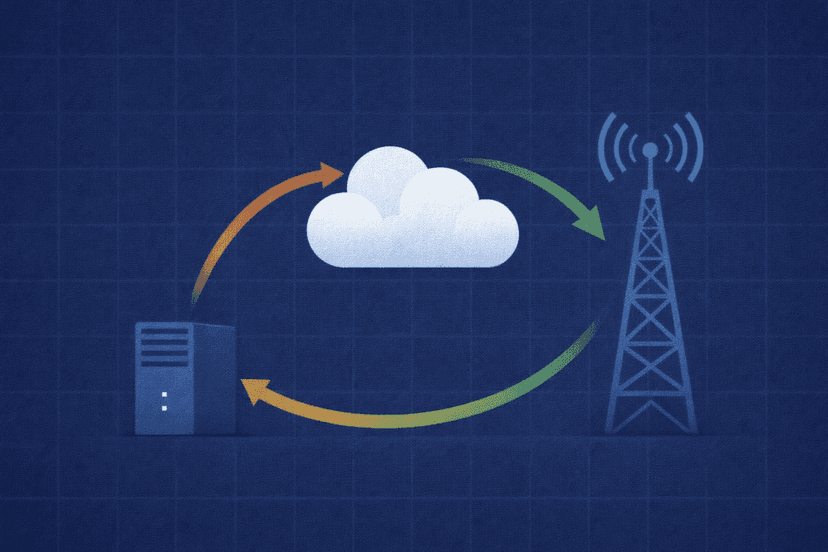
Does TSCopier Need a VPS?
If you run the desktop edition, yes — in practice you need something always on. Signals arrive at any hour, and a copier that is asleep when the alert lands is worse than useless, because you may end up entering a trade whose stop and targets have already been revised. Common MetaTrader lag and downtime risks on a home PC include Windows updates, sleep settings, broadband outages, and a laptop lid closing at midnight.
The two solutions are a VPS running the desktop software or TSCopier’s Cloud edition, which is browser-based and hosted by the vendor. If you want to keep control of the environment, run the desktop software on your own forex VPS; if you want the vendor to handle uptime, Cloud is the alternative — subject to the pricing caveat above.
The case for a VPS is the same one MetaTrader makes for its own virtual hosting: keeping robots and signal connections online around the clock, and reducing latency by placing the server near your broker’s execution servers. Those are real, measurable benefits for a copier, where the gap between signal and fill is the whole product.
Be honest about what a VPS fixes, though. It fixes availability and network distance. It does not fix a parser that misreads your provider’s format, it does not improve the quality of the signals, and it does not eliminate slippage on a fast market. Traders who buy hosting to solve a parsing problem end up paying monthly for the same problem.
On sizing: one copier instance plus one or two terminals is light work, but every additional MetaTrader terminal adds RAM and CPU load. If you are copying to four accounts, plan the specification around four running terminals rather than the copier itself, and pick a data centre close to your broker rather than close to you.
TSCopier Pros and Cons
Pros
- Unusually broad platform support. MT4, MT5, cTrader, DXTrade, and TradeLocker from one tool, where most competitors stop at MetaTrader.
- Per-channel risk rules. Different exposure for a trusted provider and one you are trialling, rather than one global setting.
- Pro-level controls that map to prop-firm rules. Equity Guardian’s account-level drawdown stop and economic-event filtering address the two most common ways copied signals break a funded account.
- Unlimited channels and up to 100 take-profit levels on Pro. Enough headroom for providers who ladder out of positions.
- Long public review history. A Trustpilot profile claimed since 2021 with 4.6/5 across 225 reviews is more track record than most tools in this niche have.
- Analytics on real results. Per-channel performance measured through your own account, not the provider’s screenshots.
Cons
- The features you probably want are behind Pro. Equity Guardian, event filtering, and multiple Telegram accounts are Pro-only, taking the one-account entry price from $30 to $54 monthly.
- Speed claims are unverified. The 250 ms and 70 ms figures are vendor-supplied with no published methodology or third-party test.
- Restrictive refunds. Lifetime licenses and renewals are nonrefundable; the seven-day window excludes connection failures, OS incompatibility, and change of mind.
- Opaque operator. No registered legal entity, company number, or address — just a trading name and an email.
- Unresolved Telegram-ban allegations. Multiple May 2026 one-star reviews report account deletions or bans, alongside missed-trade and support complaints.
- Inconsistent Cloud pricing. Lifetime figures on the Cloud page did not add up when checked in July 2026, so the true cost needs confirming at checkout.
- Real setup burden. Windows, an EA or broker API, Telegram authorisation, and per-provider format validation before it is trustworthy.
Alternatives to TSCopier
TSCopier is not the only option, and the right comparison depends on whether you value platform breadth, hosting model, or price structure. All three below describe themselves in vendor terms — the same scepticism applies.
trade2sync positions itself around cloud operation and mobile access, which removes the always-on Windows machine from the equation entirely. That is the main structural difference from TSCopier’s desktop edition, and it suits traders who do not want to manage a VPS.
Copygram pulls from multiple source types — Telegram, TradingView alerts, and a master trading account — rather than Telegram alone. If your signals do not all live in Telegram, that breadth matters more than take-profit counts.
Telegram Copier is the closest like-for-like: desktop software with a lifetime license option, competing directly on the same ground. Worth pricing against TSCopier’s Standard tier if you only need basic parsing and sizing.
Whichever you shortlist, apply the same test: buy the shortest billing period available, run it against your actual signal providers on demo, and check the refund terms before the platform-connection question comes up rather than after.
Final Verdict
TSCopier is a capable, feature-dense Telegram copier that does things cheaper tools do not — five platforms, per-channel risk rules, drawdown and news filtering on Pro. If Telegram signals are a real part of how you trade, it belongs on your shortlist.
Buy it monthly. Start at $30 for Standard or $54 for Pro on one account, run it on demo against the providers you actually follow, and let the parser prove itself before any money is at risk. The seven-day refund window with its connection and compatibility exclusions makes a monthly license the only sane way to trial this product.
Do not start with a lifetime plan. A $260 to $598.50 nonrefundable payment to an operator with no published legal entity, made before you know whether your providers parse correctly, is a bad trade regardless of how good the break-even maths looks.
And use a secondary Telegram account. Until the May 2026 ban reports are explained satisfactorily by the vendor, there is no reason to expose the account that holds your personal and business messages to an unresolved risk — especially when the workaround costs nothing.
Frequently Asked Questions
Is TSCopier legit?
It is a real, purchasable product with a Trustpilot profile claimed since July 2021 and a 4.6/5 rating from 225 reviews as of July 2026, so it is not a phantom operation. That said, the terms identify the seller only as “TSCopier” with an email address — no registered company or address — and 6% of reviews are one-star, including May 2026 complaints about Telegram account bans and missed trades. Treat it as a legitimate small software vendor with limited transparency, not a regulated firm.
Does TSCopier work with MT4, MT5, cTrader, DXTrade, and TradeLocker?
TSCopier advertises all five platforms. Two conditions apply from its own FAQ: DXTrade and TradeLocker need broker API access, and your broker must allow robots and Expert Advisors at all. Confirm both with your broker — and with your prop firm if you trade a funded account — before purchasing, because platform-connection problems are excluded from the refund policy.
Does TSCopier need a VPS?
The desktop edition needs a Windows machine that is always on and connected, which in practice means a VPS unless you are happy leaving a home PC running permanently. TSCopier sells its own managed VPS from $18.99 per month for one account as of July 2026, on top of the software license, or you can run the software on hosting you choose. The browser-based Cloud edition is the alternative if you would rather not manage a server at all.
Can TSCopier get my Telegram account banned?
Several one-star Trustpilot reviews from May 2026 allege exactly that, but no independent investigation has confirmed the software caused those account actions. What is documented is that Telegram’s API terms require third-party clients to protect privacy and not act without the user’s knowledge and consent, and allow API access to be discontinued for violations. The practical response is straightforward: use a secondary Telegram account for copying, never your primary one.
Is the TSCopier lifetime plan refundable?
No. TSCopier’s refund policy describes lifetime licenses and automatic renewals as nonrefundable. An initial refund request can be made within seven days only where the product does not work as described, and that window excludes platform-connection issues, operating-system compatibility, and change of mind. Given those exclusions, a monthly license is the appropriate way to trial the software.
How much does TSCopier cost?
As of July 2026, the desktop version for one trading account is $30 per month or $260 lifetime on Standard, and $54 per month or $459 lifetime on Pro. Multi-account tiers run to $108 monthly or $380 lifetime for four accounts on Standard, and $135 monthly or $598.50 lifetime on Pro. The managed VPS is extra, from $18.99 per month. Cloud edition lifetime prices were displayed inconsistently when checked, so confirm the amount at checkout.

About the author
Matthew Hinkle
Lead Writer & Full Time Retail Trader
Matthew is NYCServers' lead writer. In addition to being passionate about forex trading, he is also an active trader himself. Matt has advanced knowledge of useful indicators, trading systems, and analysis.
Areas of Expertise