

Heron Copier Review 2026: Cross-Platform Trade Copier Tested
Honest Heron Copier review covering features, pricing, cloud vs local deployment, prop firm compatibility, and real user feedback. Is it worth $19/month?

What Is Heron Copier?
Heron Copier is a trade copying tool built for traders who manage multiple accounts across different platforms. It started as a personal project by a prop trader who needed to copy trades between cTrader accounts. Since then, it has grown into a full multi-platform solution that covers six major trading platforms.
The core selling point is cross-platform flexibility. You can copy trades between MetaTrader 4, MetaTrader 5, cTrader, TradeLocker, MatchTrader, and DXtrade in any combination. That means an MT4 master can push trades to a cTrader slave, or a TradeLocker account can mirror a DXtrade setup. Most competing copiers limit you to a single platform ecosystem, so this is a genuine differentiator.
Heron Copier is also the only copier on the market that offers both a cloud-hosted version and a locally installed version. The cloud option launched in June 2025, and it runs on the developer’s infrastructure with zero setup required. The local version runs on your own trading VPS or PC and supports unlimited accounts.

Supported Platforms
Platform coverage is where Heron Copier separates itself from the pack. Here is a breakdown of every supported platform and what it can do:
| Platform | Master | Slave | Non-API Mode |
|---|---|---|---|
| MetaTrader 4 | Yes | Yes | No |
| MetaTrader 5 | Yes | Yes | No |
| cTrader | Yes | Yes | No |
| TradeLocker | Yes | Yes | No |
| MatchTrader | Yes | Yes | Yes |
| DXtrade | Yes | Yes | Yes |

Every platform can function as either a master or a slave. This bidirectional support means you are not locked into a specific hierarchy. If you switch brokers or platforms, you just reassign roles in the dashboard without rebuilding your setup from scratch.
The non-API mode on MatchTrader and DXtrade is worth noting. Some brokers restrict API-based trade execution or flag it as automated trading. Non-API mode masks copied trades as manual entries, which helps traders stay compliant with broker terms that prohibit bots or external automation.
Telegram integration is also available for notifications and signal distribution, though it functions as an alert layer rather than a full trading platform.
Cloud vs. Local: Which Version Should You Use?
This is one of the most important decisions you will make when setting up Heron Copier. Both versions use the same underlying technology, but the deployment model changes the experience significantly.
Cloud Version
The cloud version runs on Heron Copier’s own servers. Setup takes under 60 seconds. You do not need a VPS, a Windows license, or any local software. It just works.
Each paid subscription includes two free cloud accounts. If you need more, additional accounts cost $8 per month each. The cloud infrastructure is optimized for speed, and the developer claims performance matches or exceeds the local version due to server proximity to major broker endpoints.
The cloud version is ideal for traders who want a hands-off setup. No server maintenance, no Windows updates interrupting your copier at 3 AM, and no worrying about VPS uptime. The downside is that you are limited to the number of accounts you pay for, and scaling costs add up quickly.
Local Version
The local version installs on your own Windows VPS or PC. It supports unlimited master and slave accounts at no extra per-account cost. This is the original product, and it gives you full control over the environment.
System requirements are straightforward:
- Windows 10 or later (Windows Server 2016+ recommended)
- Minimum 4 GB RAM
- 4+ dedicated vCores
- Visual C++ redistributables (x64 and x86)
The local version makes sense for traders running many accounts. If you manage ten or more slave accounts, the flat subscription fee with unlimited accounts is far more economical than paying $8 per account on the cloud. The trade-off is that you need a reliable VPS with strong uptime guarantees to keep the copier running around the clock. For a broader look at the market, see our guide to the best MT4 trade copier software.
Our take: If you run fewer than five accounts, start with the cloud version. If you manage a larger operation with many funded accounts, the local version on a dedicated VPS delivers better value.
Key Features Breakdown
Beyond basic trade copying, Heron Copier packs several features that matter for serious traders. Here is what stands out.
Real-Time Dashboard
The dashboard gives you a live view of all connected accounts. You can see connectivity status, open positions, trade history, and account metrics without logging into each platform individually. There is a pause button to temporarily halt copying and a kill-switch to close all positions across all slave accounts instantly.
One caveat: the dashboard requires a manual refresh to update data. This does not affect actual trade copying speed, which runs continuously in the background. It is purely a display limitation to conserve server resources.

Trade Management Tools
Heron Copier gives you granular control over how trades are copied:
- SL/TP Copying: Choose whether to copy stop-loss and take-profit levels, or set custom pip adjustments on slave accounts
- Lot Sizing: Six different volume modes including fixed lot, multiplier, equity ratio, and risk-based scaling
- Symbol Mapping: Handle broker naming differences with aliases. If your master uses “US30” but your slave uses “DJ30,” mapping resolves the mismatch automatically
- Reverse Trading: Mirror trades in the opposite direction on slave accounts
- Custom Rules per Slave: Each slave account can have its own lot multiplier, symbol filters, and risk settings
Prop Firm Account Protection
For funded account traders, Heron Copier includes safety mechanisms designed to prevent you from blowing a challenge or funded account. You can set balance-based and equity-based thresholds. When an account hits the threshold, the copier stops copying new trades and optionally closes all open positions.
This is critical for prop traders managing multiple funded accounts simultaneously. One bad trade on the master should not wipe out every slave. The protection layer adds a buffer that platform-native risk tools often lack.
However, a word of caution: some prop firms flag trades executed via EAs or external tools on the server side, regardless of how the trade appears in the platform. Always confirm with your prop firm that trade copying is permitted before deploying.
Speed and Latency
The local version uses TCP socket-based communication for trade transmission. This avoids the overhead of HTTP-based APIs and keeps latency low. Real-world latency ranges from 1 to 50 milliseconds depending on your VPS location relative to broker servers. You can verify your connection speed with a latency checker tool.
Recent updates reduced the polling interval from 100 ms to under 10 ms, which significantly improves responsiveness for fast-moving strategies. For scalpers trading pairs like XAUUSD or during news events, every millisecond matters.
The cloud version benefits from optimized infrastructure that the developer maintains, so latency is generally comparable or better than a self-hosted setup.
Pricing Plans
Heron Copier keeps pricing simple. There are three tiers plus a free option for testing.
| Plan | Cost | Cloud Accounts | Local Accounts | Key Features |
|---|---|---|---|---|
| Free | $0 | None | Unlimited (EURUSD + BTCUSD only) | Demo accounts only, basic support |
| Monthly | $19/mo | 2 included | Unlimited | All features, Discord support, email alerts |
| Yearly | $179/yr | 2 included | Unlimited | Same as monthly, ~$14.92/mo effective |
| Extra Cloud Account | $8/mo each | +1 per purchase | N/A | Add-on for cloud users |
The free version restricts you to EURUSD and BTCUSD pairs on demo accounts. It is useful for testing the interface and basic functionality, but you cannot use it for live or prop firm trading.
At $19 per month, the paid tier is competitive. Duplikium charges $4 per account per month, which gets expensive fast if you manage many accounts. Social Trader Tools starts at $20 per month for two accounts. Heron Copier’s unlimited local accounts at a flat rate make it the better deal for high-volume users.
The yearly plan saves roughly $49 compared to monthly billing. If you know you will be using the copier long-term, it is worth locking in.
Setup and Installation
Getting Heron Copier running depends on which version you choose.
Cloud Setup
The cloud version is the faster path. Sign up, add your account credentials, and trades start copying within minutes. The interface walks you through connecting each platform. No downloads, no configuration files, no VPS needed.
Local Setup
The local version requires a bit more work:
- Download the installer from the Heron Copier website
- Install Visual C++ redistributables if not already present
- Run the installer application
- Configure your master and slave accounts through the dashboard
- Set up symbol mappings if your brokers use different naming conventions
The official documentation covers every step with screenshots. Most users report having the local version running within 5 to 15 minutes. If you get stuck, the Discord support channel is responsive, and paid users get priority help including remote desktop assistance.

Real User Feedback
Heron Copier holds a 4.5 out of 5 rating on Trustpilot across 50 reviews. The breakdown tells an interesting story:
- 88% five-star reviews: Users consistently praise ease of use, cross-platform flexibility, and responsive customer support
- 4% one-star reviews: A small number of users reported trade copying failures and connection instability
Common praise centers on three areas. First, the setup process. Multiple reviewers describe it as quick and straightforward. Second, the developer’s responsiveness. One user reported receiving 30 minutes of remote support on a Sunday. Third, the dashboard, which lets traders monitor all accounts without logging into each VPS individually.
The negative reviews focus on occasional trade copying failures. One user reported that 3 out of 8 trades did not copy despite appearing to process. Another mentioned connection instability requiring manual re-adds of slave accounts. These issues seem isolated rather than systemic, but they are worth noting for traders who need flawless execution on every trade.
A few users flagged latency concerns when trading high-volatility pairs like XAUUSD during fast-moving markets. For scalping strategies where sub-10ms execution matters, your VPS location relative to broker servers will have a bigger impact than the copier itself.
Heron Copier vs. Competitors
The trade copier market has several strong players. Here is how Heron Copier stacks up against the most popular alternatives.
| Feature | Heron Copier | Duplikium | Social Trader Tools |
|---|---|---|---|
| Platforms | MT4, MT5, cTrader, TradeLocker, MatchTrader, DXtrade | MT4, MT5, cTrader, TradingView, FXCM, LMAX | MT4, MT5 |
| Cloud Option | Yes | Yes (cloud-only) | Yes |
| Local Option | Yes (unlimited accounts) | No | No |
| Latency | 1-50 ms | 1-3 ms | ~50 ms |
| Starting Price | $19/mo | $4/account/mo | $20/mo (2 accounts) |
| Non-API Mode | Yes (MatchTrader, DXtrade) | No | No |
| Prop Firm Protection | Yes | Yes | Yes |
Duplikium wins on raw latency at 1 to 3 ms, but it is cloud-only with per-account pricing. For traders managing many accounts, costs escalate quickly. Social Trader Tools has a simpler interface but supports fewer platforms and runs slower at around 50 ms latency.
Heron Copier’s unique value is the combination of wide platform coverage, both cloud and local options, and unlimited local accounts. If you trade across multiple platforms or manage a large number of funded accounts, it offers the most flexibility per dollar.
Who Should Use Heron Copier?
Heron Copier fits specific trading profiles better than others. Here is a quick breakdown:
Best For
- Prop firm traders managing multiple funded accounts across different brokers and platforms
- Multi-platform traders who need MT4-to-cTrader or MT5-to-DXtrade copying
- Signal providers distributing trades to many follower accounts
- Traders who want both cloud and local options for redundancy or flexibility
Not Ideal For
- Ultra-high-frequency scalpers who need sub-1ms latency consistently
- Mac or Linux users who do not want to run a Windows VPS for the local version
- Casual traders with a single account who do not need trade copying at all
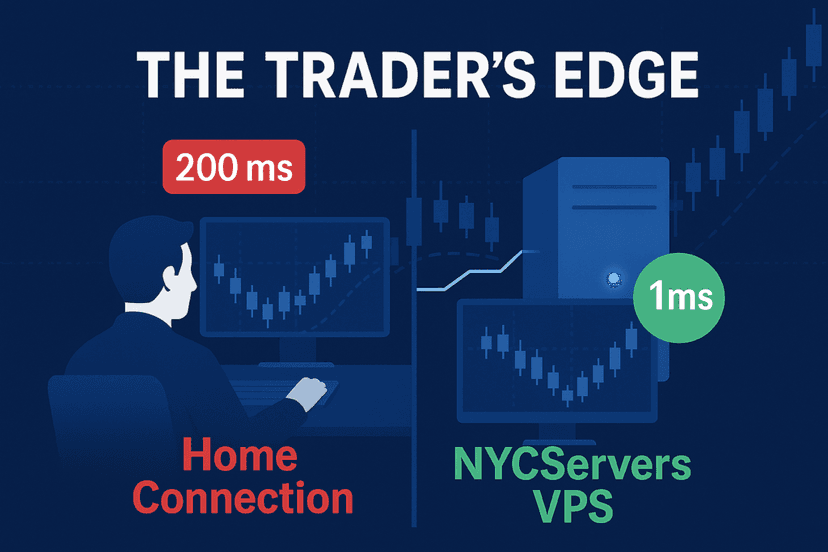
VPS Requirements for Running Heron Copier
If you go with the local version, your VPS setup directly impacts performance. The copier itself is lightweight, but it runs alongside your trading platforms, which adds up.
For optimal performance, you want:
- Location: A VPS in the same datacenter or region as your broker’s servers. New York (NY4), London (LD4), or Tokyo (TY3) are the most common financial hubs
- Specs: At least 4 GB RAM and 4 vCores for running the copier plus two to three trading platform instances simultaneously
- Uptime: A 100% uptime guarantee during trading hours. If your VPS goes down, no trades get copied
- Operating System: Windows Server 2016 or later
A trading VPS with pre-installed platforms eliminates most of the setup friction. You connect to the VPS, install the Heron Copier application, and you are ready to go. No hunting for the right Windows configuration or installing redistributables manually.
A reliable VPS with pre-installed platforms and guaranteed uptime ensures your trading setup never misses a beat.
Strengths and Weaknesses Summary
Strengths
- Widest cross-platform support in the trade copier market (six platforms)
- Both cloud and local deployment options available
- Unlimited accounts on local version at a flat monthly fee
- Prop firm account protection features built in
- Active developer with responsive support via Discord
- Competitive pricing at $19 per month
- Non-API mode for MatchTrader and DXtrade
- 7-day free trial with full feature access
Weaknesses
- Windows-only for local version (no native macOS or Linux support)
- Dashboard requires manual refresh
- Cloud version limited to 2 accounts per subscription (extras cost $8 each)
- Occasional trade copying failures reported by users
- Free tier restricted to EURUSD and BTCUSD on demo accounts
- Newer product with a smaller user base compared to established competitors
Frequently Asked Questions
Does Heron Copier work with prop firms like FTMO and MyFundedFX?
Yes, Heron Copier is compatible with most prop firms and includes account protection features to prevent breaching drawdown limits. However, some firms flag EA-based or bot-based trades on the server side. Always verify with your specific prop firm that trade copying is allowed before using any copier tool.
Can I copy trades between MT4 and cTrader using Heron Copier?
Yes. Heron Copier supports cross-platform copying between all six of its supported platforms. You can set any platform as a master and any other as a slave. MT4 to cTrader, MT5 to DXtrade, TradeLocker to MatchTrader, and every other combination works out of the box.
Do I need a VPS to run Heron Copier?
Not necessarily. The cloud version runs on Heron Copier’s infrastructure and requires no VPS at all. If you choose the local version, a VPS is strongly recommended for 24/7 stability. Running it on a personal PC risks interruptions from power outages, internet drops, or system updates.
How fast is Heron Copier’s trade execution?
Real-world latency ranges from 1 to 50 milliseconds depending on your setup. The local version uses TCP socket communication for fast transmission, and recent updates reduced the polling interval from 100 ms to under 10 ms. The cloud version offers comparable or better performance.
What happens if my VPS goes down while using the local version?
If the VPS loses connectivity, trade copying stops until the connection is restored. Open positions on slave accounts remain as they are. No new trades from the master will be copied during the downtime. This is why choosing a VPS provider with a strong uptime guarantee is essential for serious traders.
Is Heron Copier free?
There is a free tier, but it only supports demo accounts and is restricted to EURUSD and BTCUSD pairs. For live trading, prop firm accounts, and full platform support, you need the paid plan starting at $19 per month. A 7-day free trial with full features is available on paid plans.
Can I use Heron Copier on a Mac?
The local version requires Windows. Mac users can access the cloud version without any local installation, or run the local version on a Windows-based VPS accessed via remote desktop. There is no native macOS application at this time.
Final Verdict
Heron Copier delivers where it matters most: cross-platform flexibility and practical prop firm features at a reasonable price. The combination of cloud and local deployment is unique in this space, and the unlimited account support on the local version makes it a clear winner for traders managing many funded accounts.
It is not perfect. The Windows-only requirement for the local version is a limitation, occasional trade failures have been reported, and the dashboard’s manual refresh is a minor annoyance. But for the $19 per month price tag, you get a feature set that rivals or exceeds tools costing significantly more.
If you are a prop firm trader juggling funded accounts across MT4, MT5, cTrader, and newer platforms like TradeLocker or DXtrade, Heron Copier should be on your short list. The 7-day free trial makes it easy to test before committing.

About the author
Thomas Vasilyev
Writer & Full Time EA Developer
Tom is our associate writer, and has advanced knowledge with the technical side of things, like VPS management. Additionally Tom is a coder, and develops EAs and algorithms.
Areas of Expertise