
9 Essential Algorithmic Trading Tools for a Complete Stack
The essential algorithmic trading tools for 2026: 9 platforms, data feeds, and automation layers—plus where a low-latency VPS fits in your stack.
The best algorithmic trading tools are the ones that cover execution, market data, research or automation, and reliable hosting without creating unnecessary handoffs. For most retail forex and futures traders, that means choosing one primary execution platform, one dependable data path, only the research tools you will actually use, and a low-latency VPS close to the broker or exchange.
The quick verdict: MetaTrader 5 is the practical starting point for retail forex automation, while NinjaTrader is the stronger fit for C#-based futures work. Add Databento or Massive when your strategy needs an independent market data API, QuantConnect or StrategyQuant X when research outgrows the platform tester, and n8n when several services must exchange signals reliably.
A stack is only as reliable as its weakest layer. Retail traders often spend heavily on software while leaving the execution terminal on a home PC, even though uptime and network distance affect every live order.
How We Selected These Algorithmic Trading Tools
These nine tools are not interchangeable. Each fills a clear role in a four-layer stack: an execution platform, a market-data feed, a research or automation layer, and infrastructure that keeps the live components running 24/5. We prioritized products that remain actively developed in 2026 and offer real scripting, API, or webhook access.
- Useful access: a scripting language, API, or webhook workflow you can control.
- Relevant coverage: broker, exchange, or asset support that fits retail forex or futures trading.
- VPS fit: the live component can stay online unattended, with latency-sensitive services placed near execution.
- Clear purpose: each tool solves a specific stack problem instead of duplicating another layer.
9 Algorithmic Trading Tools at a Glance
| Tool | Stack role | Best for | Pricing from the brief | Where to host |
|---|---|---|---|---|
| MetaTrader 5 | Execution | Retail forex EAs | No verified figure | NY4 or LD4, near the broker |
| NinjaTrader 8 | Execution and testing | C# futures systems | Free, $99 monthly, or $1,499 lifetime plan | Chicago for CME routes |
| cTrader | Execution | C# forex automation | No verified figure | Near the connected broker |
| TradingView | Signals | Charts, Pine Script, and alerts | $12.95–$199.95 monthly-billed | Host the webhook receiver near execution |
| Databento | Market data | Programmable exchange data | Usage-based or $199–$4,500 monthly tiers | Same location as consuming compute |
| Massive | Market data API | Multi-asset REST and WebSocket access | No verified figure | Near the data consumer |
| QuantConnect | Research and backtesting | Python or C# research | No verified figure | Cloud research; live executor near broker |
| StrategyQuant X | Strategy discovery | Automated generation and robustness tests | No verified figure | Compute-oriented machine or VPS |
| n8n | Orchestration | Webhook routing, retries, and deduplication | Open source; no hosted price verified | Self-host with the live trading stack |

1. MetaTrader 5: The Retail Algo Workhorse
MetaTrader 5 is the most practical execution foundation for a retail forex trader who wants to build, test, and run Expert Advisors in one environment. MQL5 gives you a native language for strategy logic and custom indicators, while the Strategy Tester keeps initial validation inside the same platform that will execute the EA. Broad broker support also makes MT5 easier to carry between demo, evaluation, and live accounts than a custom broker-specific build.
Key specs
- Primary role: retail forex and CFD execution.
- Automation: MQL5, Expert Advisors, and custom indicators.
- Testing: integrated Strategy Tester.
- Pricing: no verified platform or built-in VPS figure was available in the brief.
- Hosting: a Windows MT5 VPS in NY4 or LD4, selected according to broker location.
Strengths and caveats
MT5’s main strength is consolidation. You can write an EA, test it, attach it to a chart, and monitor live execution without building a separate order gateway. That short path is valuable when reliability matters more than creating a fully custom architecture. Its broad broker support also lets you retain the MQL5 workflow while testing demo and live connections.
The trade-off is ecosystem dependence. Your code is written for MQL5, and data quality or available instruments can vary with the broker connection. The Strategy Tester is useful, but it does not remove the need for out-of-sample checks or realistic execution assumptions. Keep the terminal and EA on the VPS rather than treating remote hosting as a backup; a sleeping home computer defeats the point of unattended automation. Before live deployment, run the EA on a demo account, confirm that its symbols and position sizes match the broker, and document how it behaves after a terminal or network restart. Those operational checks matter as much as a clean backtest in practice.
Best for: Retail forex traders who want one widely supported platform for developing, testing, and running EAs.

2. NinjaTrader 8: C# Automation for Futures
NinjaTrader 8 is the execution and analysis choice for futures traders who prefer C# over a platform-specific language. NinjaScript uses C#, and the platform’s Strategy Analyzer covers backtesting, walk-forward analysis, and Monte Carlo work. That makes NinjaTrader more than an order terminal: it can take a strategy from code through robustness checks and into live futures execution within one desktop environment.
Key specs
- Primary role: futures strategy development, testing, and execution.
- Automation: NinjaScript based on C#.
- Testing: Strategy Analyzer, walk-forward analysis, and Monte Carlo testing.
- Free plan: $0 monthly; commissions from $0.39 per micro contract and $1.29 per standard contract, per side.
- Monthly plan: $99 per month; $0.29 per micro and $0.99 per standard contract, per side.
- Lifetime plan: $1,499 one time; $0.09 per micro and $0.59 per standard contract, per side.
- Hosting: a NinjaTrader VPS in Chicago when CME routing is the latency-sensitive path.
Strengths and caveats
The strongest reason to choose NinjaTrader is the combination of a mainstream programming language and futures-focused testing tools. A C# developer can work with familiar concepts rather than learning MQL5 first, and walk-forward or Monte Carlo analysis helps expose strategies that only look convincing on one historical sample. That placement keeps the latency-sensitive execution path close to CME while research and optimization remain separate from live trading.
NinjaTrader’s current pricing needs to be evaluated against expected trading volume, not just the headline license cost. Lower per-side commissions on the paid plans may matter to a frequent trader, while the free plan can be enough for a lighter workflow. Placement matters too: hosting a CME-focused strategy far from Chicago adds a network leg that better code cannot remove. Keep optimization runs off the live instance when possible, and test recovery after a restart before leaving a futures strategy unattended.
Best for: Futures traders who want C# strategy development, serious robustness testing, and live execution in one platform.

3. cTrader: A C# Alternative for Forex Execution
cTrader is the strongest alternative here for forex traders who want C# automation without moving into a futures-first platform. Its cAlgo environment supports automated strategies in C#, and its positioning centers on native ECN routing with no dealer intervention. That combination makes it relevant when you like the retail broker access of MetaTrader but prefer the C# development model.
Key specs
- Primary role: retail forex execution and automation.
- Automation: cAlgo strategies written in C#.
- Routing: native ECN positioning with no dealer intervention.
- Pricing: no verified figure was available in the brief.
- Hosting: a cTrader-capable VPS close to the connected broker; NY4 and LD4 are common placement choices for forex routes.
Strengths and caveats
cTrader’s clearest advantage is that you do not have to choose between a retail forex platform and C#. That can simplify recruitment, code review, and reuse for a trader or small team already comfortable with the .NET ecosystem. It also offers a cleaner decision path for someone comparing cTrader with MetaTrader specifically for algorithmic execution.
The caveat is broker fit. A language preference should not outweigh the instruments, account terms, or routing available through your actual broker. Confirm support before committing development time, then test the complete route rather than assuming the ECN label settles every execution question. As with MT5, the live terminal belongs close to the broker and should remain online throughout the trading week.
cTrader also does not replace a dedicated research or independent data layer when your work becomes more demanding. It is the execution component of the stack. Keep large research jobs separate so live strategies are not competing for resources with backtests. Test the full broker connection on a demo account before moving the same automation into live use.
Best for: Forex algo traders who want C# automation and a direct alternative to the MetaTrader ecosystem.

4. TradingView: Charts, Pine Script, and Signal Alerts
TradingView works best as the visual signal and alert layer, not as a substitute for the broker-side executor. You can express an idea in Pine Script, inspect it on charts, and trigger an alert or webhook when its conditions are met. The receiving service then validates and forwards the signal to the execution platform. This separation is useful when strategy logic begins with chart-based analysis but orders still need controlled handling elsewhere.
Key specs
- Primary role: charting, Pine Script signals, alerts, and webhooks.
- Essential: TradingView’s $12.95 monthly-billed plan.
- Plus: $29.95 per month with monthly billing.
- Premium: $59.95 per month with monthly billing.
- Ultimate: $199.95 per month with monthly billing.
- Billing note: annual billing is cheaper.
- Hosting: TradingView is the front end; place the webhook receiver and executor near the broker or exchange.
Strengths and caveats
The advantage is speed of iteration. Chart feedback makes a signal easier to inspect, and webhooks provide a clean boundary between detection and order handling. This is especially practical when you want TradingView for research and alerts but already trust MT5, cTrader, or another platform for execution. Keep the receiver near execution so chart-side convenience does not add an avoidable remote control point.
The boundary must be engineered carefully. An alert is not an order confirmation, and a webhook can be retried, delayed, or delivered more than once. The receiver should authenticate requests, reject stale or duplicate signals, validate position limits, and record what happened before it touches the execution layer. Choose a plan for the TradingView features you need, then judge the complete workflow rather than treating the subscription alone as the cost of automation. Test missing, duplicate, and out-of-order alerts on a non-live account so the failure behavior is known before the workflow controls real positions.
Best for: Traders who want visual Pine Script development and alerts feeding a separately controlled execution service.

5. Databento: Programmable Exchange Market Data
Databento is the data layer for traders who need more control than a broker feed provides. It covers futures, equities, and options through a programmable service, with both usage-based access and recurring plans. The brief verifies more than 16 years of history, more than 45 exchanges, and over 650,000 CME symbols, making it the deepest clearly quantified data option in this roundup.
Key specs
- Primary role: historical and market-data input for research or trading systems.
- Coverage: 16+ years of history, 45+ exchanges, and 650,000+ CME symbols.
- Credits: $125 in free credits.
- Usage-based: pay as you go for historical data only.
- Standard: $199 per month.
- Plus: $1,750 per month on annual terms.
- Unlimited: $4,500 per month on annual terms.
- Hosting: place the consumer and stored data with the compute that uses them.
Strengths and caveats
The key strength is a data workflow that can scale with the research question. You can begin with usage-based historical access, use the free credits for an initial evaluation, and move to a recurring tier only when the workload justifies it. The verified history and venue coverage are useful for futures researchers who need more breadth than a single broker connection.
The caveat is that historical data sources do not solve normalization, storage, or strategy design by themselves. Large symbol sets can create unnecessary cost and processing work if you collect everything before defining the test. Start with the exact venue, symbols, fields, and period the model requires. For live use, avoid pulling a stream across regions and then sending the resulting order back toward the exchange; keep data consumption and signal compute together. Record dataset versions and transformations as well, so a backtest can be reproduced after the underlying research pipeline changes.
Best for: Futures and multi-asset researchers who need programmable, deeply historical exchange data with a clear upgrade path.

6. Massive: A Multi-Asset Market Data API
Massive is the current name of the market-data company previously known as Polygon.io. The polygon.io domain still resolves and redirects, but your architecture notes and vendor references should use the new brand to avoid confusion. Its role in this stack is multi-asset data delivery through REST and WebSocket interfaces, giving developers an API-first alternative to relying solely on charts or a broker terminal.
Key specs
- Primary role: multi-asset market data for applications and trading workflows.
- Interfaces: REST and WebSocket APIs.
- Brand: Polygon.io has rebranded to Massive; the older domain remains active and redirects.
- Additional current offering: a remote MCP server is presented on the rebranded site.
- Pricing: no verified figure was available in the brief.
- Hosting: keep the API consumer near the compute that turns data into decisions.
Strengths and caveats
Massive is useful when you are building a custom dashboard, research pipeline, or signal service and want a standard programmatic interface. REST fits bounded queries and retrieval, while WebSocket delivery fits a workflow that reacts to updates. That separation lets you keep visualization, signal logic, and execution as independent components.
The caveat is integration work. An API gives you data access, not a finished strategy or order router. Your system still needs reconnect behavior, stale-data checks, consistent symbols, and clear handling when the stream is unavailable. The rebrand is another small operational detail: update documentation and monitoring labels so team members do not mistake Polygon and Massive for separate providers.
Because the brief does not verify current pricing or detailed limits, compare those terms at the point of purchase rather than copying an old Polygon plan into a budget. Evaluate the interface with your actual symbol set and update rate. Co-locating that consumer with strategy compute also avoids creating an unnecessary data-to-decision network hop.
Best for: Developers who want REST and WebSocket market data for a custom multi-asset application.

7. QuantConnect: Cloud Research With Python or C#
QuantConnect fills the research and backtesting layer for traders who want a code-first environment without assembling every dataset and test service themselves. Its LEAN engine supports Python and C#, which makes it a natural step up when a platform tester becomes too narrow for the research question. The cloud model also separates demanding backtests from the machine responsible for live terminal uptime.
Key specs
- Primary role: cloud research and backtesting.
- Engine: LEAN.
- Languages: Python and C#.
- Data positioning: institutional-grade data access within the research environment.
- Pricing: no verified figure was available in the brief.
- Hosting: research runs in the cloud; place any separate live executor according to the broker or exchange route.
Strengths and caveats
QuantConnect’s advantage is research depth without tying the work to one retail terminal. Python is convenient for quantitative workflows, while C# gives .NET developers a familiar route. Keeping cloud research separate from live execution also reduces the temptation to run heavy tests beside an EA or strategy that must respond consistently.
The trade-off is a more technical workflow. You need to write and review code, understand how the test uses data, and preserve a clean boundary between simulated results and live expectations. Cloud convenience does not make a model robust. Use out-of-sample periods, realistic costs, and restrained parameter searches before promoting an idea to execution.
QuantConnect can be the research center of the stack while MT5, cTrader, or NinjaTrader handles the final order path. Define that boundary explicitly: the research layer creates and validates strategy logic; the live layer owns position checks, broker connectivity, and operational monitoring. Preserve the tested assumptions when moving between those layers, especially symbol definitions, timing rules, and transaction-cost handling. This division leaves cloud research flexible while the latency-sensitive executor stays close to its broker or exchange.
Best for: Code-capable traders who want structured cloud research and backtesting in Python or C#.
8. StrategyQuant X: Automated Strategy Discovery
StrategyQuant X is a discovery tool for traders who want software to generate strategy candidates and stress-test them, rather than only backtest a hand-written idea. Its role is upstream from execution. You use automated generation to search a defined space, then apply robustness tests and independent validation before considering any candidate for demo or live deployment.
Key specs
- Primary role: automated strategy generation and candidate discovery.
- Validation tools: robustness testing for generated strategies.
- Required follow-up: out-of-sample verification outside the generation sample.
- Pricing: no verified current figure was available in the brief.
- Hosting: use compute sized for research; keep generation workloads separate from live execution.
Strengths and caveats
The attraction is breadth. Automated generation can examine more rule combinations than a trader would reasonably test by hand, and robustness checks help filter the first wave of attractive but fragile results. It is useful when your bottleneck is finding candidates, not writing one more variation of an existing strategy.
That same search capacity creates the central risk: overfitting. If you test enough combinations, some will look excellent by chance. A polished equity curve is not evidence that a strategy will survive changing spreads, unseen data, or live execution. Require an untouched out-of-sample period, stress the assumptions, and reject candidates that depend on a narrow parameter setting.
Do not run intensive generation jobs on the same machine as latency-sensitive terminals. Research can use available CPU aggressively, while a live strategy needs predictable resources. Export only a thoroughly reviewed candidate into the execution environment, and continue with demo or forward observation before risking capital. Keep a record of rejected candidates and selection rules so you do not quietly relax the standard after seeing disappointing results. No generator guarantees profit.
Best for: Systematic traders who need a broad strategy-discovery workflow and will enforce strict out-of-sample validation.

9. n8n: Open-Source Trade Automation Orchestration
n8n is the orchestration layer that connects services rather than replacing an execution platform. A common workflow receives a TradingView webhook, validates its contents, checks whether the event has already been processed, and forwards an approved instruction to a broker bridge or EA. Self-hosting it on the trading VPS keeps that control path available throughout the trading week.
Key specs
- Primary role: automation and service orchestration.
- Input: webhooks from signal sources such as TradingView.
- Controls: retries, deduplication, validation, and routing steps.
- Deployment: open source and suitable for self-hosting.
- Pricing: no verified hosted-service figure was available in the brief.
- Hosting: run it on the VPS with, or network-close to, the live executor.
Strengths and caveats
n8n’s strength is explicit workflow control. You can make each handoff visible, add notifications, and define what happens when a downstream service fails. This is more maintainable than letting a chart alert call an order endpoint with no record, retry policy, or duplicate protection.
The caveat is that a flexible workflow can become an unsafe order router if its controls are weak. Authenticate inbound webhooks, use an idempotency key or equivalent deduplication rule, reject signals outside a short time window, and cap the action that any one message can request. Retries should be designed around order state; blindly repeating a timed-out request can create a second position.
Keep the workflow small enough to audit. n8n should coordinate services, not hide core risk logic across dozens of visual nodes. The execution platform remains responsible for final account and order checks, while n8n handles transport, branching, and operational alerts. Version the workflow, restrict administrative access, and rehearse a downstream outage before relying on it during live market hours. Keeping it beside the live stack also shortens the handoff between validated webhook and executor.
Best for: Traders connecting alerts, APIs, and execution services who need reliable retries and duplicate protection.
How to Assemble and Host Your Algo Trading Stack
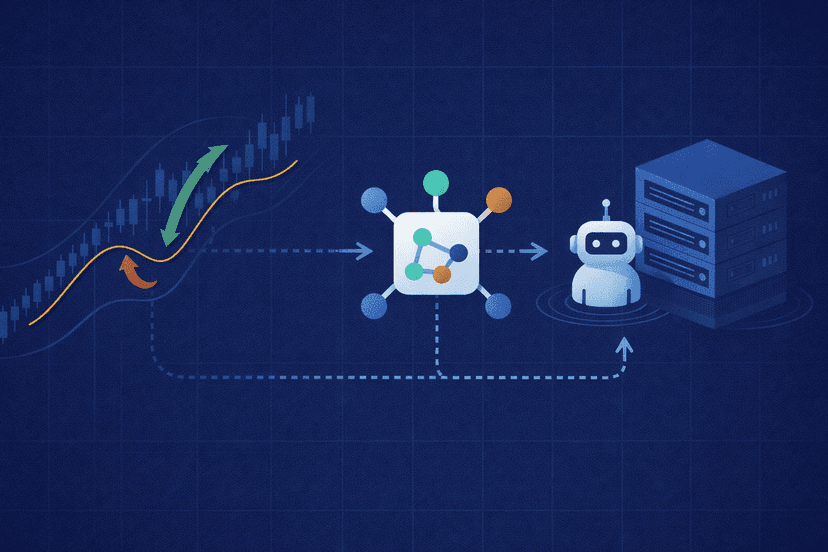
Start with the shortest viable path. A new forex algo trader can begin with MT5, the broker’s feed, and a VPS; a futures trader can start with NinjaTrader near Chicago. Add an independent feed or research platform only when you can name the limitation it fixes. More services create more credentials, failure modes, and handoffs.
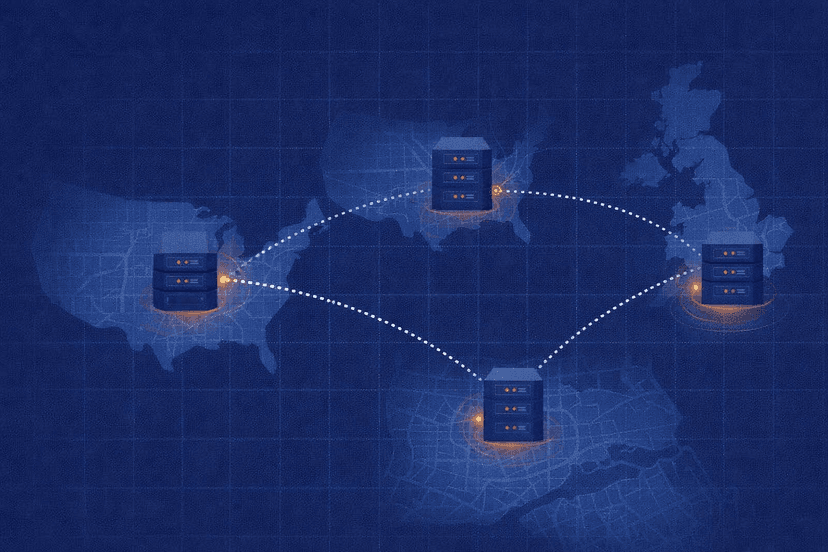
- Forex execution: place MT5 or cTrader near the broker. NY4 and LD4 are the primary placement choices in this brief, but the broker’s actual route decides between them.
- CME futures: place NinjaTrader and latency-sensitive services in Chicago.
- Market data: keep Databento or Massive consumers in the same data center as the compute that transforms the feed into a signal.
- Research: let QuantConnect or a separate StrategyQuant X machine handle heavy tests without competing with live terminals.
- Automation: self-host n8n close to the executor, with authentication, stale-event checks, deduplication, and order-aware retry behavior.
Draw the route from market data to decision, from decision to order, and from order to broker acknowledgement. Every cross-region hop and third-party handoff should have a reason. The practical rule is simple: data and signal compute stay together, while the final executor stays near the broker or exchange.
A low-latency trading VPS is not a profit guarantee. It is the infrastructure layer that gives your chosen tools consistent network access and uptime while your home computer is off. Choose the data center first, then size the VPS for the terminals and lightweight orchestration that must run live; isolate CPU-heavy backtesting and strategy generation on separate compute.
Frequently Asked Questions
Do I need all four layers to start algorithmic trading?
No. Start with an execution platform and reliable hosting, using the broker’s available feed. Add independent data, cloud research, or orchestration only when the basic stack has a specific limitation. A smaller system is easier to test and monitor.
What is the cheapest viable algo trading stack?
A practical low-complexity setup is MT5, the broker’s feed, and a suitable VPS. The brief does not verify a current MT5 or built-in hosting price, so confirm current costs directly before budgeting. You do not need an independent paid data feed on day one.
Where should I host my algo trading tools?
Host the live executor near its destination: NY4 or LD4 for the relevant forex broker route, and Chicago for CME futures. Keep a live data consumer close to the compute that turns its updates into signals. Run heavy research separately.
Is a VPS necessary if I have a reliable home PC?
A home PC can run an initial demo, but unattended strategies benefit from a VPS that stays online 24/5 and avoids the home connection’s last-mile path. A VPS does not eliminate slippage or strategy risk; it removes avoidable uptime and placement problems.
When should I upgrade from free or broker market data?
Upgrade when the current feed cannot provide the history, venue coverage, symbols, or programmatic access your test requires. Define those requirements first. Paying for a broad feed without a focused data plan adds cost and processing work without automatically improving the strategy.

About the author
Matthew Hinkle
Lead Writer & Full Time Retail Trader
Matthew is NYCServers' lead writer. In addition to being passionate about forex trading, he is also an active trader himself. Matt has advanced knowledge of useful indicators, trading systems, and analysis.
Areas of Expertise