
MT4 vs MT5: Which MetaTrader Platform Should You Use?
MT4 vs MT5 compared for 2026: order types, timeframes, backtesting, assets and EAs — plus which MetaTrader platform is right for your trading.
MT4 vs MT5: Quick Verdict
The MT4 vs MT5 choice is straightforward for most traders: start with MT5 if you are building a new setup, but stay with MT4 when a specific EA, indicator, signal service, or broker account requires it. MT5 gives you more timeframes, broader asset support, more order-management tools, and a much stronger Strategy Tester. MT4 remains practical because its forex ecosystem is mature and many trading tools were built specifically for MQL4.
Choose MT5 if you want to develop new algorithms, test several currencies efficiently, trade exchange-listed products through a supporting broker, or avoid tying a fresh workflow to older software. Choose MT4 if your proven robot only has an MT4 version, your signal setup depends on an MQL4 indicator, or your preferred broker does not offer the same account on MT5. Platform power does not compensate for an incompatible strategy or unavailable broker account.
Neither platform is automatically better for every trade. Both support Expert Advisors, hedging, desktop and mobile access, and web trading. The real decision is whether compatibility with an existing MT4 workflow matters more than MT5’s expanded charting, multi-asset architecture, and faster testing environment.
MT4 vs MT5 at a Glance
The table below compares the standard platform capabilities documented by MetaQuotes. Your broker still controls which instruments, execution methods, position-accounting mode, and platform version are available on your account.
| Criterion | MetaTrader 4 | MetaTrader 5 |
|---|---|---|
| Release | Released in 2005 | Public beta in October 2009; first live account in September 2010 |
| Programming language | MQL4 | MQL5 |
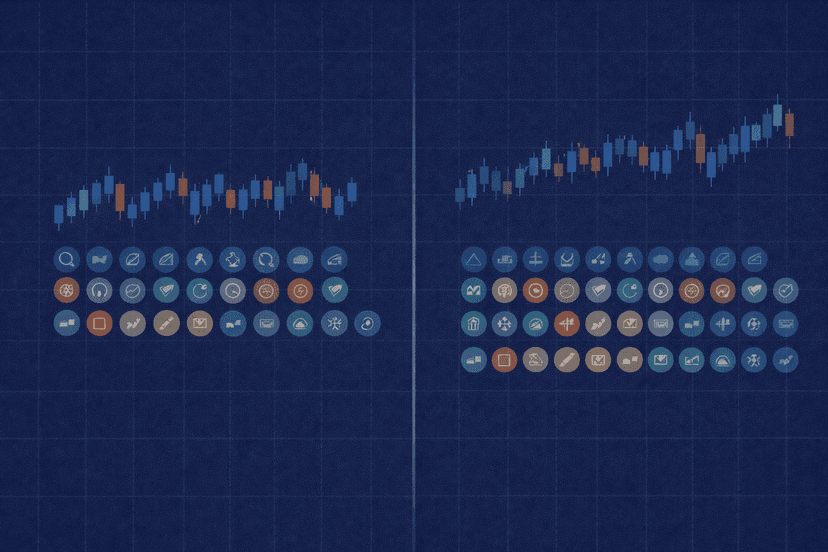
| Timeframes | 9, from M1 to MN | 21, from M1 to MN |
| Built-in indicators | 30 | Part of a combined set of 80+ analytical tools |
| Analytical objects | 24 | Included in the 80+ indicators and graphical objects |
| Position accounting | Hedging | Netting and hedging, depending on account |
| Orders and market view | Fewer pending-order types; no native Market Depth | Two market, six pending and two stop orders, plus Trailing Stop and Market Depth |
| Asset scope | Designed for forex and other margin trading; brokers may offer CFDs | Forex plus multi-asset and exchange-traded markets, subject to broker access |
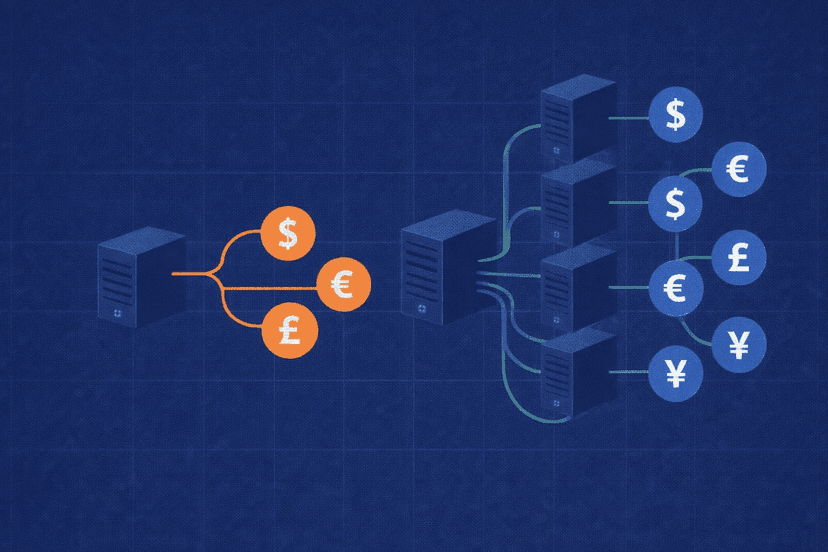
| Strategy testing | Single-currency and single-threaded | Multi-currency, multi-threaded, real-tick testing and cloud optimization |
| Desktop, mobile and web | Windows, Android, iOS and web terminal | Windows, Android, iOS and web terminal |
| Development position | Mature legacy platform with broad existing support | Newer successor and MetaQuotes’ active development focus |
On specifications alone, MT5 wins most rows. It is not simply MT4 with a different interface: it has a different programming language, a more capable tester, and an architecture designed for both over-the-counter and exchange-traded markets. That distinction is why moving an established setup can involve more work than installing another terminal.
MT4’s strongest advantage does not fit neatly into a feature count. It has been used by retail forex traders since 2005, and a September 2019 study still identified it as the world’s most popular forex trading platform despite MT5 already being available. That historical adoption left a deep base of MQL4 EAs, indicators, broker configurations, and signal workflows that can still decide the comparison.
What Are MetaTrader 4 and MetaTrader 5?

MetaTrader 4
MetaTrader 4 is a forex-focused margin-trading platform released in 2005. It combines charts, manual order entry, custom indicators, scripts, and automated strategies called Expert Advisors in one terminal. Brokers can also make CFDs available through MT4, but the platform was not designed for full-time access to exchange-traded stocks or futures.
Its staying power comes from compatibility rather than newer specifications. A trader may have years of MQL4 code, templates, presets, and operating procedures built around MT4. Replacing that stack can add development and testing work without improving the underlying strategy, so an MT4-only dependency is a valid reason to keep using it.

MetaTrader 5
MetaTrader 5 is the multi-asset successor. It entered public beta in October 2009, and the first live MT5 account launched in September 2010. MT5 was built to handle forex as well as equities, exchange-traded futures, and commodities when a broker provides those markets. Its platform design also accommodates exchange execution, native Market Depth, and netting account structures.
For a new installation, MT5 usually offers the better foundation. You get finer chart intervals, more analytical tools, more pending-order choices, and a testing system that can use multiple processor threads and currencies. Those improvements matter most to traders who build, optimize, and maintain their own automated systems.
MT4 and MT5 Are Not Backward-Compatible
MT4 uses MQL4 and MT5 uses MQL5. From MT4 build 600 in 2014, the languages shared a unified MetaEditor development environment, but that did not make their programs interchangeable. An MQL4 EA does not run natively in MT5, and an MQL5 EA does not run in MT4.
If a vendor sells separate MT4 and MT5 editions, confirm that the edition matches your terminal before buying or migrating. Porting code means adapting and retesting it for the other platform, not simply changing a file extension. The same caution applies to custom indicators and scripts.
How MT4 and MT5 Compare by Criterion
The useful way to compare MetaTrader 4 vs 5 is to connect each specification to a trading task. Five criteria have the largest practical impact:
- Charting: whether you need more intermediate timeframes and drawing tools.
- Orders and positions: how the account represents trades and which entries you can stage.
- Automation and testing: whether your code is compatible and how efficiently you can test it.
- Markets: whether you trade only forex and CFDs or need exchange-listed products.
- Availability: whether your broker, EA vendor, and signal provider support the same platform.
Charting and Timeframes
MT4 provides nine standard timeframes from one minute to one month. MT5 expands that set to 21 by adding intervals such as two, three, four, six, ten, twelve and twenty minutes, plus additional hourly charts. If you analyze only M1, M5, M15, H1, H4 and daily charts, MT4 already covers the common workflow. MT5 is more flexible when your setup depends on an intermediate interval without building an offline chart.
The analytical tool counts also favor MT5, but they need a like-for-like reading. MT4 includes 30 built-in technical indicators and 24 analytical objects. MetaQuotes lists approximately 2,000 free custom indicators and about 700 paid ones for extending the platform. MT5 provides more than 80 analytical tools in total, combining indicators with graphical objects. MT5 has the broader default toolkit; MT4 can still cover specialized analysis through its established custom library.
Order Execution and Position Handling
MT4 is hedging-based: separate trades in the same symbol remain separate positions, including opposing trades where the broker permits them. MT5 supports both hedging and netting. A hedging account treats each deal as a new position, while a netting account maintains one combined position per symbol. Netting suits exchange-style accounting; hedging preserves the ticket-by-ticket workflow familiar to forex traders.
This means the claim that MT5 cannot hedge is wrong. MT5 can support hedging, but your broker and account type determine which mode you receive. Before migrating an EA, check whether its position-management logic expects individual hedged tickets or one net position. A platform feature is only useful when the account exposes it.
MT5 also gives you more ways to stage and inspect orders. Its official feature set lists two market orders, six pending orders and two stop orders, together with Trailing Stop. It supports Instant, Request, Market and Exchange execution modes and includes native Market Depth, often called DOM. MT4 has fewer pending-order types and no native Market Depth. These differences matter when you use stop-limit entries, inspect available exchange liquidity, or trade through an account built around exchange execution.
Automated Trading and Backtesting
Both platforms run Expert Advisors, but code compatibility comes first. Existing MQL4 robots belong on MT4 unless a tested MQL5 version or a properly ported build is available. If you are writing a strategy from zero, MQL5 gives you access to MT5’s newer architecture and testing capabilities.
MT4’s Strategy Tester is single-currency and single-threaded. It remains useful for checking one MT4 EA on one market, but large parameter searches are constrained by that design. MT5’s tester is multi-currency and multi-threaded, so a strategy can be evaluated across connected instruments while work is distributed across processor cores.
MT5 provides Every tick, 1 minute OHLC, and Open prices only modes, along with real-tick and stress-testing options. The MQL5 Cloud Network can distribute optimization work beyond the local machine. That makes MT5 the clear choice for research-heavy workflows, especially when you repeatedly optimize many inputs or test a strategy whose decisions depend on several currencies.
A stronger tester does not make a strategy valid by itself. You still need appropriate data, assumptions, and out-of-sample checks. The practical advantage is speed and scope: MT5 lets you investigate more combinations and multi-market behavior without MT4’s single-thread, single-currency limitation.
Asset Coverage
MT4 was designed around forex and margin trading. Many brokers use it to offer currency pairs and CFDs, which may include synthetic exposure to indices, metals, energies, or shares. That does not turn MT4 into a platform designed for full-time exchange-traded stock and futures access.
MT5 was built for a wider market set. In addition to forex, it can support equities, exchange-traded futures, and commodities. Its netting mode, Exchange execution option, and Market Depth fit those venues. Actual access still depends entirely on your broker: installing MT5 does not create instruments that the broker has not enabled.
For forex-only trading, this difference may not affect you. For a trader who wants one platform architecture for currencies and exchange-listed products, MT5 has the decisive advantage.
Desktop, Mobile and Web Access
Both platforms are available for Windows, Android, and iOS, and both provide web terminals. You can therefore monitor an account, review charts, and place or manage trades without choosing one version solely for phone or browser access. The layouts and exact broker branding may differ, but platform coverage is broadly equivalent.
That equivalence does not remove the compatibility question. An MQL4 EA still belongs to the MT4 environment even if you monitor its account from a phone, and an MQL5 system still requires MT5. For continuous automated trading, plan around the desktop terminal that actually runs the required EA; treat mobile and web access as ways to supervise the account rather than reasons to select the underlying code platform.
Ecosystem, Broker Support and Longevity
MT4’s age is both its limitation and its strength. It lacks several MT5 features, yet years of adoption produced a large installed base of EAs, custom indicators, tutorials, signals, and broker-specific setups. The 2019 popularity finding helps explain why many traders still encounter MT4-only tools even though MT5 is the newer platform.
MT5 is the stronger long-term choice for new development because it is MetaQuotes’ newer, actively developed platform. Its ecosystem has had years to mature, but platform support is not universal at the account level. A broker may offer both terminals while making different symbols or account conditions available on each, and an EA seller may maintain one version more actively than the other.
Whether you stay with MetaTrader or compare cTrader vs MetaTrader, check the full chain before committing: broker, account type, instrument list, EA or indicator version, and signal or copier compatibility. The best technical specification loses if one required part of your workflow is unavailable.
Which MetaTrader Platform Should You Choose?
Use the scenario that most closely matches your setup. If two scenarios conflict, give compatibility priority first and optional features second. Start by answering five questions:
- Does your broker offer the required account and instruments on both platforms?
- Does your EA, indicator, copier, or signal service have a tested version for each one?
- Do you need hedging, netting, or a particular pending-order type?
- Will you test one forex symbol at a time or run multi-currency optimization?
- Are you staying with forex and CFDs or adding exchange-traded markets?
The answers normally reveal whether you have a hard compatibility constraint or merely a preference. Hard constraints come from unavailable accounts and incompatible code. Preferences include interface familiarity and extra tools that your strategy may not use.
Choose MT4 for a Proven MT4-Only EA
If a profitable, tested workflow depends on an MQL4 EA, custom indicator, or signal bridge, use MT4. Rebuilding code for MT5 introduces a new implementation that must be validated independently. Migrating only because MT5 has more features is not worthwhile when the strategy does not need those features.
Choose MT5 for a New Algo-Trading Setup
For new development, MT5 is the better default. MQL5 avoids creating a fresh dependency on MQL4, while the multi-threaded, multi-currency tester supports more ambitious research. The MQL5 Cloud Network is an additional option when local optimization capacity becomes the bottleneck.
Choose MT5 for Multi-Asset or Exchange Trading
Choose MT5 when your broker offers exchange-traded equities, futures, or commodities and you want to access them through MetaTrader. Native Market Depth, Exchange execution, and netting support were designed for this broader role. Confirm the instrument list before opening the account because MT5 capability and broker availability are different things.
Either Can Work for a Forex Scalper Who Needs Hedging
MT4 and MT5 can both support hedging, so the platform name alone should not decide this scenario. On MT5, verify that the broker account uses hedging rather than netting. Then compare the broker’s execution offering, the exact EA or indicator version, and whether your order logic benefits from MT5’s additional pending-order types.
Follow the Broker When Only One Platform Is Available
If your chosen broker or account is available on only one platform, that availability settles the question unless you are willing to change brokers. Do not assume that opening a similarly named account on the other terminal gives you the same instruments or position-accounting rules. Verify those details directly in the account specification.
Test the Full Workflow Before Switching
A platform migration is complete only when the whole workflow works on the destination. Confirm that the broker account uses the position mode your strategy expects, then check every EA, custom indicator, script, template, and external signal component. An MT5 terminal opening successfully does not prove that an MT4 strategy has been reproduced correctly.
Run the ported version separately and compare its decisions rather than assuming similar source logic produces identical behavior. Pay particular attention to how it identifies positions, stages pending orders, and reads data from other currencies. Those are areas where MT5’s broader capabilities and different accounting model can change implementation details. Keep the working MT4 setup available until the MT5 version has passed your own testing.
Run Either Platform Continuously on a VPS
Both MT4 and MT5 can run Expert Advisors on a Windows environment, and both benefit from a stable always-on setup when the strategy must monitor markets around the clock. A VPS lets the terminal remain online without relying on your home computer, power, or local connection. Use an MT4 VPS environment for an MT4-only stack and an MT5 environment when you are building around the newer platform; the operating requirement is the same even when the software differs.
The bottom line is to choose an MT5 VPS for most new automated deployments and MT4 for specific compatibility requirements. Do not migrate a working system without testing the replacement, but do not begin a fresh system on MT4 merely because it is familiar. Match the platform to the code, markets, broker, and research workload you actually have.
Frequently Asked Questions
Is MT5 better than MT4?
MT5 is better for most new setups because it offers 21 timeframes, a broader analytical toolkit, more order options, multi-asset support, and a multi-threaded, multi-currency Strategy Tester. MT4 can still be the better operational choice when your EA, custom indicator, signal workflow, or broker account is MT4-only.
Can I use an MT4 EA on MT5?
No. MT4 EAs are written in MQL4 and do not run natively in MT5, which uses MQL5. You need an MT5 edition from the developer or a properly ported and retested version. The shared MetaEditor environment introduced with MT4 build 600 did not make compiled EAs cross-compatible.
Does MT5 support hedging?
Yes. MT5 supports both hedging and netting account modes. Hedging keeps separate positions for individual deals, while netting maintains one combined position per symbol. Your broker and account type determine which mode is available, so forex traders should verify that detail before migrating.
Is MT4 still suitable for forex trading?
Yes. MT4 remains suitable for forex trading, especially when you rely on an established MQL4 EA or indicator. Its nine timeframes, 30 built-in indicators, 24 analytical objects, and extensive custom-tool ecosystem cover many manual and automated strategies. Its main disadvantages appear when you need MT5’s advanced testing, extra order tools, or exchange-market architecture.
Can MT4 and MT5 run on the same VPS?
Yes. MT4 and MT5 are separate Windows applications and can be installed in the same VPS environment when its resources suit the number of terminals, charts, and EAs you run. This can make a gradual migration practical: keep an MT4-only strategy operating while you test a separate MT5 version without assuming the two programs are compatible.

About the author
Thomas Vasilyev
Writer & Full Time EA Developer
Tom is our associate writer, and has advanced knowledge with the technical side of things, like VPS management. Additionally Tom is a coder, and develops EAs and algorithms.
Areas of Expertise