
Mirror Trading Manager Review 2026: Pricing & Verdict
Honest Mirror Trading Manager review covering pricing from free to EUR179/mo, MT4/MT5/cTrader support, copy speed, and how it compares to other trade copiers.
What Is Mirror Trading Manager?
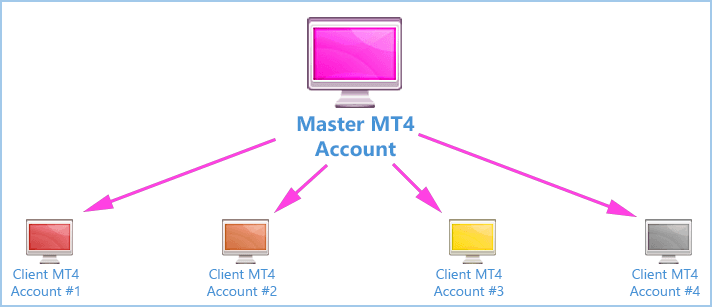
Mirror Trading Manager is a standalone trade copier built by Anton Nel, a South African developer with over 30 years of coding experience and two decades in the trading space. Unlike browser-based copiers that rely on cloud infrastructure, Mirror Trading Manager runs as a desktop application on your Windows machine or VPS. It connects directly to broker servers through MT4, MT5, and cTrader APIs, bypassing the need to keep trading terminals open.
That last point is a significant differentiator. Most trade copiers require MetaTrader to be running on your machine. Mirror Trading Manager doesn’t. It logs into broker servers via the API layer, which means lower resource usage and fewer points of failure. For prop firm traders and money managers running dozens of follower accounts, that architecture makes a measurable difference.
The software launched years ago under the ROMAN5 brand and has gone through several iterations. The current release, version 5.3, represents a ground-up rebuild with cTrader support, REST API access, and a modernized interface. Anton maintains the product personally and handles support through Telegram, which gives it a boutique feel compared to larger competitors.

Who Is Mirror Trading Manager For?
This isn’t a tool for casual copy trading. If you’re looking to follow signals from a social trading feed, platforms like eToro or ZuluTrade will serve you better. Mirror Trading Manager targets a specific audience:
- Money managers copying trades from a master account to multiple client accounts
- Prop firm traders who need to mirror positions across several funded accounts simultaneously
- Signal providers distributing trades to paying subscribers
- Multi-account traders running the same strategy across different brokers for diversification
If you manage five or more accounts and need reliable, fast copying without keeping multiple terminals open, Mirror Trading Manager is built for that exact scenario.

Pricing and Plans
Mirror Trading Manager uses a tiered subscription model. Here’s the current breakdown as of early 2026:
| Plan | Monthly Cost | Master Accounts | Follower Accounts | Speed Loop |
|---|---|---|---|---|
| Free | $0 | 1 | 1 | 1x/sec |
| Basic | EUR 29 | 1 | Up to 10 | 10x/sec |
| Standard | EUR 79 | Unlimited | Unlimited | 100x/sec |
| Pro | EUR 179 | Unlimited | Unlimited | 1000x/sec |
The free plan gives you one master and one follower, which is enough to test the software before committing. The Basic tier at EUR 29/month handles most individual traders running a single strategy across up to 10 accounts. For money managers and signal providers, the Standard plan at EUR 79/month removes all account limits and bumps the polling speed to 100 checks per second.
The Pro tier at EUR 179/month is aimed at high-frequency operations. It adds REST API access, webhook support for TradingView and Telegram, and the fastest speed loop at 1000 checks per second. You also get up to 32 app instances, which matters if you’re managing hundreds of accounts across different brokers.
One thing worth noting: the Lite plan was discontinued at the end of 2025. If you’re reading older reviews that mention it, that option no longer exists.
Pricing verdict: Mirror Trading Manager sits in the mid-range for trade copiers. It’s more expensive than Duplikium’s $4/seat model for small operations, but more cost-effective than Social Trader Tools when scaling to dozens of accounts. The free tier is genuinely useful for testing, not just a teaser.
Key Features
No Terminal Required
This is the headline feature. Mirror Trading Manager connects to MT4 and MT5 broker servers through their respective APIs without needing the MetaTrader platform installed. If you’re exploring other options in this space, see our roundup of the best MT4 trade copier software for a broader comparison. You configure your broker’s server IP, login credentials, and the software handles everything from there. This dramatically reduces RAM and CPU usage on your VPS, especially when managing 20+ accounts that would otherwise each need a running terminal instance.
Cross-Platform Copying
The software supports all common copying directions:
- MT4 to MT4
- MT5 to MT5
- MT4 to MT5
- MT5 to MT4
- cTrader support (added in recent versions)
Symbol mapping handles differences in naming conventions between brokers. If your master account trades “EURUSD” but your follower broker uses “EURUSD.raw”, the copier translates automatically.
Risk Management Controls
Each follower account gets independent risk settings:
- Fixed lot size per symbol or across all pairs
- Lot multiplier based on the master’s position size
- Money management mode with risk percentage based on equity and stop loss distance
- Maximum drawdown protection that closes all trades if a target loss threshold is hit
- Per-symbol position limits to prevent overexposure
- Equity protector that deactivates copying when equity drops below a set level
The money management mode is particularly well-implemented. You set a risk percentage, and the software calculates lot sizes dynamically based on each follower’s equity and the master trade’s stop loss. This keeps position sizing proportional regardless of account size differences.
Copy Speed and Performance
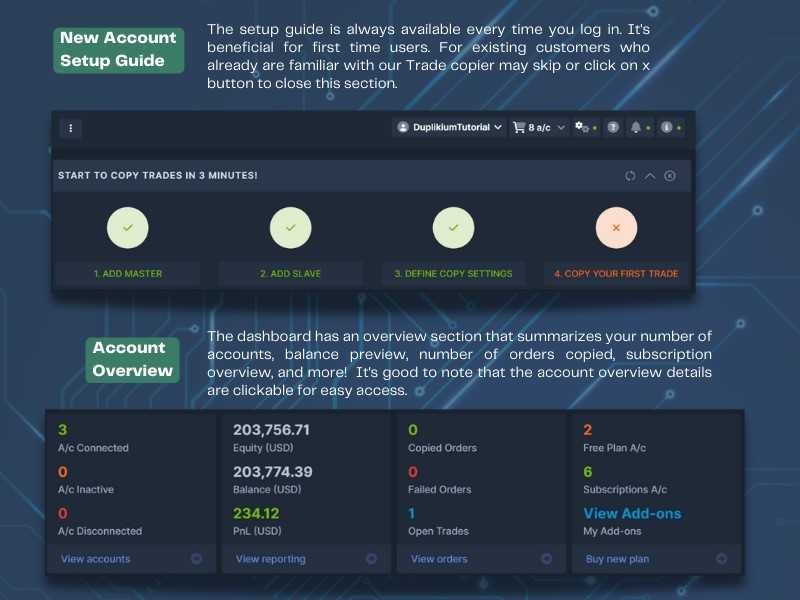
Anton’s benchmarks claim the software can copy 200 trades to 8 follower accounts in approximately 50 seconds, and login 200 accounts in under 60 seconds. Real-world speed depends on your plan tier, VPS specifications, and broker server latency.
The “Master Speed Loop” is the polling frequency that determines how quickly the software detects new trades on the master account. On the Free plan, it checks once per second. On Pro, it checks 1000 times per second. For scalping strategies where entry timing matters, the higher tiers make a noticeable difference.
Additional Features
- Reverse trading — open opposite positions on follower accounts
- Pending order support — copies limit and stop orders, not just market orders
- Pre-existing trade copying — picks up trades that were already open when you start the copier
- News filter — pauses copying during high-impact news events
- Trading hours filter — set start and end times for copying
- Hidden TP/SL — keep stop loss and take profit levels invisible to the broker
- Trade comment preservation — carries over order comments from master to follower
- CSV export — export trade history for analysis or tax reporting
- REST API and webhooks — Pro plan integrations with TradingView and Telegram
System Requirements and Setup
Mirror Trading Manager runs on Windows only. Here are the hardware specs:
| Requirement | Minimum | Recommended |
|---|---|---|
| RAM | 4 GB | 8 GB |
| CPU | Dual-core | Quad-core |
| OS | Windows 10 | Windows Server 2016+ |
| Runtime | .NET Desktop Runtime 9.0.1+ | |
Setup involves downloading the installer from Anton’s website, entering your license key, and configuring broker connections. You’ll need your broker’s server IP address (the software can auto-detect this), your account login, and your investor or trading password depending on whether the account is a master or follower.
The initial configuration has a learning curve. The interface packs a lot of settings into a single window, and first-time users may find it overwhelming compared to simpler cloud-based copiers. Anton provides a general guide PDF and responds to questions on Telegram, but there’s no structured onboarding or video tutorial series like you’d find with more polished competitors.
Running Mirror Trading Manager on a VPS
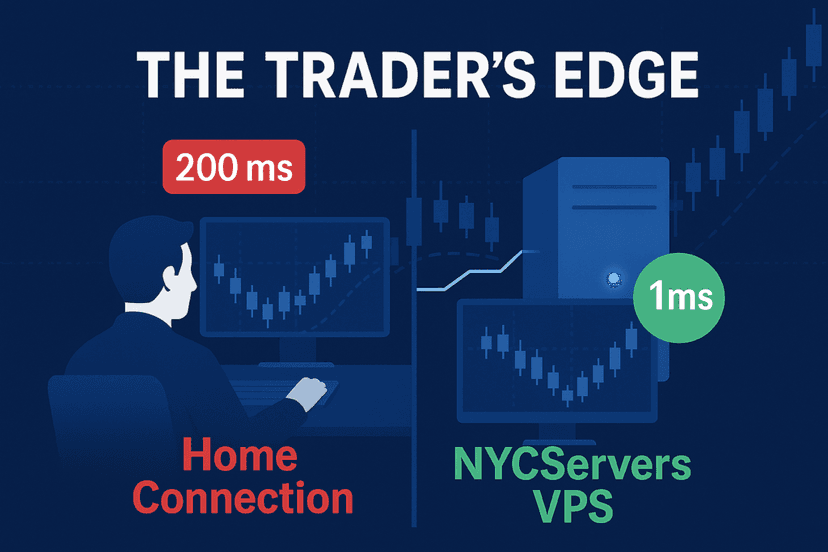
While you can run Mirror Trading Manager on your home PC, doing so defeats the purpose of 24/7 automated trade copying. Internet disconnections, power outages, and Windows updates can all interrupt the copier. A trading VPS keeps the software running continuously with consistent, low-latency connectivity to broker servers.
Since Mirror Trading Manager doesn’t require trading terminals to be open, it uses significantly less resources than a traditional setup where you’d need one MT4 or MT5 instance per account. A single VPS with 4 GB of RAM can handle dozens of follower accounts comfortably, whereas a terminal-based copier might need 8 GB or more for the same workload.
For optimal performance, you’ll want your VPS located close to your broker’s trading servers. If you’re trading with brokers that route through New York or London, a VPS in those locations keeps the API connection latency under a millisecond. You can use our latency checker tool to verify connection speeds to your specific broker before choosing a datacenter.
Pros and Cons
What We Like
- No terminal dependency — lower resource usage and fewer crash points
- Flexible risk management — per-account lot sizing, equity protection, and drawdown limits
- Cross-platform support — MT4, MT5, and cTrader in one application
- Free tier available — test with real accounts before paying
- Active development — regular updates with meaningful feature additions
- Developer responsiveness — Anton handles support directly via Telegram
What Could Be Better
- Windows only — no macOS or Linux support without virtualization
- Interface complexity — the UI packs too many options into one view for new users
- Documentation gaps — the general guide covers basics but lacks advanced use case walkthroughs
- One-person operation — support quality depends entirely on Anton’s availability
- No web dashboard — everything runs locally with no cloud monitoring panel
- cTrader support still maturing — MT4 and MT5 connectivity is rock-solid, but cTrader is newer and less battle-tested
How Mirror Trading Manager Compares
The trade copier market has several established players. Here’s how Mirror Trading Manager stacks up:
| Feature | Mirror Trading Manager | Duplikium | Social Trader Tools |
|---|---|---|---|
| Architecture | Desktop app (API-based) | Cloud-based | Cloud-based |
| Platforms | MT4, MT5, cTrader | MT4, MT5, cTrader, DXTrade | MT4, MT5 |
| Terminal Required | No | No | No |
| Starting Price | Free / EUR 29/mo | Free / $4/seat/mo | $20/mo |
| Unlimited Accounts | From EUR 79/mo | Pay per seat | Higher tiers |
| Copy Speed | Up to 1000x/sec polling | 1-3ms latency | ~50ms latency |
| API Access | Pro plan only | Available | Limited |
| Web Dashboard | No | Yes | Yes |
Duplikium is the strongest competitor for most use cases. Its per-seat pricing makes it cheaper for small setups, and the cloud architecture means zero local infrastructure to manage. However, Mirror Trading Manager pulls ahead when you need granular control over risk parameters, hidden TP/SL, or when you want to avoid cloud dependency entirely.
Social Trader Tools is the easiest to use but lacks the depth of features that serious money managers need. It’s a solid choice for beginners, but you’ll likely outgrow it if your operation scales beyond a handful of accounts.

Is Mirror Trading Manager Worth It in 2026?
Mirror Trading Manager occupies a specific niche. It’s not the most polished trade copier on the market, and it won’t win any design awards. But it does several things that competitors don’t do as well:
- It runs without trading terminals, saving significant VPS resources
- It gives you granular risk controls that cloud copiers often simplify away
- It connects to MT4, MT5, and cTrader from a single application
- It offers a functional free tier for testing
If you’re managing multiple funded accounts, running a PAMM-style operation, or distributing signals to subscribers, Mirror Trading Manager delivers on its core promise. The Standard plan at EUR 79/month hits the sweet spot for most professional use cases.
The main risk is the single-developer model. Anton is responsive and clearly dedicated to the product, but there’s no team behind him. If he takes a break or faces personal issues, support timelines can stretch. Users on the Telegram channel have occasionally noted delays during extended API downtime, though historically the software receives consistent updates roughly four times per year.
For traders who value control and resource efficiency over slick interfaces and cloud convenience, Mirror Trading Manager is a strong contender in the 2026 trade copier landscape.
Frequently Asked Questions
Does Mirror Trading Manager require MetaTrader to be running?
No. Mirror Trading Manager connects directly to broker servers through the MT4 and MT5 APIs. You don’t need to install or run MetaTrader on your VPS. This significantly reduces memory and CPU usage compared to terminal-based copiers.
Can Mirror Trading Manager copy trades between MT4 and MT5?
Yes. The software supports all cross-platform combinations: MT4 to MT4, MT5 to MT5, MT4 to MT5, and MT5 to MT4. It also supports cTrader as both a source and destination, though that integration is newer.
Is there a free version of Mirror Trading Manager?
Yes. The free plan supports one master account and one follower account with basic connector functionality. The speed loop runs at 1x per second, which is fine for swing trading but may be too slow for scalping strategies.
What happens if my VPS restarts while Mirror Trading Manager is running?
Mirror Trading Manager includes an auto-restart timer that relaunches the application after system reboots. It can also pick up pre-existing trades that were open before the restart, so positions won’t be orphaned on follower accounts.
How does Mirror Trading Manager compare to Duplikium?
Duplikium is cloud-based and charges per seat, making it cheaper for small setups. Mirror Trading Manager is a desktop application with flat-rate pricing, making it more cost-effective at scale. Mirror Trading Manager also offers more granular risk controls and doesn’t require cloud infrastructure.
Can I use Mirror Trading Manager for prop firm account management?
Yes. Many users run Mirror Trading Manager to copy trades from a master account to multiple prop firm funded accounts. The money management mode adjusts lot sizes proportionally based on each account’s equity, and FIFO compliance settings handle regulated account requirements.
What operating systems does Mirror Trading Manager support?
Mirror Trading Manager runs on Windows only. It requires Windows 10, Windows 11, or Windows Server 2016 and later. It also requires .NET Desktop Runtime 9.0.1 or higher. There’s no native macOS or Linux version, though you can run it through a Windows VPS from any device.

About the author
Matthew Hinkle
Lead Writer & Full Time Retail Trader
Matthew is NYCServers' lead writer. In addition to being passionate about forex trading, he is also an active trader himself. Matt has advanced knowledge of useful indicators, trading systems, and analysis.
Areas of Expertise