
Why MetaTrader Lags on Your Home PC (4 Causes a VPS Fixes)
MetaTrader lagging on your home PC? Here are the 4 real causes — RAM contention, background tasks, home internet, and sleep cycles — and how a forex VPS fixes them.
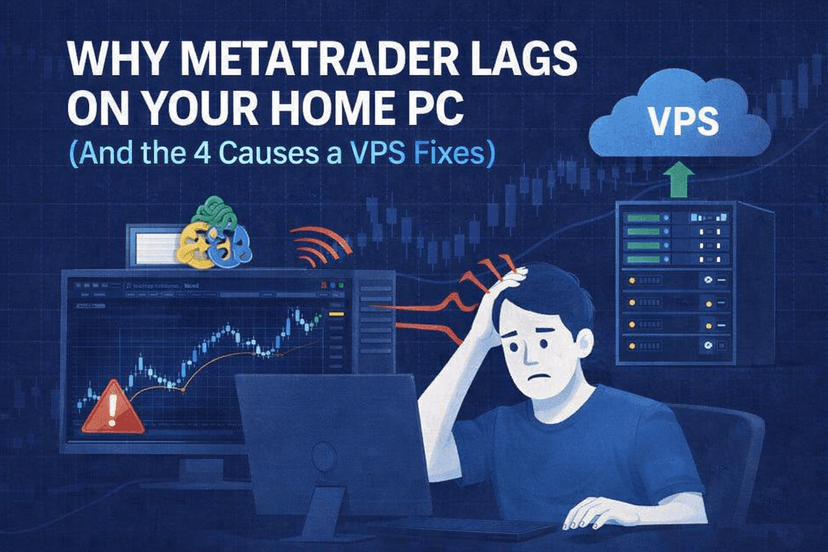
Your MetaTrader chart redraws half a second late. The Order ticket takes an extra beat to appear. An EA that should fire on the tick fires almost on the tick. Multiply that across a trading day and a slow MetaTrader stops being an annoyance and starts costing you fills.
The standard advice you’ll find online — close charts, reduce bars in history, disable news, remove indicators — addresses the symptoms of a slow platform. It rarely fixes the underlying causes, because the underlying causes usually aren’t MetaTrader’s fault. They live in the home PC environment MetaTrader is running on.
This article walks through the four things that actually make MetaTrader lag on a home computer, and explains why a properly-sized forex VPS makes each one disappear. (If your MT4 isn’t just lagging but freezing or crashing outright, that’s a different problem — we have a separate guide on fixing MT4 freezing that covers it.)
What “MetaTrader Lagging” Actually Means
“Lag” gets used loosely. Traders mean at least three different things when they say MetaTrader is laggy:
- Input lag: The platform doesn’t respond instantly to clicks. Opening a chart takes a beat. The Order window appears a half-second late. This is usually a CPU or memory problem on the local machine.
- Render lag: Charts redraw slowly after a tick or zoom. Indicators flicker before settling. This is usually a graphics or CPU problem made worse by too many open charts.
- Network lag: Quotes update late. Trades take longer to confirm. Your EA processes the tick after the move has already happened. This is a connection-to-broker problem, not a platform problem.
The four causes below cover all three. The fixes order them by how cheap (rebooting, killing apps) to expensive (hardware upgrade, VPS) the solution is.
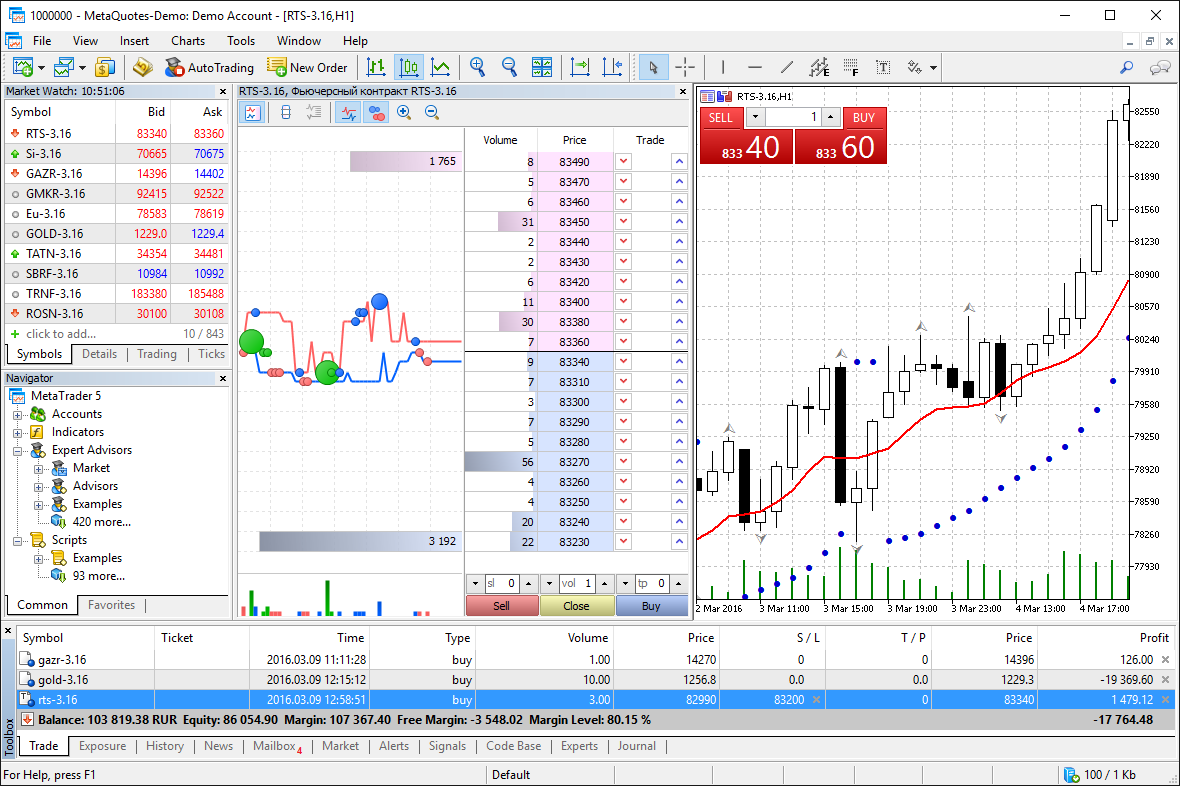
Cause #1: RAM and CPU Competing with Everything Else You Run
MetaTrader 4 is light — a clean MT4 install with a handful of charts uses roughly 200–500 MB of RAM and very little CPU. MetaTrader 5 is heavier, often sitting at 600 MB to over 1 GB once you’ve loaded a few symbols and history. That’s still not much by modern hardware standards.
The problem is that your home PC isn’t just running MetaTrader. It’s also running:
- Chrome or Edge with 30 tabs (Chrome routinely uses 4–6 GB across those tabs)
- A Zoom or Teams call (300–800 MB plus active CPU encoding video)
- Discord, Slack, or another chat app (200–400 MB)
- Spotify or YouTube Music in the background
- Maybe a game open in the background, or a streaming app
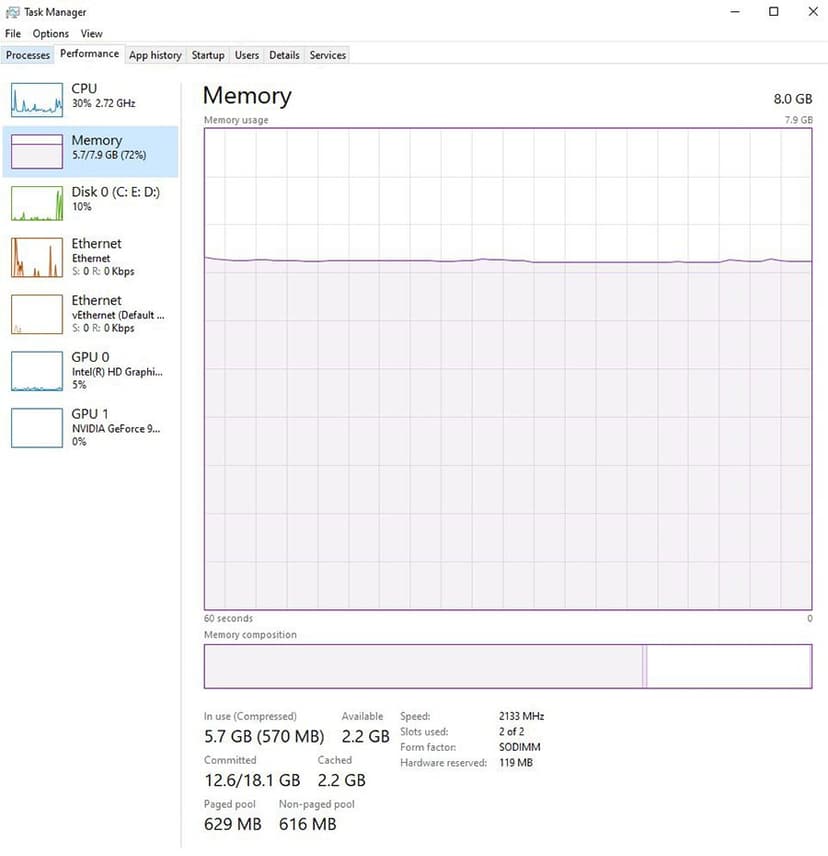
On a PC with 8 GB of RAM — still the most common spec on consumer laptops — that ecosystem competes with MT4 for memory. When physical RAM runs out, Windows starts swapping pages to disk. On a spinning hard drive that’s catastrophic; even on a fast NVMe SSD, swapping introduces millisecond-scale delays into every operation, including the redraw of your chart.
The CPU side is similar. MetaTrader is mostly single-threaded — an EA, the chart redraw, and the price feed all share one core. If your laptop’s CPU is busy encoding video for a meeting or running a Chrome JavaScript-heavy page, MT4’s thread waits its turn. That’s where the perceptible lag comes from.
Cause #2: Background Tasks Windows Runs Without Asking
Even if you’re disciplined enough to close everything before trading, Windows itself runs a long list of background tasks that can spike CPU or disk I/O without warning:
- Windows Update: Downloads and installs run on Microsoft’s schedule, often during U.S. afternoon hours that overlap with London-NY trading overlap. Updates can pin the CPU at 80%+ for stretches.
- Windows Defender (or third-party antivirus) scans: Scheduled full-system scans push disk I/O to 100% utilization, which freezes anything else that touches the disk — including MT4’s history database.
- OneDrive, Dropbox, Google Drive sync: File sync software hashes files in the background and pushes deltas to the cloud. It can dominate the network connection for minutes at a time.
- Windows Search indexing: Rebuilds whenever your file system changes, often hitting both CPU and disk together.
- Browser background tasks: Even closed-looking browsers run tab-restore, password manager sync, and tracking-protection scans.
You can disable a lot of this manually, but Windows keeps adding new background services with every update. On a home PC, you’re always playing whack-a-mole against your own OS.
Cause #3: Home Internet — Latency, Jitter, and Wi-Fi Drops
Even if your computer is perfectly tuned, the network between your home and the broker’s matching engine is doing things that hurt MetaTrader’s responsiveness.
Round-Trip Latency
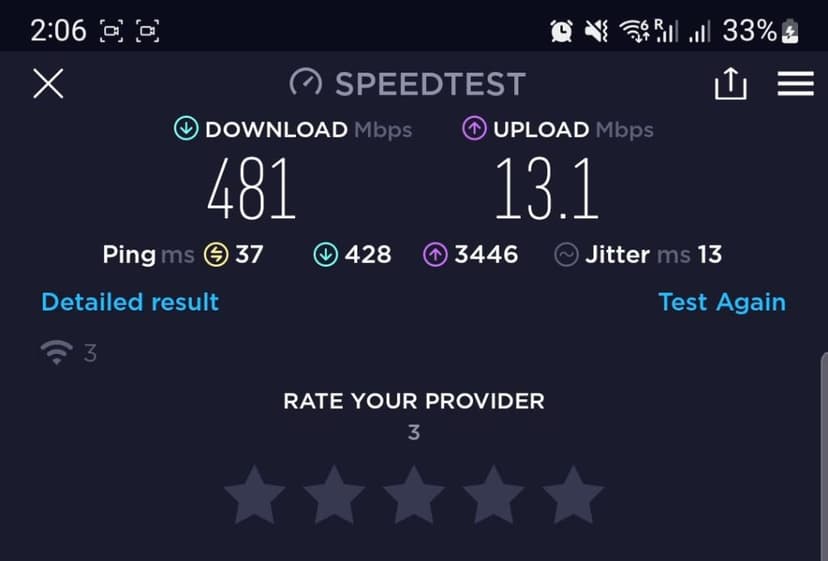
From a typical home connection in the U.S., latency to a major forex broker’s New York server is usually 30–80 ms. From the U.K. to a London-hosted broker it’s 20–50 ms. From Asia it’s often 150–300 ms unless you’re physically near Singapore or Tokyo. Add Wi-Fi (which often introduces another 5–20 ms over Ethernet) and you’re routinely seeing 50+ ms of round trip just to ask the broker for a quote.
Compare that to a forex VPS sitting in the same datacenter as the broker, where latency drops to 1 ms or less. The MetaTrader UI on your home PC feels laggy because the tick that triggers a chart redraw is itself arriving late.
Jitter and Packet Loss
Latency averages hide a more painful problem: jitter. Home internet connections — even gigabit fiber — have variable round-trip times. One quote arrives in 30 ms, the next in 80 ms, the next in 45 ms. MT4 doesn’t smooth this out; you see the herky-herky chart redraw as a result. Packet loss is worse: every dropped tick triggers retransmission, which introduces hundreds of milliseconds of perceived freeze.
Wi-Fi Specifically
Wi-Fi adds an entire category of failure modes that wired Ethernet doesn’t have: signal interference from neighboring networks, microwave ovens on the same band, Bluetooth devices, walls and floors. A laptop trading over Wi-Fi can drop momentarily when a member of your household streams 4K Netflix in another room. MetaTrader interprets that as a connection issue and may close the trade server briefly.
Cause #4: Sleep, Power-Saving, and Forced Restarts
The first three causes hurt during a trading session. This one ruins overnight EA setups.
Default Windows power settings on most consumer PCs do exactly the wrong thing for a trading machine:
- Sleep after 15–30 minutes of inactivity: The screen turns off; eventually the whole machine suspends. Your EA stops running until you wake the machine back up. If you wake the PC at 9 AM and your EA was supposed to fire a trade at 3 AM, you missed it.
- Hibernation after extended idle: Same effect, worse. The machine writes RAM contents to disk and powers down.
- Forced restarts for Windows Update: Microsoft schedules these automatically. You can defer but not indefinitely. A 3 AM restart for a security patch closes MetaTrader. Even if MT4 is set to launch at boot, it takes 30–90 seconds to reconnect to the broker — and that’s only if your power-on password isn’t blocking the boot.
- Power outages and brownouts: Home-grade UPS units help, but most home PCs have no battery backup at all.
For an EA strategy that depends on continuous uptime — overnight Asian-session scalpers, news-event traders, mean-reversion bots that need every tick — these interruptions don’t just cause lag. They cause missed trades and unintended exposure.

How a Forex VPS Fixes All Four
A forex VPS is, in plain terms, a Windows server that exists only to run your trading platform. Nothing else. That single design constraint solves all four causes simultaneously.
Solves Cause #1 (RAM/CPU contention): The VPS isn’t running Chrome, Slack, Zoom, or Spotify. It’s running MetaTrader and the Windows services MetaTrader actually depends on. A 2 GB / 2-core basic forex VPS can comfortably run MT4 with 10 charts and a couple of EAs; a 4 GB / 2-core plan handles MT5 with the same setup. Memory pressure simply isn’t an issue.
Solves Cause #2 (background tasks): A well-configured forex VPS has Windows Update on a manual cadence (applied during weekend maintenance windows), no consumer-grade antivirus chewing through scheduled scans, no file-sync services. The OS is tuned for one job.
Solves Cause #3 (network): A forex VPS in a financial-hub datacenter — NYCServers runs in Equinix NY4, LD4, and TKY3 — sits on the same cross-connect fabric as the broker’s matching engine. Latency drops from 30–80 ms to 1 ms or less for IC Markets, FTMO, Axi, Exness, Pepperstone, and most other major brokers. No Wi-Fi, no jitter from a neighbor’s Netflix.
Solves Cause #4 (uptime): A VPS doesn’t sleep. It doesn’t hibernate. It runs on enterprise-grade hardware with redundant power. Windows Update is operator-controlled. EAs run continuously through the trading week — 24 hours a day, 5 days a week — without a single “oh I forgot to plug the laptop in” interruption.
When Upgrading Your Home PC Is Enough
A VPS is the right answer for most active traders, but not for everyone. You can stretch a home PC further if these all apply:
- You’re not running EAs that need to fire while you’re asleep.
- You trade discretionarily, looking at charts during your active hours only.
- Your broker’s server is geographically close to you, and your home internet is wired Ethernet on a fiber connection.
- You’re willing to harden the PC: dedicated trading machine (no Chrome, no Zoom, no games), 16+ GB RAM, an NVMe SSD, Windows configured for performance (no sleep, manual updates, scheduled scans off).
Even then, you still pay the latency cost — a home connection to a New York broker server isn’t going to beat a NY4 colo. But for a discretionary day trader who never leaves a position open overnight, a tuned home PC is workable.
When You Really Need a VPS
If any of these describe your trading, a forex VPS isn’t optional — it’s the bottleneck you have to remove:
- You run an EA that needs to execute trades while you sleep, travel, or are at a day job.
- You trade news events where 200 ms of latency separates fills from rejections.
- You run a scalping or arbitrage strategy where sub-millisecond execution is part of the edge.
- You scale across multiple brokers or accounts and need each instance to run cleanly without competing for resources.
- You’ve already tuned your home PC and the lag is still there — usually because the bottleneck is the home internet, not the hardware.
For most algorithmic and prop-firm traders, that’s a daily reality. For systematic strategies running on FTMO, The5%ers, Topstep, or other prop firm accounts, a VPS is effectively required to meet the uptime expectations of the firm’s risk rules.
What to Check Before You Decide
If you’re not sure whether a VPS will actually fix your lag, the diagnostic flow is straightforward:
- Open Task Manager while MT4 is laggy. If memory usage is over 80% or your CPU is pinned, the bottleneck is local hardware.
- Run a ping test to your broker’s server. If round trip is over 50 ms with jitter over 10 ms, the network is part of the problem.
- Check Windows Update history. If you’ve had restarts in the past week that you didn’t initiate, your EA was interrupted at least once.
- Try a quick A/B test. Most reputable VPS providers offer a 14-day money-back guarantee — including NYCServers. Spin up a Basic plan, copy your MT4 setup, and run both side-by-side for a week.
You’ll usually see the difference within a few hours, especially during high-volume sessions.
FAQ
Why is MetaTrader 4 slow on my PC?
The most common cause is competition for RAM and CPU from other apps — browsers, video calls, chat apps. Background Windows tasks (Update, Defender scans, file sync) are second on the list. Removing indicators and closing charts inside MT4 helps a bit, but it doesn’t address the underlying issue: a home PC has too many demands on it to keep MetaTrader perfectly responsive.
Does adding more RAM fix MetaTrader lag?
It helps with Cause #1, but only that one. Going from 8 GB to 16 GB stops the disk swapping, which removes the worst memory-related freezes. It does nothing for background tasks, home internet latency, or sleep/restart interruptions. If lag is your main complaint and your PC is already maxed at 16 GB, a VPS is the next step.
Will a faster internet plan fix MetaTrader lag?
Only partly. Going from 100 Mbps to gigabit fiber doesn’t lower latency to your broker — it just gives you more bandwidth. Latency is geography. If you’re in Texas and your broker’s matching engine is in New York, you’re paying 30–40 ms of physical distance no matter how much you pay your ISP. A VPS in the same datacenter as the broker collapses that latency to under a millisecond.
Can I run MetaTrader on a cheap VPS and get the same benefit?
Latency-wise, the location matters more than the price tier — a cheap VPS in NY4 will still have low broker latency. But cheap VPS providers oversell their hardware, meaning your 2 CPU cores are actually shared with dozens of other tenants. Under load you can see worse lag than on your home PC. A reputable forex-focused provider runs at lower contention ratios specifically because trading workloads can’t tolerate the spikes.
How do I know if my problem is MetaTrader or my computer?
Open Windows Task Manager (Ctrl+Shift+Esc) and watch the Performance tab while MT4 feels laggy. If CPU, memory, or disk is pinned at high utilization, the problem is your machine — not MetaTrader. If everything looks idle but charts are still slow to update, the bottleneck is your network connection to the broker.
Can a VPS replace my computer entirely?
No — you still need a local device to RDP into the VPS and view the platform. But the local device doesn’t need to be powerful. Once your VPS is running MT4 24/7, you can connect from a basic laptop, a tablet, even a phone, and trade or check positions from anywhere with internet access. The VPS does the actual work; your device is just a window into it.
The Bottom Line
When traders describe MetaTrader as laggy, the platform itself is rarely the culprit. The culprits are the home computer environment it’s running in: memory contention, OS-level background tasks, home-grade internet, and power-management defaults that aren’t designed for 24/5 uptime.
Inside MetaTrader, you can mitigate — fewer charts, fewer indicators, max-bars-in-history capped, Defender exclusions for the MT4 folder. Those fixes will buy you back some responsiveness but they don’t change the underlying constraints.
A forex VPS removes the constraints entirely. Running MetaTrader on a dedicated Windows server in a financial-hub datacenter — with no competing apps, no Wi-Fi, no sleep cycles, and 1 ms latency to major brokers — is what “smooth MT4” actually looks like. If you’ve been fighting lag on a home PC, that’s the gap worth closing.

About the author
Matthew Hinkle
Lead Writer & Full Time Retail Trader
Matthew is NYCServers' lead writer. In addition to being passionate about forex trading, he is also an active trader himself. Matt has advanced knowledge of useful indicators, trading systems, and analysis.
Areas of Expertise