
Best Telegram MetaTrader Copiers 2026: Top 5 Signal Copiers Compared
Compare the best Telegram MetaTrader copiers for 2026. We tested TSCopier, Telegram Signal Copier, and more. Find the right copier for your trading style.

What Is a Telegram MetaTrader Copier?
A Telegram MetaTrader copier is software that automatically reads trading signals from Telegram channels and executes them on your MT4 or MT5 account. Instead of manually copying entry prices, stop losses, and take profits from your signal provider’s messages, the copier does it in milliseconds.
These tools have evolved significantly. Modern copiers use AI to parse signals in any format—text, images, even voice messages converted to text. They handle multiple languages, recognize various signal structures, and execute trades faster than any human could type.
The best Telegram copiers share a few key traits: reliable signal parsing, fast execution, solid risk management features, and compatibility with prop firm rules. But they differ in pricing, supported platforms, and execution speed—factors that matter depending on your trading setup.
Why Traders Use Telegram Copiers
Manual signal copying has obvious problems. By the time you read a message, open your trading platform, type the entry price, set the stop loss, and submit the order, the market has often moved. Price slippage eats into profits—or turns winners into losers.
Telegram copiers solve this by eliminating human delay. A signal arrives, the AI parses it, and the trade executes—often in under a second. For scalping signals where entries matter, this speed difference is significant.
Beyond speed, copiers offer consistency. They don’t get distracted, don’t hesitate on entries, and don’t accidentally fat-finger lot sizes. They execute the same way every time, whether it’s your first trade of the day or your fiftieth.
Copiers also enable scaling. Managing one account is straightforward. Managing five accounts across different brokers while copying from three signal providers becomes impossible manually. Copiers handle this complexity automatically, executing identical trades across all connected accounts simultaneously.

How We Tested These Copiers
We evaluated each copier based on five criteria that matter most to active traders:
- Signal recognition accuracy — Can it parse different formats, languages, and image-based signals?
- Execution speed — How quickly does it place trades after a signal arrives?
- Platform support — Does it work with MT4, MT5, cTrader, and prop firm platforms like DXTrade?
- Risk management tools — Lot sizing, trailing stops, breakeven automation
- User feedback — Trustpilot ratings and common complaints
We also considered pricing structures and whether the copier requires a VPS or runs in the cloud. For traders running MT4 or MT5 terminals 24/7, VPS requirements significantly impact total cost and reliability.
Quick Comparison Table
| Copier | Trustpilot | Price (Monthly) | Execution Speed | Platforms | Best For |
|---|---|---|---|---|---|
| TSCopier | 4.7/5 (161) | $30 | 70ms | MT4, MT5, cTrader, DXTrade, TradeLocker | Prop traders |
| Telegram Signal Copier | 4.5/5 (373) | $39.99 | 250ms | MT4, MT5, cTrader, DXTrade, TradeLocker | Multiple accounts |
| Telegram Copier | 4.0/5 (133) | Lifetime from €99 | Not specified | MT4, MT5, cTrader | One-time purchase |
| TTMT | N/A | $39 | 800ms | MT4, MT5 | Zone entry signals |
| Copygram | 4.0/5 (69) | $25 | 500-1500ms | MT4, MT5, DXTrade, TradeLocker, Binance | Budget option |

1. TSCopier — Best for Prop Firm Traders
TSCopier consistently ranks highest in user reviews, with a 4.7/5 Trustpilot rating from 161 reviews. The standout feature is its 70ms execution speed on the Pro plan—faster than any competitor we tested.
Key Features
- AI signal parsing — Handles text, images, and multi-language signals automatically
- Prop firm mode — Built-in features for profit targets, daily loss limits, and drawdown protection
- Equity Guardian — Advanced risk management that monitors account equity in real-time
- Economic event filtering — Automatically pauses trading during high-impact news
- Strategy Builder — Create custom execution rules without coding
Pricing
TSCopier offers straightforward pricing:
- Standard: $30/month — 1 trading account, 250ms execution
- Pro: $54/month — 1 trading account, 70ms execution, full feature set
- Lifetime options available from $30 one-time (Standard) or $54 one-time (Pro)
Pros and Cons
Pros: Fastest execution speed, excellent prop firm compatibility, dedicated VPS option, responsive support team
Cons: Some users report image signal recognition can be inconsistent, higher monthly cost than budget alternatives
Verdict
TSCopier is the top choice for prop firm traders who need fast execution and built-in compliance features. The 70ms execution on the Pro plan is hard to beat, and the Equity Guardian feature alone justifies the price for traders managing funded accounts.

2. Telegram Signal Copier — Best for Multiple Accounts
With 373 Trustpilot reviews and a 4.5/5 rating, Telegram Signal Copier has the largest user base of any copier we reviewed. It’s trusted by over 90,000 traders and offers robust multi-account management.
Key Features
- Unlimited channels — Copy from as many Telegram groups as you want
- Multi-account management — Control multiple trading accounts from a single dashboard
- Reverse Trade Mode — Test signal providers by inverting their signals
- Cloud-based tracking — Signal logs and performance analytics accessible anywhere
- Smart execution delays — Randomize entry timing to avoid prop firm detection
Pricing
Monthly and annual billing available:
- Starter: $39.99/month or $179.99/year (~$15/month)
- Pro: $69.99/month or $249.99/year (~$21/month)
- Advance Lifetime: $399.99 one-time
Pros and Cons
Pros: Largest user community, excellent documentation and tutorials, 24/7 human support, works on Windows and Mac
Cons: Setup can be complex for beginners (10% of reviews mention installation issues), slightly slower execution than TSCopier
Verdict
Telegram Signal Copier is ideal for traders managing multiple accounts or copying from many signal providers. The annual pricing makes it cost-effective, and the large user base means plenty of community support and tutorials available.

3. Telegram Copier — Best for One-Time Purchase
For traders who dislike subscriptions, Telegram Copier offers lifetime licenses. With a 4.0/5 Trustpilot rating from 133 reviews, it’s a solid option for those who want to pay once and own the software.
Key Features
- 100+ customization settings — Fine-tune every aspect of trade execution
- OCR image recognition — Reads signals from screenshots and images
- PropFirm version — Dedicated build with profit targets and drawdown management
- Unlimited Telegram channels — No restrictions on signal sources
- Trailing stop automation — Multiple trailing strategies built-in
Pricing
Lifetime licenses priced in Euros:
- Lifetime 1 Account: From €99
- Lifetime 2 Accounts: From €149
- PropFirm Lifetime: Premium pricing for prop-specific features
- Monthly options available for those who want to test first
Pros and Cons
Pros: No recurring fees, extensive customization options, prop firm variant available, good value long-term
Cons: Some users report support becomes less responsive after lifetime purchase, desktop-based so requires VPS for 24/7 operation
Verdict
Telegram Copier makes sense if you plan to trade for years and want to avoid monthly fees. The lifetime cost pays for itself within 3-4 months compared to subscription alternatives. Just factor in VPS costs since this isn’t cloud-based.
4. TTMT — Best for Zone Entry Signals
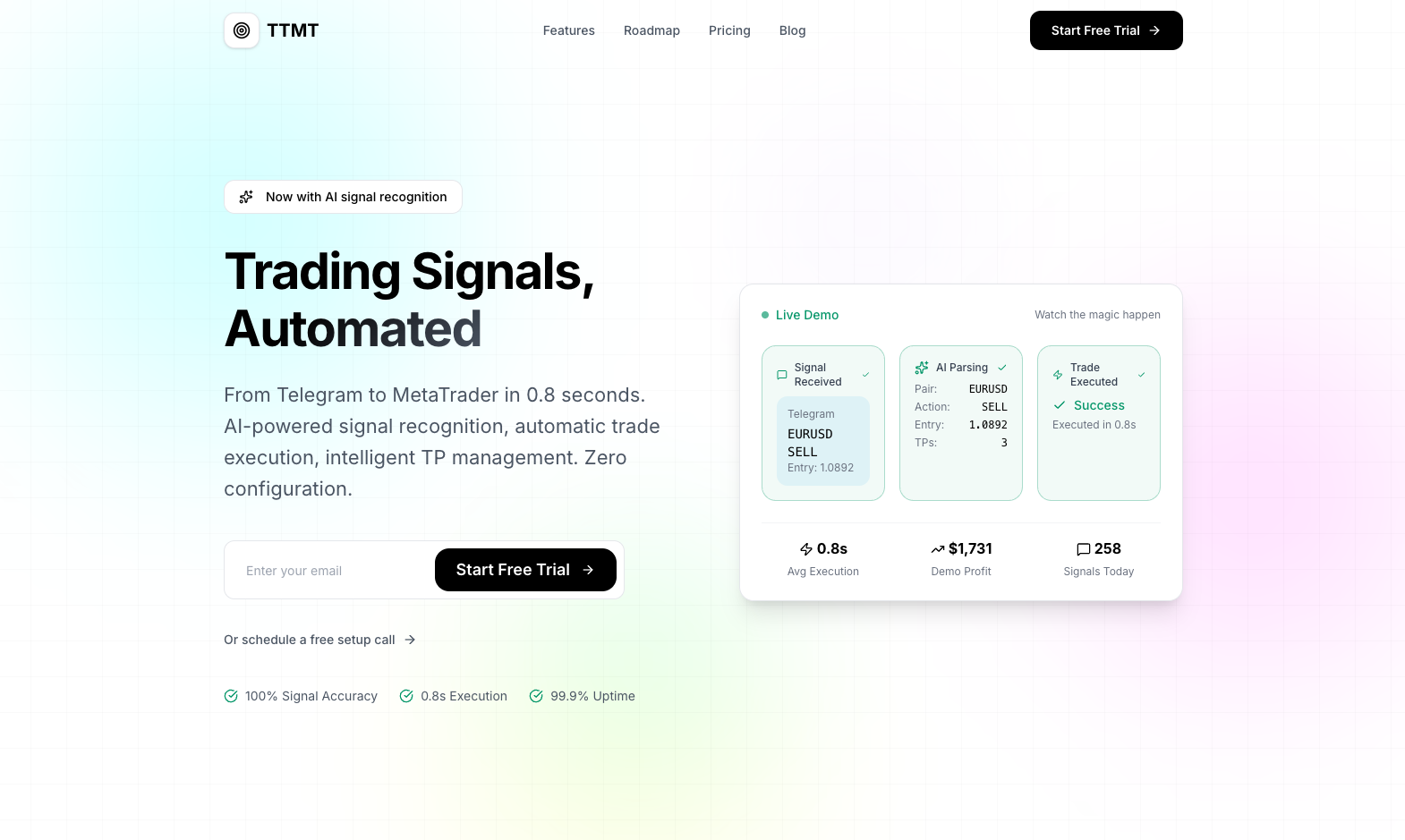
TTMT (Telegram to MetaTrader) focuses on a specific use case: signal providers who send entry zones rather than exact prices. If your provider says “buy between 1.0850-1.0870,” TTMT handles this elegantly.
Key Features
- Smart layering — Distributes risk across multiple entries within a zone
- 0.8-second execution — Cloud-based processing without VPS requirement
- Dynamic TP/SL management — Adjusts levels automatically as signals update
- Zero configuration — AI adapts to signal formats without manual setup
- Real-time order updates — Modifies open orders instantly when providers send updates
Pricing
Monthly pricing with annual discounts:
- Basic: $39/month ($32.50/month yearly) — 1 MT account, 1 channel
- Pro: $99/month ($82.50/month yearly) — 1 MT account, 5 channels
- Master: $149/month ($124.17/month yearly) — Unlimited channels
- Master Lifetime: $1,999 one-time
Pros and Cons
Pros: Excellent zone entry handling, cloud-based so no VPS needed for the copier, 10-day money-back guarantee, works with any MT4/MT5 broker
Cons: MT4/MT5 only (no cTrader or prop firm platforms), higher pricing than competitors, limited Trustpilot presence makes independent verification difficult
Verdict
TTMT excels at zone-based signals that trip up other copiers. If your signal provider sends ranges instead of exact prices, this is purpose-built for that workflow. The cloud architecture means one less thing to manage, though you’ll still want a VPS for your MetaTrader terminal.

5. Copygram — Best Budget Option
Copygram offers the lowest entry point at $25/month for basic functionality. With 12,000+ users and a 4.0/5 Trustpilot rating, it’s a legitimate option for traders testing the copy trading waters.
Key Features
- Rooms system — Organize multiple senders and receivers into logical groups
- AI trade validation — Confidence scoring that can block low-quality signals
- Multi-platform support — MT4, MT5, DXTrade, TradeLocker, Binance Futures, Tradovate
- Time-based execution — Only copy trades during specified hours
- TradingView integration — Works with TradingView alerts, not just Telegram
Pricing
- Basic: $25/month ($12.50/month annually) — 2 accounts
- Pro: $40/month ($20/month annually) — Telegram + TradingView
- Premium: $49/month — Up to 5 accounts, unlimited rooms
Pros and Cons
Pros: Lowest monthly cost, broadest platform support including crypto exchanges, TradingView integration, good for beginners
Cons: Slower execution (500-1500ms), lacks image signal parsing, global settings only (can’t customize per channel), some users report execution errors
Verdict
Copygram works well for traders who want affordable copy trading across multiple platforms. It’s not the fastest or most feature-rich, but the price-to-value ratio is strong for casual copy traders or those just getting started.
What About VPS Requirements?
Whether you need a VPS depends on which copier you choose and how you trade:
Cloud-based copiers (TSCopier, TTMT, Copygram): The copier itself runs on their servers. You don’t need a VPS just for the copier software. However, if you’re running Expert Advisors or need your MT4/MT5 terminal available 24/7, you still benefit from a forex VPS.
Desktop-based copiers (Telegram Copier, Telegram Signal Copier): These require a Windows environment running continuously. Shutting down your computer means missing signals. A VPS becomes essential for reliable operation.
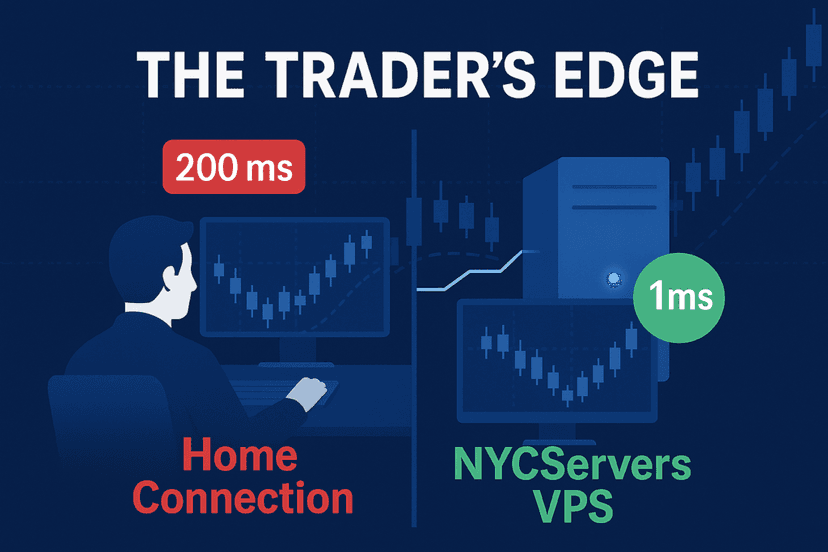
For traders serious about copy trading, running your MetaTrader terminal on a VPS close to your broker’s servers reduces execution latency regardless of which copier you use. The copier gets the signal to your terminal fast—but if your terminal is slow connecting to the broker, you’ve lost that advantage.
Common Problems to Watch For
Based on user reviews across all platforms, these issues appear frequently:
Signal Recognition Failures
AI-based parsing isn’t perfect. Complex signal formats, unusual languages, or heavily formatted messages can confuse copiers. Before committing, test your specific signal provider’s format during any free trial period.
Image-based signals are particularly problematic. While several copiers claim OCR capabilities, real-world accuracy varies. Screenshots with unusual fonts, low resolution, or background graphics often fail to parse correctly.
Execution Direction Errors
Some users report trades executing in the wrong direction—buying when the signal said sell. This typically happens with ambiguous signal formats. Look for copiers with signal preview features so you can verify parsing before live execution.
Signal formats that use emoji indicators (green arrows for buy, red for sell) or unconventional terminology can trip up parsers. The safest approach: run any new signal provider through paper trading mode first.
Lifetime License Support Degradation
Multiple Trustpilot reviews mention support becoming less responsive after lifetime purchases. If ongoing support matters to you, monthly subscriptions may actually provide better service incentives.
One reviewer noted that after purchasing a lifetime license, response times went from hours to days—then eventually nothing. The financial incentive to support paying customers simply disappears once the sale is complete.
Prop Firm Detection
Some prop firms flag accounts using copy trading due to identical entry times across traders. Copiers with randomized delay features help avoid this, but it’s worth checking your prop firm’s specific rules on copy trading.
The concern isn’t just detection—it’s account termination. Some firms explicitly prohibit copy trading in their terms of service. Others tolerate it but may investigate if multiple accounts show suspiciously synchronized entries. Always read the fine print before using copiers with funded accounts.
Broker Connectivity Issues
Copiers communicate with MetaTrader through APIs or Expert Advisors. If your broker restricts EA usage, has unusual server configurations, or implements aggressive slippage, the copier may not perform as expected. Some brokers also impose minimum lot sizes or restrict certain trading activities that can conflict with copier execution.

Which Copier Should You Choose?
Match the copier to your situation:
- Prop firm traders: TSCopier — fastest execution, built-in compliance features
- Multiple account managers: Telegram Signal Copier — best multi-account tools
- One-time purchase preferred: Telegram Copier — no recurring fees
- Zone entry signals: TTMT — purpose-built for price ranges
- Budget-conscious beginners: Copygram — lowest cost, decent features
All five options work. The right choice depends on your trading style, budget, and technical comfort level.
Run Your Copier on Reliable Infrastructure
A Telegram copier is only as reliable as the system running it. Signal recognition and AI parsing mean nothing if your terminal disconnects or your VPS goes down during a trade.
NYCServers provides forex-optimized VPS hosting with 1ms latency to major brokers, 100% uptime during trading hours, and pre-installed MT4/MT5 platforms. Whether you’re running a desktop copier that needs 24/7 Windows or just want your terminal closer to your broker’s servers, stable infrastructure makes a difference.
View forex VPS plans starting at $25/month →
Frequently Asked Questions
Do Telegram copiers work with any signal provider?
Most modern copiers use AI to parse various signal formats, but results vary. Complex formats, heavy emoji use, or unusual languages can cause parsing failures. Always test with your specific provider during trial periods.
Can I use a Telegram copier with prop firm accounts?
Yes, but check your prop firm’s rules first. Some firms prohibit copy trading entirely. Others allow it but flag accounts with identical trade timing. Copiers like TSCopier include randomized delays specifically for prop firm compliance.
Do I need a VPS to run a Telegram copier?
Cloud-based copiers (TSCopier, TTMT, Copygram) don’t require a VPS for the copier software. Desktop-based copiers (Telegram Copier, Telegram Signal Copier) need a Windows environment running 24/7—making a VPS essential for uninterrupted operation.
How fast do Telegram copiers execute trades?
Execution speeds range from 70ms (TSCopier Pro) to 1500ms (Copygram). Faster isn’t always necessary—it depends on your signal provider’s style. Scalping signals benefit from speed; swing trading signals are less time-sensitive.
What happens if a copier parses a signal incorrectly?
Incorrect parsing can result in wrong entry prices, inverted positions, or missed trades. Quality copiers include signal preview features and execution logs. Some offer “paper trading” modes to test parsing without risking real money.
Can I copy signals to multiple brokers simultaneously?
Yes, most copiers support multiple trading accounts. Telegram Signal Copier and Copygram are particularly strong for multi-account setups. You’ll need separate broker logins for each account you want to copy to.
Are Telegram copiers safe to use?
Reputable copiers connect to your trading account via broker APIs (MT4/MT5 login credentials). They can execute trades but cannot withdraw funds. Use copiers from established providers with verifiable Trustpilot reviews and avoid sharing sensitive information beyond trading credentials.
What’s the difference between cloud-based and desktop copiers?
Cloud-based copiers (TSCopier, TTMT, Copygram) run on the provider’s servers. You connect your Telegram account and broker credentials through a web interface, and trades execute from their infrastructure. Desktop copiers (Telegram Copier, Telegram Signal Copier) run locally on your computer or VPS. Cloud options are easier to set up; desktop options give you more control and don’t depend on a third-party server staying online.
Can I build my own Telegram copier?
Yes—if you have programming skills. Open-source projects on GitHub provide MT4/MT5 Telegram bot frameworks. You’ll need to handle Telegram API integration, signal parsing logic, and MetaTrader connectivity. For most traders, commercial solutions save significant development and maintenance time. Building custom only makes sense if you have very specific requirements that no existing copier meets.

About the author
Matthew Hinkle
Lead Writer & Full Time Retail Trader
Matthew is NYCServers' lead writer. In addition to being passionate about forex trading, he is also an active trader himself. Matt has advanced knowledge of useful indicators, trading systems, and analysis.
Areas of Expertise