

Best Forex Trading Apps for Mobile (2026)
Compare the best forex trading apps for mobile in 2026. We review MT4, MT5, cTrader, TradingView, and more for charting, alerts, and execution quality.

What Makes a Great Forex Trading App in 2026
The gap between mobile and desktop trading has narrowed, but it hasn’t closed. In 2026, the best forex trading apps for mobile handle charting, order management, and real-time alerts with enough depth to keep you profitable on the go. The worst ones give you a stripped-down interface that’s barely useful beyond checking your P&L.
Choosing the right app isn’t about finding the “best” one universally. It’s about matching the app to how you actually trade. A scalper needs tight execution and one-tap orders. A swing trader needs clean charting with indicator overlays. A passive EA trader needs reliable push notifications from their VPS, not a mobile platform at all.
Before we review each app, here’s what to evaluate when comparing forex trading apps on mobile.
Charting and Technical Indicators
Desktop platforms spoil you with multi-monitor setups and dozens of open charts. Mobile apps compress all of that into a single screen. The best apps still give you 30+ indicators, drawing tools, and multiple timeframes without making you scroll through buried menus. If you rely on custom indicators, your options narrow fast on mobile.
Execution Speed and Order Types
Tapping “buy” on your phone introduces variables that don’t exist on desktop. Cellular latency, app rendering time, and touchscreen precision all add milliseconds. Look for apps that support one-tap trading, trailing stops, and pending orders directly from the chart. If the app forces you through multiple confirmation screens for a market order, it’s not built for active trading.
Push Notifications and Alerts
Mobile alerts are the single most underrated feature in forex apps. Price alerts, indicator-based triggers, and trade execution notifications let you stay informed without staring at your screen. The difference between apps that support conditional alerts versus simple price-level alerts is significant for serious traders.
Cross-Device Sync
Your mobile app should reflect exactly what you see on desktop. Open positions, pending orders, chart templates, and watchlists need to sync seamlessly. Any app that treats mobile as a separate silo from desktop is creating unnecessary friction in your workflow.
Platform and Broker Compatibility
Some apps are broker-specific. Others, like MetaTrader and cTrader, work across dozens of brokers. If you trade with multiple brokers or plan to switch, third-party platform apps give you more flexibility. Proprietary apps tie you to a single broker’s ecosystem.
The 8 Best Forex Trading Apps for Mobile in 2026
We’ve tested each of these apps across iOS and Android, evaluating charting depth, order execution, alert systems, and overall usability. Here’s how they stack up.
1. MetaTrader 4 Mobile (iOS and Android)
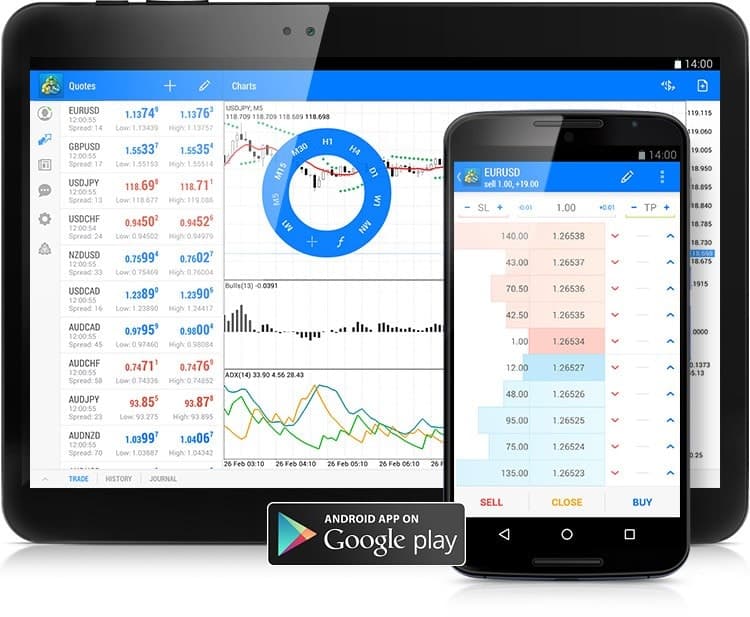
MT4 Mobile remains the most widely used forex trading app in the world, and for good reason. It connects to virtually every forex broker, syncs with your desktop MT4 account, and provides a functional charting and trading interface on both iPhone and Android.
The app includes 30 technical indicators, 24 analytical objects, and all standard order types including pending orders. You can manage multiple accounts and switch between them without logging out. Real-time quotes and interactive charts with nine timeframes cover most analysis needs.
Where MT4 Mobile falls short is its age. The interface hasn’t changed dramatically in years. Custom indicators aren’t supported on mobile, and the charting tools feel dated compared to newer apps. Push notifications work, but they require your desktop MT4 or a forex VPS to send them. The app itself can’t generate indicator-based alerts independently.
Best for: Traders already using MT4 on desktop who need quick mobile access to manage positions and monitor the market. Not a standalone mobile analysis tool.
2. MetaTrader 5 Mobile (iOS and Android)
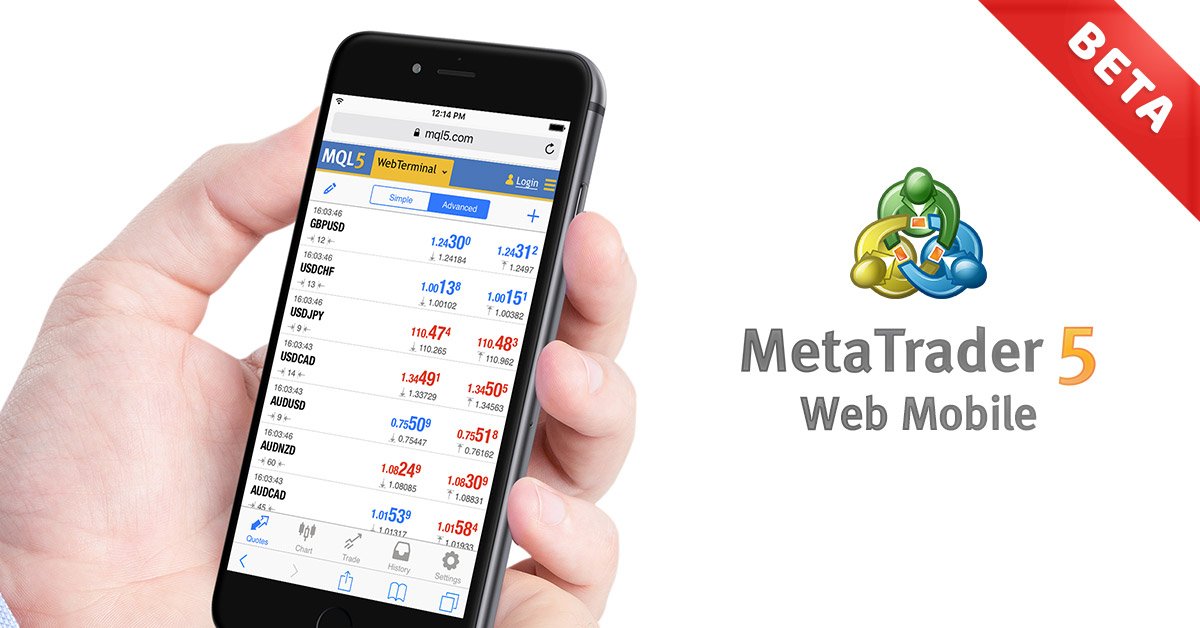
MT5 Mobile is the successor that improves on MT4 in nearly every mobile-specific category. You get 38 technical indicators, 44 analytical objects, and 21 timeframes compared to MT4’s nine. The depth of market (DOM) display gives you order book visibility that MT4 Mobile doesn’t offer.
The built-in economic calendar is a meaningful addition for fundamental traders. You can check upcoming news events without leaving the app. Netting and hedging account modes are both supported, and multi-asset trading (stocks, futures, forex) is available if your broker supports it.
MT5 Mobile also introduces a built-in chat system for communicating with your MQL5 community. More practically, the app handles push notifications from your desktop terminal or VPS-hosted MT5, which is critical for EA traders who need mobile alerts about automated trade activity.
Best for: Traders who want more analytical depth on mobile than MT4 provides, or those trading multiple asset classes through a single app.
3. cTrader Mobile
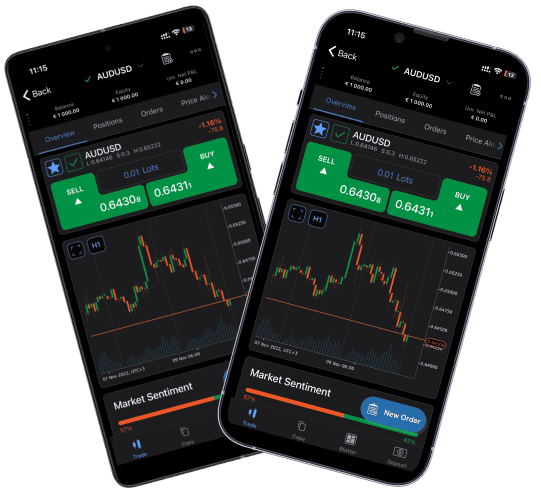
cTrader Mobile is where mobile forex trading starts to feel genuinely modern. The interface is clean, responsive, and clearly designed with touchscreens in mind rather than ported from desktop. Charting is smooth with 65+ indicators, and you can overlay multiple indicators without the UI becoming cluttered.
The standout feature is cTrader’s smart order panel. You can place market, limit, stop, and stop-limit orders with preset take-profit and stop-loss levels directly from the chart. The quick-trade mode enables one-tap execution, which is essential for active traders. Detachable charts and a well-organized watchlist round out the experience.
cTrader Copy is built into the mobile app, letting you browse and follow strategy providers on the go. Push alerts are more flexible than MetaTrader’s mobile alerts. You can set price alerts, indicator triggers, and trade notifications from within the app itself.
The downside is broker availability. cTrader is supported by fewer brokers than MetaTrader, so you may need to open a new account if your current broker doesn’t offer it.
Best for: Traders who prioritize a modern mobile interface with advanced order management. Strong choice for both iPhone and Android users who value design and usability.
4. TradingView Mobile
TradingView isn’t a trading platform in the traditional sense. It’s a charting and analysis powerhouse that also connects to supported brokers for execution. On mobile, it delivers arguably the best charting experience of any forex app available in 2026.
You get access to 100+ built-in indicators, 50+ drawing tools, and a massive library of community-built indicators through Pine Script. Multi-chart layouts work on tablets, and even on phones the single-chart view is responsive and intuitive. Watchlists sync across all devices, and the alert system is one of the most powerful on any platform.
TradingView’s alert engine supports conditions based on price, indicators, drawing tools, and custom Pine Script logic. Alerts fire server-side, meaning they work even when your phone is closed. You get push notifications, email, and webhook triggers. For traders who need sophisticated alert conditions without running a desktop terminal, this is unmatched.
The limitation is execution. TradingView connects to a limited number of forex brokers for direct trading. If your broker isn’t supported, you’ll need to use TradingView for analysis and switch to another app to place trades. The free tier also limits the number of alerts and indicators per chart.
Best for: Traders who prioritize charting and technical analysis above all else. Ideal as a companion app alongside a broker-specific execution platform.

5. OANDA Trade Mobile
OANDA‘s proprietary mobile app is one of the more polished broker-specific offerings. The app features TradingView-powered charts, which means you get quality charting without needing a separate app. Technical indicators, drawing tools, and multiple timeframes are all accessible from a clean interface.
The app supports advanced order types including trailing stops, take-profit, and stop-loss orders with guaranteed execution options. OANDA’s spread and pricing transparency is reflected in the app, with real-time spread displays and a transparent fee structure.
Push notifications cover price alerts, margin warnings, and trade confirmations. The economic calendar integration helps you stay ahead of news events. OANDA also offers a practice account within the app, making it accessible for beginners who want to test strategies without risking capital.
One notable feature is OANDA’s API integration. If you’re building custom tools or connecting third-party services, the API works alongside the mobile app for a hybrid workflow. The app is available on both iOS and Android with feature parity.
Best for: Traders who want a reliable, all-in-one broker app with strong charting powered by TradingView integration. Good for beginners and intermediate traders alike.
6. IG Trading App
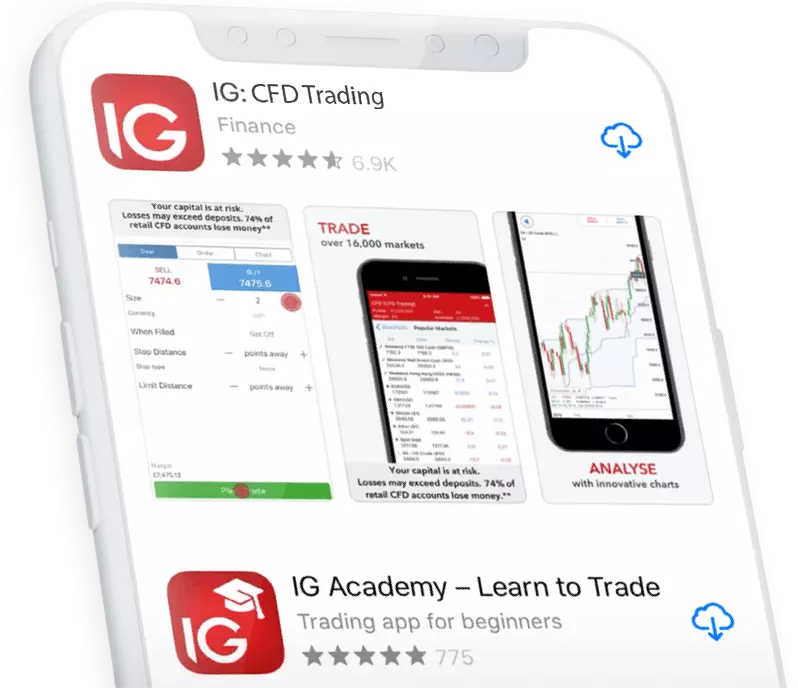
IG‘s mobile app reflects the company’s position as one of the largest forex and CFD brokers globally. The app offers access to over 17,000 markets, and the forex trading experience is backed by ProRealTime charts on mobile with advanced indicator support.
The deal ticket is well-designed for fast execution. You can set stops, limits, and guaranteed stops from a single order screen. IG’s price alerts let you set notifications for specific levels across multiple pairs. The app also integrates Reuters news and an economic calendar, keeping fundamental analysis within reach.
IG’s mobile app includes a demo account mode, educational content, and trade analytics that show your performance over time. For traders who want a comprehensive single-app experience with a major regulated broker, IG delivers a solid package.
The drawback is that you’re locked into IG’s ecosystem. If you trade with other brokers, you’ll need separate apps for those accounts. The app also lacks the indicator customization depth you’d find in standalone charting platforms like TradingView or cTrader.
Best for: Traders who use IG as their primary broker and want a feature-rich proprietary app with integrated news, education, and analytics.

7. FOREX.com Mobile
FOREX.com’s mobile app has seen meaningful upgrades in recent years, particularly around its TradingView integration. US-based traders benefit from FOREX.com’s regulatory status, and the mobile app provides access to 80+ currency pairs along with other asset classes.
The app supports advanced charting with TradingView-powered charts, including multi-timeframe analysis and a solid selection of technical indicators. Order execution is straightforward with support for market, limit, stop, and OCO (one-cancels-other) orders.
Performance analytics within the app let you review your trading history with detailed breakdowns. Push notifications cover price alerts and trade execution updates. The app also offers a built-in economic calendar and market analysis from FOREX.com’s research team.
For US traders specifically, FOREX.com is one of the few options with a feature-complete mobile app from a CFTC-regulated broker. This regulatory advantage makes it a default choice for many American forex traders on mobile.
Best for: US-based traders who need a regulated broker with a strong mobile app. TradingView integration adds analytical depth that many proprietary apps lack.
8. Plus500 Mobile
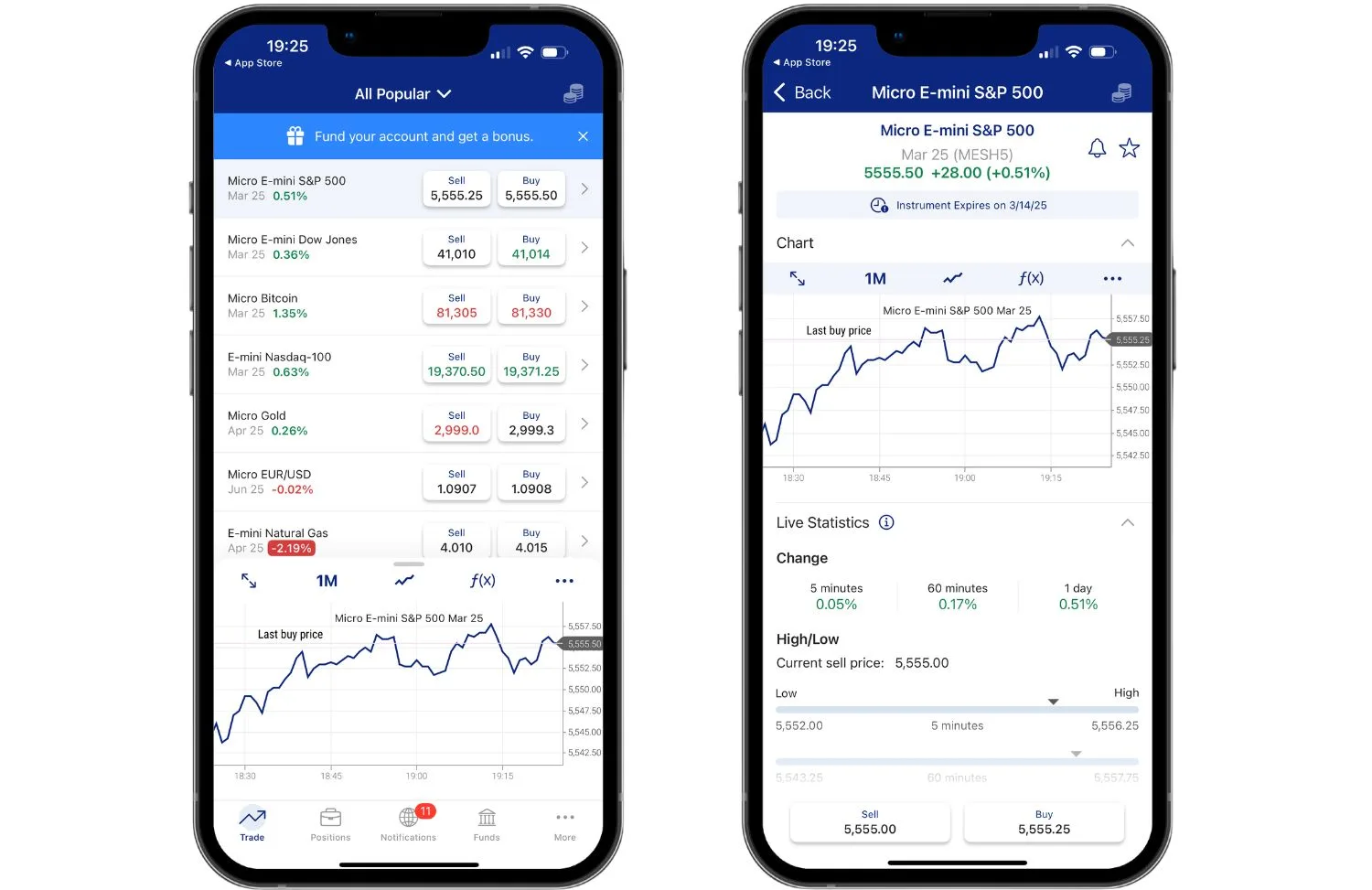
Plus500 takes a different approach to mobile trading. The app is designed for simplicity above all else. The interface is stripped down to the essentials: a clean watchlist, straightforward order ticket, and basic charting tools. This makes it one of the easiest forex apps for beginners to pick up.
The app supports free push notifications for price movements and trade updates. A risk management suite includes guaranteed stop orders, trailing stops, and negative balance protection. The demo account mode lets new traders practice without financial exposure.
Where Plus500 falls short is depth. Charting capabilities are limited compared to MetaTrader, cTrader, or TradingView. The indicator selection is basic, and drawing tools are minimal. There’s no support for automated trading or third-party plugins. This is a pure manual trading app.
Plus500 is CFD-only, which means you’re trading contracts for difference rather than spot forex. For traders who understand this and want a simple, no-frills mobile app for occasional trading, it serves its purpose.
Best for: Beginners who want the simplest possible mobile trading experience with built-in risk management tools. Not suitable for advanced technical traders.
Mobile Forex Trading App Comparison Table
| App | Indicators | Alert System | iOS | Android | Broker Lock-In | Best Feature |
|---|---|---|---|---|---|---|
| MetaTrader 4 | 30 | Push (from desktop/VPS) | Yes | Yes | No | Universal broker support |
| MetaTrader 5 | 38 | Push (from desktop/VPS) | Yes | Yes | No | Multi-asset + economic calendar |
| cTrader | 65+ | In-app price and indicator alerts | Yes | Yes | No | Modern UI + one-tap trading |
| TradingView | 100+ | Server-side, multi-condition | Yes | Yes | Limited broker support | Charting depth + Pine Script |
| OANDA Trade | 50+ | Price, margin, trade alerts | Yes | Yes | Yes (OANDA) | TradingView-powered charts |
| IG Trading | 40+ | Price alerts + news | Yes | Yes | Yes (IG) | 17,000+ markets |
| FOREX.com | 50+ | Price + execution alerts | Yes | Yes | Yes (FOREX.com) | US regulatory compliance |
| Plus500 | Basic | Price movement alerts | Yes | Yes | Yes (Plus500) | Simplest interface |
Third-Party Platform vs Proprietary Broker App
This is the first decision you need to make: do you use a third-party platform app like MetaTrader or cTrader, or your broker’s proprietary app?
Third-party platform apps give you flexibility. You can switch brokers without learning a new interface. Your charts, templates, and watchlists carry over. MetaTrader alone connects to hundreds of brokers worldwide. If you’re weighing the two, our TradingView vs MetaTrader comparison breaks down the differences in detail. If you trade with multiple brokers or anticipate switching, third-party apps save you time and learning curve.
Proprietary apps, on the other hand, often offer tighter integration with broker-specific features. OANDA’s spread visualization, IG’s guaranteed stops, and FOREX.com’s performance analytics are examples of features you won’t find in generic platform apps. If you’re committed to a single broker and they’ve invested in their mobile experience, the proprietary app may deliver a better overall experience.
The hybrid approach works well too. Use TradingView for analysis and alerts, then execute trades through your broker’s app or MetaTrader. This gives you the best charting available on mobile while maintaining your broker relationship.
Mobile Limitations Every Forex Trader Should Know
No matter which app you choose, mobile trading has hard limitations that desktop and VPS setups don’t share. Understanding these isn’t about scaring you off mobile. It’s about building a workflow that accounts for them.
You Can’t Run EAs on Your Phone
This is the biggest misconception in mobile forex trading. Expert Advisors, cBots, and other automated strategies cannot run on mobile apps. MT4 Mobile and MT5 Mobile are monitoring and manual trading tools only. If you depend on automated trading, your EAs need to run on a desktop or a VPS that stays online 24/5.
Your phone becomes a monitoring device. You receive push notifications when your EA opens or closes trades, and you can manually intervene if needed. But the automation itself must live on a machine with a persistent connection to your broker’s server.
Cellular Latency Is Unpredictable
Even on 5G, your mobile connection introduces latency that varies by location, network congestion, and signal strength. A Wi-Fi connection at home might give you 30-50ms to your broker. Switch to cellular on a train and that jumps to 100-300ms or worse. For scalpers and news traders, this inconsistency is a real risk.
Desktop platforms connected via ethernet to a VPS routinely achieve sub-1ms latency to nearby broker servers. That’s not a gap mobile can close.
Battery, Background Processes, and Uptime
Mobile operating systems aggressively manage background apps. iOS and Android will suspend or kill apps to preserve battery life. If you set an alert in your trading app and then switch to another app, there’s no guarantee the alert fires instantly. Push notifications from a server (like a VPS sending alerts through MetaTrader) are more reliable than in-app alerts that depend on the app running.
Your phone also needs to stay charged, connected, and unlocked for active trading. A dead battery at the wrong moment isn’t just inconvenient. It can mean a missed stop-loss adjustment on a volatile move.
Screen Real Estate Limits Analysis
A 6.7-inch phone screen is not a substitute for dual monitors. You can analyze one chart at a time with limited indicator visibility. Multi-timeframe analysis requires switching back and forth between timeframes rather than viewing them simultaneously. This slows your decision-making and increases the chance of missing context.

The Mobile + VPS Hybrid Workflow
The most effective approach for serious forex traders in 2026 isn’t choosing between mobile and desktop. It’s combining mobile with a VPS for a setup that covers every scenario.
Here’s how the hybrid workflow operates. Your MT4 VPS runs your trading platform 24 hours a day, five days a week. EAs execute trades automatically. Custom indicators run their calculations. Price alerts fire server-side and push notifications straight to your phone. The VPS handles everything that requires persistence, uptime, and low latency.
Your mobile app becomes your command center for monitoring and intervention. You check positions during your commute. You get a push notification that your EA opened a trade and you verify it looks right. You spot a news event on TradingView’s mobile app and manually close a position before volatility hits. You adjust a stop-loss level while away from your desk.
This hybrid model solves every limitation we covered above. EAs run on the VPS, not your phone. Latency-sensitive execution happens through the VPS connection, not cellular. Uptime is guaranteed by the server, not your phone’s battery. And you still have full mobile access for oversight and manual action.
At NYCServers, our forex VPS plans are built specifically for this workflow. With server locations in New York, London, and Tokyo, you get sub-1ms latency to major brokers. Your platform arrives pre-installed and ready to trade. And with 100% uptime guaranteed during trading hours, your EAs never miss a beat even when your phone is off.
How to Set Up Mobile Push Alerts From Your VPS
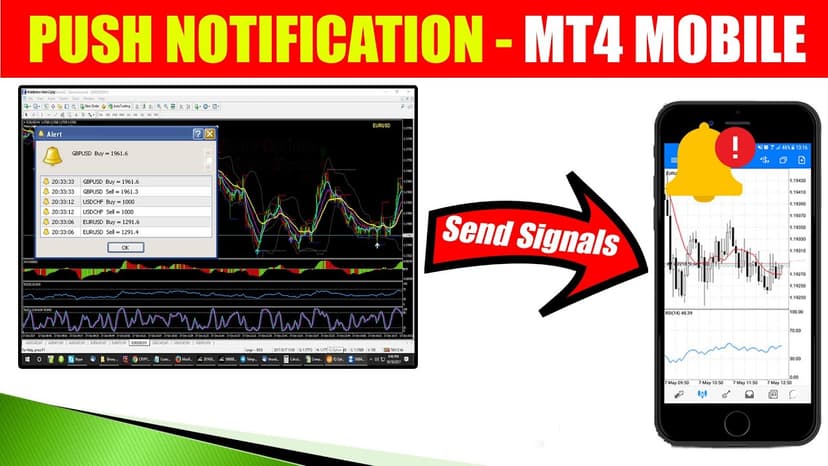
If you run MetaTrader on a VPS, setting up push notifications to your phone takes about two minutes. In your MT4 or MT5 mobile app, go to Settings and find your MetaQuotes ID. It’s a unique string tied to your device.
On your VPS, open MetaTrader’s desktop terminal. Navigate to Tools, then Options, then Notifications. Enter your MetaQuotes ID and enable push notifications. You can also check the box to receive notifications about trade activity, which means every time your EA opens or closes a trade, your phone buzzes.
For custom alerts, your EA code can use the SendNotification() function to push messages directly to your phone. This lets you create specific conditions like “notify me when drawdown exceeds 5%” or “alert when a trade has been open for more than 4 hours.” The notification travels from your VPS through MetaQuotes’ server to your mobile device within seconds.
cTrader offers similar functionality through its built-in notification system. Alerts configured on your VPS-hosted cTrader instance push to the mobile app automatically when you’re signed into the same account.
Frequently Asked Questions
Can you run an EA on a mobile phone?
No. Expert Advisors and automated trading bots cannot run on MT4 Mobile, MT5 Mobile, or any other mobile trading app. EAs require the full desktop version of MetaTrader running on a computer or VPS. Your mobile app can monitor EA activity and receive push notifications about trades, but the automation itself must run on a machine with a persistent connection.
What is the best forex trading app for iPhone in 2026?
For charting and analysis, TradingView offers the deepest feature set on iPhone. For trading execution with a modern interface, cTrader Mobile is the strongest option. For universal broker compatibility, MetaTrader 5 provides the best balance of features and broker support. Your best choice depends on whether you prioritize analysis, execution, or broker flexibility.
Is mobile forex trading as fast as desktop?
No. Mobile trading adds latency from cellular or Wi-Fi connections, touchscreen input, and app rendering. Desktop platforms connected to a VPS through a direct network connection can achieve sub-1ms latency to broker servers. Mobile connections typically range from 30ms on good Wi-Fi to 300ms or more on cellular. For scalping and high-frequency strategies, desktop or VPS execution is significantly faster.
Which forex app has the best charting indicators?
TradingView leads with over 100 built-in indicators plus thousands of community-built indicators through Pine Script. cTrader follows with 65+ indicators and a clean overlay system. MetaTrader 5 offers 38 indicators on mobile, and MetaTrader 4 provides 30. Proprietary broker apps like OANDA and FOREX.com offer 50+ indicators through their TradingView integrations.
Do forex trading apps work on Android and iPhone equally?
All eight apps reviewed in this guide are available on both iOS and Android with near-identical features. Historically, iOS versions received updates first, but in 2026 feature parity between platforms is standard. The main difference is hardware. Higher-end phones with faster processors and more RAM render charts and process data more smoothly, regardless of operating system.
Are forex app push notifications reliable?
It depends on the source. Server-side push notifications, like those sent from a VPS running MetaTrader to your phone via MetaQuotes ID, are highly reliable because they don’t depend on your app being open. In-app alerts that require the app to run in the background are less reliable because mobile operating systems can suspend background processes. For critical trading alerts, always use server-side notifications from a VPS or a platform like TradingView that fires alerts from their servers.
Can I trade forex on mobile without a VPS?
Yes. You can trade forex manually using any of the apps in this guide without a VPS. A VPS becomes essential when you need automated trading (EAs), guaranteed uptime, low-latency execution, or reliable push notifications from a desktop terminal. If you only trade manually and don’t mind the limitations of mobile connectivity, a standalone mobile app works fine for basic trading.

About the author
Matthew Hinkle
Lead Writer & Full Time Retail Trader
Matthew is NYCServers' lead writer. In addition to being passionate about forex trading, he is also an active trader himself. Matt has advanced knowledge of useful indicators, trading systems, and analysis.
Areas of Expertise