
7 Best MT5 Risk Management Tools for EA Traders
Compare 7 MT5 risk management tools for position sizing, drawdown limits, news filters, and safer EA trade management on MetaTrader 5 in 2026.
The best MT5 risk management tools depend on the control you need. Forex Trade Manager MT5 is the strongest all-in-one option, Account Protector is the best account-wide circuit breaker, and Position Sizer EA is the best free sizing utility. If news events are the main threat to an existing EA setup, The News Filter MT5 is the more specialized choice.
No panel can make a weak EA safe or profitable. The practical approach is to choose one tool for a clearly defined job—position sizing, exit management, account-level loss limits, or news control—then demo-test how it interacts with your EA’s own stops, partial exits, magic numbers, and recovery logic.
This roundup compares seven current MT5 utilities using their official product pages and publisher documentation rather than hands-on performance testing. Prices, versions, and update dates were checked on July 23, 2026; recheck the current listing before buying because marketplace terms can change.

How We Selected the Best MT5 Risk Management Tools
Each pick needed a live official page, explicit MetaTrader 5 support, a distinct risk function, transparent features, and a practical role alongside manual or automated trading. This produces a mixed list by design: an account protector is not a substitute for a position size calculator, and a news filter does not perform the same job as an exit manager.
- Position sizing: whether the tool calculates lots from account values, cash risk, stop distance, or other defined inputs.
- Account protection: whether it can react to equity, daily loss, margin, spread, time, profit, or trade-count limits.
- EA compatibility: whether it can supervise externally opened positions, filter by magic number, or temporarily manage selected EAs.
- Trade management: the available break-even, trailing-stop, partial-close, and pending-order controls.
- Failure behavior: whether a feature depends on the terminal, an external feed, a DLL, or another component that needs separate testing.
The order reflects breadth and usefulness for EA traders, not verified returns. A lower-ranked specialist can be the better choice when it solves your exact failure mode without duplicating an EA’s existing logic. Before deployment, confirm symbol and magic-number scope, restart behavior, terminal permissions, and what the tool does when a condition triggers.

Quick Comparison of MT5 Risk Management Tools
| Tool | Best for | Price | Primary control | EA-trade support | Main caveat |
|---|---|---|---|---|---|
| Forex Trade Manager MT5 | All-in-one management | $99 or $30/3 months | Sizing, exits, equity limits | Can protect external orders | May duplicate EA exits |
| Account Protector | Account-wide circuit breakers | Open-source | Conditional account actions | Magic, symbol, and comment filters | Disable-autotrading action needs a Windows DLL |
| TradePanel MT5 | Period loss and trade limits | $100, $40/3 months, or $60/year | Daily, weekly, and monthly caps | Position and order actions | Terminal-close actions need careful testing |
| The News Filter MT5 | News control for existing EAs | $70 or $45/month | Event-based EA removal | Removes and reattaches selected EAs | No Strategy Tester support; external news dependency |
| Trade Assistant MT5 | Flexible exit management | $100, $30/3 months, or $50/year | Trailing, partial close, break-even | Trade-management overlay | Virtual SL/TP is terminal-side |
| Position Sizer EA | Free risk-based sizing | Free and open-source | Lot and risk calculation | Mainly planning and execution | No portfolio drawdown kill switch |
| Trade Position and Back Testing Tool MT5 | Free visual planning | Free | Entry, stop, target, and lot preview | Mainly planning and execution | Lighter account-level protection |
The top three tools address broader account or trade-management needs, while the remaining four are stronger specialists. Compare the control column first and the price second. Paying for two overlapping managers can add conflicting instructions without adding meaningful protection.
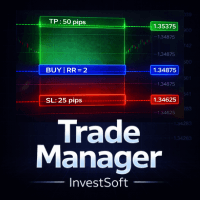
1. Forex Trade Manager MT5 — Best All-in-One Manager
Forex Trade Manager MT5 takes the top spot because it combines pre-trade sizing, position management, and equity protection in one utility. It calculates risk from balance, equity, or a fixed cash amount, then supports partial exits and four levels of break-even and trailing logic. That breadth makes it a practical fit when you want one panel to cover both manual entries and orders opened elsewhere.
The external-order support is especially relevant to EA traders. The manager can apply stop-loss and take-profit protection to externally opened orders, so it can supervise trades that did not originate from its own panel. That does not mean it will understand the strategy behind those orders; it means you have another layer capable of applying configured protection.
Key Specs
- Price: $99 purchase or $30 for three months
- Current release: Version 3.70, updated June 18, 2026
- Risk bases: Balance, equity, or fixed cash risk
- Exit controls: Four-level break-even and trailing, plus partial exits
- Account controls: Equity profit and loss limits
Strengths and Caveats
The main strength is consolidation. A trader who would otherwise install separate sizing, equity-limit, break-even, and partial-close utilities can configure those functions in one place. Its ability to protect external orders also gives it a clearer EA use case than a panel limited to positions it opens itself.
The caveat is overlapping authority. If your EA already moves stops, scales out, or closes positions from its own rules, a second manager may change the trade before the strategy expects it. Conflicting break-even or trailing instructions can turn a carefully tested exit model into a different live system. Run the manager and EA together on a demo account, using the same symbols and magic-number behavior intended for production, before enabling equity actions or automatic exits.
Best for: EA traders who want one paid utility for sizing, external-order protection, layered exits, and equity limits.

2. Account Protector — Best Account-Wide Circuit Breaker
Account Protector is the strongest choice when your priority is a configurable account-level circuit breaker rather than entry planning. The publisher describes it as an open-source MT4 and MT5 overlay that monitors conditions across the account and then performs selected actions. It can filter its scope by magic number, symbol, or comment, which is useful when one terminal contains several EAs or a mix of automated and manual positions.
Its trigger set covers daily loss, equity, free margin, spread, and time conditions, with support for combined rules. Available responses include alerts, closing trades, mass break-even or trailing actions, and disabling autotrading. That trigger-and-action structure lets you define what should happen when risk moves beyond an operating boundary instead of relying on each EA to enforce the whole account’s limits independently.
Key Specs
- Availability: Open-source for MT4 and MT5
- Scope filters: Magic number, symbol, and comment
- Triggers: Daily loss, equity, free margin, spread, and time
- Trade actions: Closing trades, mass break-even, and mass trailing
- Other responses: Alerts and optional autotrading disable
Strengths and Caveats
Granular filtering is the decisive strength. You can design a protection rule around a particular EA’s magic number, one symbol group, or identified comments instead of assuming every position should receive the same response. Combined conditions can also reduce the bluntness of a single trigger, while account metrics such as free margin and daily loss address risks that an individual trade stop may not capture.
The important caveat concerns the disable-autotrading action: that optional response uses a Windows DLL. It should not be confused with the tool’s close-trade or alert actions, but it does add another permission and failure point if you choose it. Test the exact condition sequence, action order, filter scope, DLL permissions, and restart behavior. A circuit breaker configured against the wrong magic number—or across the whole account when you intended one strategy—can create its own operational risk.
Best for: Traders who need open-source, filterable account protection built around conditional triggers and decisive actions.

3. TradePanel MT5 — Best for Daily, Weekly, and Monthly Limits
TradePanel MT5 is the best fit for traders who organize risk limits by reporting period. It can cap daily, weekly, and monthly loss or profit, as well as daily trade count. When a threshold is reached, the panel can notify you, close orders, lock positions, or close the terminal, providing several escalation levels rather than one fixed response.
The product also includes reporting and position-management functions. Its seven trailing types and unlimited break-even or partial-close levels give it significant overlap with a full trade manager, but the period-based limits are the clearer reason to choose it. Those controls can help convert a written daily or weekly rule into platform behavior, provided the threshold calculations match how you define the limit.
Key Specs
- Price: $100 purchase, $40 for three months, or $60 per year
- Current release: Version 20.1, updated June 19, 2026
- Period controls: Daily, weekly, and monthly loss or profit limits
- Activity control: Daily trade-count cap
- Responses: Notify, close orders, lock positions, or close the terminal
Strengths and Caveats
TradePanel’s strength is the ability to monitor several time horizons in one place. A daily stop controls a bad session, while weekly and monthly limits can prevent repeated smaller losses from escaping attention. The trade-count cap adds a separate defense against overtrading, and the choice between notification, position locks, order closure, and terminal closure lets you decide how forceful each response should be.
Powerful responses demand careful demo testing. Closing a terminal is not the same as closing every market exposure, and stopping the platform can also interrupt other terminal-side protection. Verify what “lock” means in the exact configuration, how open and pending orders are handled, and whether reporting resets align with your trading day. Also avoid running its unlimited exit levels against an EA that already performs break-even, trailing, or partial closes unless the interaction is intentional.
Best for: Traders who want paid period P/L controls, a daily activity cap, and configurable escalation actions.

4. The News Filter MT5 — Best News-Risk Overlay for Existing EAs
The News Filter MT5 solves a narrower problem: temporarily changing automated-trading activity around configured economic events. It can remove selected EAs before an event and reattach them afterward, with filters for currency, keyword, and impact. That makes it relevant when an existing EA lacks suitable news controls and you do not want to modify its source code.
The filter can go beyond EA attachment by closing and later restoring positions or pending orders according to its settings. This creates a dedicated event-risk layer, but it also means the utility may alter live exposure as well as strategy availability. News avoidance should therefore be treated as a chosen operating rule, not an assumption that every event filter automatically reduces losses.
Key Specs
- Price: $70 purchase or $45 per month
- Current release: Version 1.8, updated March 8, 2026
- Event filters: Currency, keyword, and impact
- EA control: Remove and reattach selected EAs around events
- Exposure options: Close and restore positions or pending orders
Strengths and Caveats
Specialization is the advantage. Instead of adding another general-purpose trade panel, you can select the EAs and event characteristics that require intervention. Currency and impact filters help avoid disabling unrelated strategies for every calendar item, while the remove-and-reattach workflow gives non-programmers a way to apply event windows to existing EAs.
The product listing says it does not work in Strategy Tester, so you cannot rely on a normal MT5 strategy test to validate this workflow. It also depends on external news sources, adding timing and data availability to the operational chain. Test on a demo terminal with real calendar conditions, confirm the selected charts and EAs after reattachment, and inspect how positions and pending orders are restored. A strategy may behave differently after being detached, particularly if it tracks state internally.
Best for: Traders who need a configurable news overlay for selected EAs and can test it under live demo conditions.
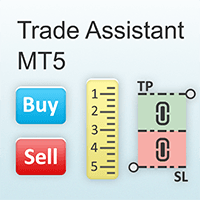
5. Trade Assistant MT5 — Best for Flexible Exit Management
Trade Assistant MT5 is the most exit-focused paid utility in the roundup. It combines risk-based position sizing with break-even, partial-close, one-cancels-the-other, and trailing functions. Seven trailing methods let you manage positions using pips, fractals, a moving average, Parabolic SAR, ATR, partial close, or the high or low of a bar.
Its risk calculation is also flexible. You can base risk on account currency, balance, equity, free margin, or custom and reference balances. That range is useful when the amount you want to risk should not simply follow the current balance, although any custom reference must still reflect a deliberate and documented sizing rule.
Key Specs
- Price: $100 purchase, $30 for three months, or $50 per year
- Current release: Version 10.33, updated April 29, 2026
- Risk bases: Currency, balance, equity, free margin, custom, or reference balance
- Exit controls: Break-even, partial closes, OCO, and seven trailing methods
- Stop behavior: Virtual SL/TP is terminal-side
Strengths and Caveats
The strongest case for Trade Assistant is choice after entry. A fixed pip trail suits a different method from ATR or moving-average logic, and partial exits can reduce size without closing the full position. The broad risk bases also let you calculate size against free margin or a reference amount rather than force every decision through one account metric.
The major caveat is virtual stop-loss and take-profit behavior. Terminal-side levels depend on an always-on MT5 VPS or other host and the connection remaining available to act; they are not equivalent to protective orders already held by the broker. Verify which configured levels are broker-side and which are virtual, then simulate a terminal restart or disconnection. As with Forex Trade Manager and TradePanel, avoid giving both this utility and an EA authority over the same trailing or partial-close decision unless you have tested the combined result.
Best for: Traders who want granular trailing and partial-exit choices alongside flexible risk-based sizing.

6. Position Sizer EA — Best Free Open-Source Sizing Tool
Position Sizer EA is the best free choice when your main problem occurs before entry: converting a defined cash or percentage risk into the correct lot size. The publisher labels it completely free and open-source for MT4 and MT5, with no DLL imports. You can place and drag entry, stop-loss, and take-profit levels while the tool updates the planned risk.
It also provides more context than a basic lot calculator. The panel can show current and potential risk, margin, and swaps; create multiple take-profit levels; derive stops and targets from ATR; and work with MT5 stop-limit orders. These functions make it useful for preparing and placing a structured trade without requiring a paid all-in-one manager.
Key Specs
- Price: Completely free and open-source
- Platforms: MT4 and MT5
- Core function: Risk-based lot calculation with draggable levels
- Planning data: Current and potential risk, margin, and swaps
- Order features: Multiple take profits, ATR-derived SL/TP, and MT5 stop-limit orders
Strengths and Caveats
The combination of transparent source availability, no DLL imports, and detailed sizing controls makes Position Sizer a strong baseline. It lets you define risk before choosing lots, see how moving a stop changes exposure, and inspect margin or swaps before execution. Multiple targets and ATR-derived levels are useful when a trade plan requires more than one exit.
Its limitation is scope, not price. Position Sizer is primarily a planning and execution utility, not a portfolio drawdown kill switch. It does not replace a separate rule that monitors total daily loss, equity, or several EAs across an account. Pair it with an account-level protector only when the responsibilities are clear: Position Sizer should control intended entry risk, while the second tool handles aggregate limits without unexpectedly rewriting the trade plan.
Best for: Traders who want free, open-source MT5 position sizing with visual levels and useful pre-trade account data.

7. Trade Position and Back Testing Tool MT5 — Best Free Visual Planner
Trade Position and Back Testing Tool MT5 is the most accessible choice for traders who want to visualize entry, stop-loss, take-profit, lot size, and risk on the chart before sending an order. It automatically calculates lots and risk, then adjusts the risk display when you move the chart lines. That immediate visual feedback can make sizing errors easier to spot before execution.
The tool supports previews for market and stop orders and includes manual back-testing. Its role is therefore broader than a static calculator but lighter than the account protectors at the top of the list. It is best viewed as a visual planning and practice utility rather than a system for enforcing aggregate drawdown limits across a portfolio of EAs.
Key Specs
- Price: Free
- Current release: Version 3.0, updated December 7, 2025
- Chart preview: Entry, stop-loss, take-profit, lots, and risk
- Live adjustment: Recalculates risk as chart lines move
- Other functions: Market and stop-order previews plus manual back-testing
Strengths and Caveats
Visual feedback is the central strength. Instead of typing values into a detached calculator, you can see the proposed order levels and watch risk change as the stop or entry moves. The free price lowers the barrier for traders who want to practice translating a chart idea into a defined position before considering a more complex panel.
The caveat is lighter protection after execution. The tool can help you plan a market or stop order and review trades manually, but it is not presented as an account-wide daily-loss, equity, or margin circuit breaker. If several EAs operate at once, visual planning on one position will not by itself control their combined exposure. Use it for the job it does well, and add broader supervision only after testing how the tools divide responsibility.
Best for: Traders who want a free, visual MT5 risk-and-reward planner with live line adjustment and manual practice tools.

How to Choose and Combine MT5 Risk Tools Safely
Start by naming the failure you want to prevent. “Better risk management” is too broad to guide a purchase. A recurring lot-size error needs a sizing tool; an EA that keeps trading after a daily threshold needs an account protector; unmanaged positions need exit logic; and a strategy that should pause around selected events needs a news workflow.
Choose by the Primary Control
- For sizing before entry: Start with Position Sizer EA for the broadest free planning set, or Trade Position and Back Testing Tool for simple visual line adjustment.
- For account-wide limits: Choose Account Protector for filterable conditional actions or TradePanel for daily, weekly, monthly, and trade-count caps.
- For broad trade management: Forex Trade Manager combines sizing, equity limits, and external-order protection; Trade Assistant is stronger when varied trailing methods are the priority.
- For scheduled event risk: The News Filter is the dedicated choice when selected EAs need to be removed and reattached around configured events.
Demo-Test the Exact Combination
Two utilities can run together, but only if their roles do not collide. Write down which component owns initial size, broker-held stops, virtual stops, break-even, trailing, partial closes, news pauses, and the final account-wide shutdown. If two rows name the same owner, simplify the setup or test the overlap deliberately.
Use the same symbol names, magic numbers, comments, and terminal permissions planned for production. Trigger each limit on a demo account and inspect open positions, pending orders, EA attachment, notifications, and the terminal state afterward. Restart MT5 and the host to check what survives. Where a DLL, virtual stop, or external news source is involved, test the failure of that dependency rather than only the normal case.
The final choice should be the smallest combination that enforces your written rules without changing the strategy unintentionally. For most traders, that means one sizing or trade-management tool and, only when needed, one separate account-level or news safeguard. Tools can enforce configured boundaries, but they cannot repair poor entries, unrealistic backtests, slippage, or an unprofitable trading model.
Frequently Asked Questions
Can an MT5 risk manager control trades opened by an EA?
Some can. Forex Trade Manager can apply protection to externally opened orders, Account Protector can filter actions by magic number, symbol, or comment, and The News Filter can remove and reattach selected EAs. Confirm the exact scope for your chosen tool and demo-test it because an EA may also continue issuing its own stop, close, or modification instructions.
Can I run two MT5 risk utilities at the same time?
Yes, but separate their responsibilities. A position sizer and an account-wide daily-loss protector can be complementary, while two tools both moving stops or taking partial profits can conflict. Assign one owner to each action, filter the intended trades carefully, and test the combined sequence on a demo account before live use.
Do virtual stop-loss and take-profit levels work if MT5 is offline?
Terminal-side virtual levels depend on MT5, its host, and the connection being available to act. They are not the same as stop-loss or take-profit instructions already held by the broker. Verify which levels are virtual, test a restart and disconnection, and do not assume a hidden terminal-side level provides protection during an outage.
Which MT5 risk management tools are free?
Position Sizer EA is completely free and open-source, while Trade Position and Back Testing Tool MT5 is free. Account Protector is also described by its publisher as open-source, although the brief does not state a purchase price. Compare function as well as cost: the two free tools are strongest for sizing and visual planning, not portfolio-wide drawdown shutdowns.
Does an MT5 risk tool make an EA safe?
No. A tool can calculate size, enforce a configured threshold, move exits, or interrupt trading, but it cannot make a losing strategy profitable or guarantee that drawdown will stay within plan. Execution differences, outages, incorrect settings, and conflicts between utilities can still cause unexpected results. Use risk software as an enforcement layer around a tested strategy, not as proof that the strategy is sound.

About the author
Matthew Hinkle
Lead Writer & Full Time Retail Trader
Matthew is NYCServers' lead writer. In addition to being passionate about forex trading, he is also an active trader himself. Matt has advanced knowledge of useful indicators, trading systems, and analysis.
Areas of Expertise