
Best Forex EAs for Beginners: Easy Setup & Low Maintenance
Discover the best expert advisors for beginners in 2025. Compare easy-setup EAs with good support, transparent performance, and beginner-friendly risk management.

Expert advisors can automate your forex trading—but choosing the wrong EA as a beginner is expensive. You’ll waste money on software that’s too complex to configure, lose trades because you don’t understand the strategy, or blow your account with aggressive settings you didn’t know were dangerous.
This guide cuts through the noise. We’ve researched beginner-friendly EAs on MQL5 and tested systems to find options with simple setup, good documentation, responsive support, and forgiving risk profiles. No hype, no guarantees—just honest assessments of what works for traders new to automated trading.
What Beginners Should Look for in an Expert Advisor
Before we get to specific EAs, you need to know what makes an EA beginner-appropriate. Most EAs marketed to beginners are dangerous—they use high-risk strategies designed to show quick profits before inevitable failure.
1. Transparent Performance History
Look for EAs with verified trading results on platforms like Myfxbook or FX Blue. According to FX Leaders, transparent backtesting and forward testing over various market conditions is critical. If an EA only shows cherry-picked winning weeks, walk away.
2. Built-In Risk Management
Your EA should include adjustable stop losses, take profit levels, and maximum drawdown limits. Proper risk management means the EA can protect your capital even when trades go wrong. Most experts recommend risking only 1-2% of your account per trade.
3. Easy Setup and Configuration
Beginner-friendly EAs offer simple installation, clear documentation, and video tutorials. You shouldn’t need coding knowledge to get started. The installation process should take minutes, not hours.
4. Responsive Customer Support
When something goes wrong at 2 AM, you need help. Look for EAs with active support teams, user communities, or detailed FAQs. Email-only support is fine if response times are quick (24-48 hours).
5. Conservative Default Settings
The EA should come with pre-configured settings designed for beginners. You shouldn’t have to optimize 50 parameters before your first trade. Good EAs offer “low risk,” “medium risk,” and “high risk” presets.
6. No Martingale or Dangerous Grid Strategies
Martingale systems double your position size after losses—they look profitable until they wipe your account in one bad streak. As noted by experienced traders on EarnForex, “the majority of EAs marketed to beginners, especially free ones, are dangerous.”
Top 5 Best EAs for Beginners in 2025
We’ve identified five EAs that meet the criteria above. Each has its strengths and weaknesses—we’ll cover both.
1. Forex Fury — Best Overall for Beginners

Price: $249 (Gold) or $459 (Diamond)
Platform: MT4 and MT5
Strategy: Range-based scalping during low volatility
Minimum Deposit: $300-$500
Forex Fury has been on the market for seven years with consistent updates and a full development team. It trades one currency pair per account, targeting 0-7 trades daily during low-volatility hours (4-5 PM EST).
Why it’s beginner-friendly:
- Setup takes less than 10 minutes with step-by-step video guides
- Offers pre-configured low, medium, and high-risk settings
- Over 90% positive user reviews across Trustpilot (4.4/5) and Sitejabber (4.61/5)
- Email support responds within 24 hours, helpful for beginners
- Fully automated—no manual intervention required
- Verified Myfxbook accounts show real trading history
Realistic performance: Forex Fury aims for 10-20% monthly growth. According to Benzinga’s review, the EA has a 93% winning track record, though past results don’t guarantee future profits.
Cons:
- Limited to specific trading times (4-5 PM EST only)
- Higher upfront cost than some alternatives
- Some users report large drawdowns during volatile market events
- One currency pair per account (requires multiple licenses for diversification)
Best for: Beginners who want a proven EA with excellent support and don’t mind trading during specific hours.
2. GPS Forex Robot — Best Budget Option

Price: $149 (lifetime license)
Platform: MT4
Strategy: Auto-adaptive with reverse trade feature
Minimum Deposit: $100-$300
Developed by Mark Larsen and his team in 2010, GPS Forex Robot is an NFA-compliant EA that trades EURUSD, USDCHF, and EURGBP. It uses a reverse trade strategy to recover from losing positions.
Why it’s beginner-friendly:
- Lowest price point among reputable EAs ($149)
- Simple setup with no complicated settings
- Claims 98% success rate with automated recovery
- 60-day money-back guarantee through ClickBetter
- Works with accounts as small as $100
- Detailed user manual included
Realistic performance: GPS Forex Robot claims over 30% monthly returns, though this varies significantly based on market conditions and leverage settings.
Cons:
- Mixed user reviews—some praise stability, others report refund issues
- Customer support can be slow to respond
- Requires stable internet (VPS highly recommended)
- Needs 200:1 leverage or less for safe reverse trade execution
- Only works on MT4 (no MT5 support)
Best for: Budget-conscious beginners willing to test thoroughly on demo before going live.
3. WallStreet Forex Robot — Best Educational Resources
Price: $197-$389 (package dependent)
Platform: MT4 and MT5
Strategy: Multiple systems (scalping, recovery, Asian session, gold, crypto)
Minimum Deposit: $1,000
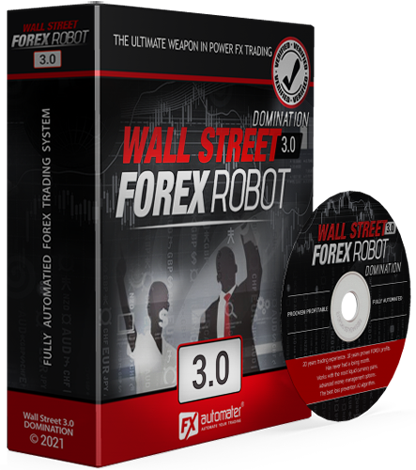
According to EA Tested, WallStreet Forex Robot 3.0 includes five separate EAs in one package, each designed for different market conditions. The premium package offers the best value with five robots at a lower per-robot cost.
Why it’s beginner-friendly:
- Ranked as best for beginners due to user-friendly interface
- Includes Market Bias Algorithm and Broker Spy Module
- Low-risk approach with advanced money management
- Straightforward setup with detailed instructions
- Regular updates and reliable customer support
- 60-day money-back guarantee
Realistic performance: WallStreet focuses on high-probability trades while minimizing risk. It trades on M15 timeframe across major pairs (EURUSD, GBPUSD, USDJPY, AUDUSD, USDCAD, EURJPY, USDCHF).
Cons:
- Higher minimum deposit requirement ($1,000)
- Multiple EAs can be overwhelming for absolute beginners
- Premium package costs $389 (though it includes 5 EAs)
- Requires more monitoring than simpler single-strategy EAs
Best for: Beginners with larger starting capital who want versatility and educational resources.
4. FXStabilizer — Best for Hands-Off Trading
Price: $295-$739 (depending on version)
Platform: MT4 and MT5
Strategy: Grid with risk controls
Minimum Deposit: $500 (Turbo mode) to $2,500 (Durable mode)
FXStabilizer has been trading live since 2015 with consistent performance across eight currency pairs. The PRO version ($739) includes all pairs and three trading modes: Durable (low risk), Turbo (aggressive), and Boost (extreme risk).
Why it’s beginner-friendly:
- Fully automatic with zero manual intervention needed
- Setup takes minutes—choose mode and set risk percentage
- Built-in AutoRisk, RiskLimit, and Drawdown Control
- Over five years of verified live trading results
- Extremely simple interface—no complex parameters
- Works on both MT4 and MT5
Realistic performance: Long-term consistent gains with profit factors between 1.45 and 2.87 across eight pairs, according to verified accounts.
Cons:
- Expensive, especially PRO version ($739)
- Uses grid strategy, which can be risky in trending markets
- Higher minimum deposit required ($500-$2,500)
- Less customization than other EAs (by design)
- 30-day money-back guarantee (shorter than competitors)
Best for: Beginners who want truly hands-off automation and have sufficient capital for safe grid trading.
5. Coinrule (EA Builder) — Best for Learning

Price: Subscription-based (varies)
Platform: Works with multiple platforms
Strategy: Custom rule-based strategies
Minimum Deposit: Depends on strategy
Unlike traditional EAs, Coinrule is a platform that lets you build automated strategies without coding. It uses an “if-this-then-that” interface designed specifically for beginners.
Why it’s beginner-friendly:
- No coding knowledge required
- Visual interface for building trading rules
- Customizable strategies teach you how EAs work
- Built-in risk management tools
- 24/7 automated execution once rules are set
- Educational approach helps you learn as you trade
Realistic performance: Entirely dependent on the strategies you create. Performance varies widely based on user skill and market conditions.
Cons:
- Requires more upfront learning than plug-and-play EAs
- Subscription model (ongoing costs vs. one-time purchase)
- Performance depends on your strategy design skills
- Not a ready-made solution—you have to build it yourself
Best for: Beginners who want to understand how automated trading works and prefer building custom strategies.
Comparison Table: Best EAs for Beginners
| EA Name | Price | Platform | Min. Deposit | Setup Difficulty | Support Quality | Risk Level | Best For |
|---|---|---|---|---|---|---|---|
| Forex Fury | $249-$459 | MT4/MT5 | $300-$500 | Very Easy | Excellent | Adjustable | Overall beginners |
| GPS Forex Robot | $149 | MT4 | $100-$300 | Easy | Average | Medium | Budget-conscious |
| WallStreet Forex Robot | $197-$389 | MT4/MT5 | $1,000 | Easy | Excellent | Low-Medium | Education-focused |
| FXStabilizer | $295-$739 | MT4/MT5 | $500-$2,500 | Very Easy | Good | Adjustable | Hands-off trading |
| Coinrule | Subscription | Multiple | Varies | Moderate | Good | User-defined | Learning-focused |
Critical Setup Requirements for Beginners
Buying an EA is only the first step. Here’s what you actually need to run it successfully.
1. Use a Forex VPS (Not Your Home Computer)
Your EA needs to run 24/7 without interruption. Your home computer can’t provide this—power outages, internet drops, or system restarts will stop your EA and cause missed trades or execution errors.
A forex VPS solves this problem. At NYCServers, we provide:
- 100% uptime guarantee during trading hours—your EA never goes offline
- 1ms latency or less to major broker servers (Equinix NY4, LD4, TY3 locations)
- Pre-installed MT4/MT5—your EA is ready to run within 30 seconds of signup
- 24/7 expert support if you run into issues
Our Basic VPS plan starts at $25/month (2 CPU, 2GB RAM, 60GB storage) and supports most beginner EAs. If you’re running multiple EAs or resource-heavy strategies, our Standard plan ($40/month) provides 4GB RAM and faster performance.
Many brokers offer free VPS if you maintain minimum trading volume, but these often have higher latency and limited resources. A dedicated forex VPS gives you full control and optimal execution speeds.
2. Start on Demo for 2-3 Months
This isn’t optional. According to trading experts, you need at least 2-3 months of demo testing to see how your EA performs through different market conditions.
During demo testing, monitor:
- Win rate and profit factor
- Maximum drawdown
- How the EA handles news events
- Whether settings match your risk tolerance
If an EA can’t survive 2-3 months of demo testing, don’t use it with real money.
3. Risk No More Than 1-2% Per Trade
This is the golden rule of forex trading. If your account is $1,000, risk $10-$20 per trade maximum. Most beginner-friendly EAs have built-in risk settings—use them.
4. Keep a Trading Journal
Even with automated trading, track your EA’s performance weekly. Note:
- Total profit/loss
- Biggest winning and losing trades
- Any unusual behavior or errors
- Market conditions during trades
This helps you understand whether your EA is working as intended.
Red Flags: EAs to Avoid as a Beginner
Not all EAs are created equal. Here’s what to watch out for:
1. Promises of Guaranteed Profits
If an EA guarantees 100%+ monthly returns or “risk-free profits,” it’s a scam. Legitimate developers are transparent about risks and realistic performance expectations.
2. No Verified Trading History
If the developer won’t show you verified Myfxbook or FX Blue accounts, assume they’re hiding losses. Backtests can be manipulated—only trust forward-tested results on live accounts.
3. Free EAs with No Support
As noted by experienced traders on MQL5, most free EAs use dangerous strategies like martingale without proper risk controls. They’re designed to show quick profits before blowing accounts.
4. Overfitted Backtests
If backtests show perfect win rates and zero drawdown, the EA has been overfitted to historical data. It will fail in live trading. Look for realistic backtests with visible drawdowns.
5. No Documentation or Tutorials
If the EA comes with no manual, no video guides, and no explanation of its strategy, you’re on your own when problems arise. Beginner-friendly EAs provide comprehensive documentation. https://www.youtube.com/embed/dQw4w9WgXcQ
How to Test Your EA Before Going Live
Follow this testing protocol to avoid costly mistakes:
Step 1: Strategy Tester (Backtesting)
Run your EA on at least 1-2 years of historical data. Look for:
- Profit factor above 1.5
- Maximum drawdown under 30%
- Win rate above 50% (for most strategies)
- Consistent performance across different time periods
Step 2: Demo Account (Forward Testing)
Run the EA on a demo account with real-time market data for 2-3 months. This shows how it handles:
- News events and volatility spikes
- Broker execution speeds and slippage
- Weekend gaps and market opens
- Different market regimes (trending vs. ranging)
Step 3: Small Live Account
If demo testing goes well, start with a small live account (minimum deposit only). Live trading introduces psychological factors and slight execution differences that don’t exist in demo.
Run for at least one month before scaling up capital.
Step 4: Scale Gradually
If your EA performs well for 3+ months on a small live account, you can gradually increase position sizes. Never jump from $500 to $5,000 overnight—scale by 20-30% at a time.
Common Beginner Mistakes with EAs
1. Over-Optimizing Settings
Tweaking settings constantly to squeeze out more profit usually backfires. Stick with recommended settings for at least 2-3 months before adjusting.
2. Running Too Many EAs Simultaneously
As a beginner, start with one EA per account. Running multiple EAs on the same pair or account can cause conflicts and overexposure.
3. Ignoring Drawdown Periods
All EAs have losing streaks. If your EA hits a 15% drawdown but its normal maximum is 25%, don’t panic and turn it off. Understand its typical drawdown range before deploying.
4. Not Using a VPS
Running an EA on your home computer is asking for trouble. One internet outage or power failure can cause missed trades or execution errors that cost more than a VPS subscription.
5. Skipping Demo Testing
Going straight to live trading is the fastest way to lose money. Always demo test for 2-3 months first.
Why VPS Matters for EA Performance

Latency isn’t just a technical detail—it directly impacts your EA’s profitability. Here’s why:
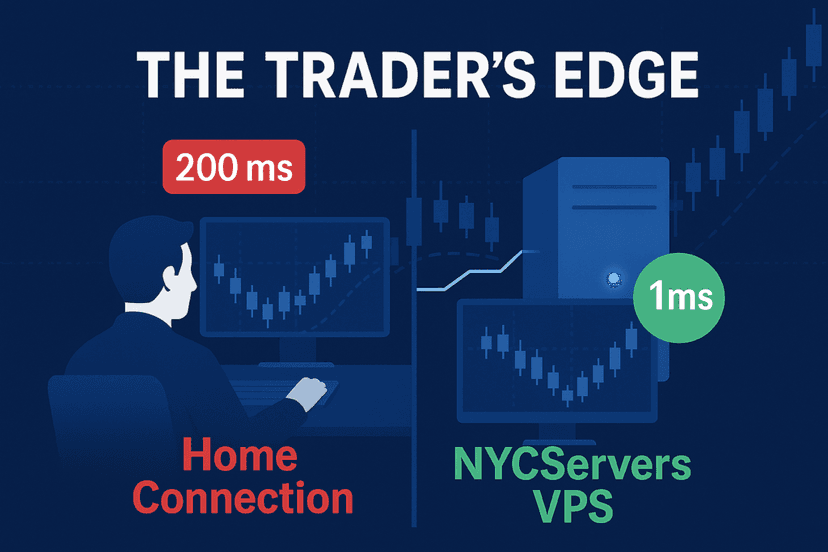
Home Computer Latency: 50-200ms
Trading from home means your orders travel through your ISP, across the internet, to your broker’s server. This takes 50-200ms depending on your location and internet quality.
Forex VPS Latency: 1ms or Less
A forex VPS colocated with broker servers (like NYCServers in Equinix NY4) reduces latency to 1ms or less. Your orders reach the broker almost instantly.
Real Impact on Trading
For scalping EAs making 5-10 trades per day, that latency difference means:
- Better fill prices (less slippage)
- Fewer rejected orders during volatile periods
- More consistent execution of your EA’s strategy
According to our latency analysis, traders using a VPS experience 40-60% less slippage compared to home trading, especially during high-impact news events.
You can check your latency to specific brokers using our free broker latency checker.
Final Thoughts: Realistic Expectations for Beginners
Here’s the truth about EAs that most sellers won’t tell you:
EAs are not magic profit machines. They’re tools that execute strategies consistently—but the strategy has to be sound, and market conditions have to cooperate.
Expect losses. Every EA has drawdown periods. Professional traders and hedge funds accept losses as part of the game. Your goal is positive expectancy over hundreds of trades, not winning every trade.
You still need to learn. As one experienced trader noted on MQL5, “Most newbie traders think that a good strategy is a strategy that always wins without risks.” That’s not how trading works.
Start small and scale gradually. Don’t risk money you can’t afford to lose. Begin with the minimum deposit, test for 2-3 months on demo, then start live with small position sizes.
A VPS is non-negotiable. If you’re serious about automated trading, invest in proper infrastructure. At $25-40/month for a NYCServers forex VPS, it’s the cheapest insurance policy for consistent EA performance.
The best EAs for beginners are those with simple setup, good support, transparent performance, and conservative risk settings. Forex Fury, GPS Forex Robot, WallStreet Forex Robot, and FXStabilizer all meet these criteria—but success depends on how you use them.
Test thoroughly, start small, manage risk properly, and give your EA time to prove itself across different market conditions. That’s how beginners build sustainable automated trading systems.
Frequently Asked Questions
Should beginners use expert advisors?
Yes, but with caution. Beginners can benefit from EAs, but should first learn basic trading concepts, test on demo accounts for at least 2-3 months, start with conservative risk settings (1% per trade), and understand that EAs are tools, not miracle solutions. Avoid any EA promising guaranteed profits.
What’s the minimum investment to start using an EA?
Most beginner-friendly EAs work with $300-$500, though this depends on the EA’s strategy and your broker’s requirements. Conservative strategies like Forex Fury and GPS Forex Robot can run on smaller accounts, while grid-based systems like FXStabilizer need $500-$2,500 minimum for safe operation.
Do I need a VPS to run an expert advisor?
For consistent results, yes. EAs need to run 24/7 without interruption. Your home computer can’t provide this—power outages, internet drops, or system restarts will stop your EA and cause missed trades or errors. A forex VPS provides 100% uptime, 1ms latency to broker servers, and uninterrupted operation.
Can I run multiple EAs at the same time?
Yes, but carefully. As a beginner, start with one EA per account or chart to understand how it behaves. If you run multiple EAs, use different currency pairs for each, monitor total exposure across all EAs, ensure your VPS has enough resources, and never exceed 2% total risk across all positions.
How long should I test an EA before going live?
Test for at least 2-3 months on a demo account. This gives you time to see how the EA performs through different market conditions, verify that settings match your risk tolerance, build confidence in the system, and spot any issues before risking real money. If an EA can’t survive 2-3 months of demo testing, don’t use it live.
What are the red flags to avoid when choosing an EA?
Avoid EAs that promise guaranteed profits or unrealistic returns like 100%+ monthly gains, use martingale or grid strategies without proper risk controls, have no verified trading history or hide their drawdown, come with no documentation or customer support, or are marketed with fake urgency tactics. Legitimate EA developers are transparent about risks and performance.
What’s the difference between backtesting and forward testing?
Backtesting runs an EA on historical price data to see how it would have performed in the past. Forward testing runs the EA in real-time on a demo account with live market conditions. Backtesting can be manipulated through overfitting, while forward testing shows real performance. Both matter, but forward testing is more reliable for beginners.

About the author
Thomas Vasilyev
Writer & Full Time EA Developer
Tom is our associate writer, and has advanced knowledge with the technical side of things, like VPS management. Additionally Tom is a coder, and develops EAs and algorithms.
Areas of Expertise