
Test an MQL5 EA Before Buying: Practical Checklist
Learn how to test an MQL5 EA before buying using the Free Demo, realistic tick data, execution delays, report checks, and a go/no-go checklist.
The best way to test an MQL5 EA before buying is to treat its Free Demo as a rejection tool. Run a realistic baseline in the MetaTrader 5 Strategy Tester, change the assumptions that could flatter the result, inspect individual trades and logs, and walk away if the EA only works under one ideal setup.
A good backtest does not prove future profitability. It can show whether the EA behaves as advertised, takes acceptable risk and survives reasonable changes in data and execution. That evidence is enough to decide whether the product deserves deeper diligence, not whether it is safe to trust with real money.
How to Test an MQL5 EA Before Buying: What the Free Demo Proves
An MQL5 Market EA demo runs only inside Strategy Tester. You cannot attach it to an online chart and let it trade a demo account, so this is historical simulation rather than live-data forward testing. That distinction matters when a strategy depends on changing spreads, server conditions or fast order execution.
Use the demo to verify observable behavior: when it trades, how it sizes positions, where it places stops, how much equity drawdown it creates and whether its logic remains stable outside a favorable period. You are looking for contradictions, fragility and account mismatch. Passing this screen means “continue evaluating,” not “expect these returns.”
Before Testing: Check the Listing and Define Pass/Fail Rules
Read the product listing before opening the tester. Record the developer’s recommended symbol, timeframe, deposit, leverage, account type and default inputs. Also check the update history, comments and risk controls and whether a rental is available. These details give you a documented baseline and reveal whether the product even fits the account you intend to use.
Set your decision rules before seeing the equity curve. There is no universal acceptable drawdown, trade frequency or risk per trade; the right limits depend on your capital, other open strategies and tolerance for losing periods. Precommitting stops a profitable headline number from making you excuse behavior you would normally reject.
- Risk fit: define the largest balance and equity drawdown you can tolerate and the maximum position size you will accept.
- Behavior fit: specify acceptable symbols, holding times, trading sessions, trade frequency and use of stop-loss orders.
- Robustness: require the result to survive a different period, realistic costs, execution delay and modest input changes.
- Automatic rejection: list deal-breakers such as unexplained errors, early stop-out, extreme sizing or profit concentrated in one trade.
Download the MQL5 EA Demo and Configure Strategy Tester
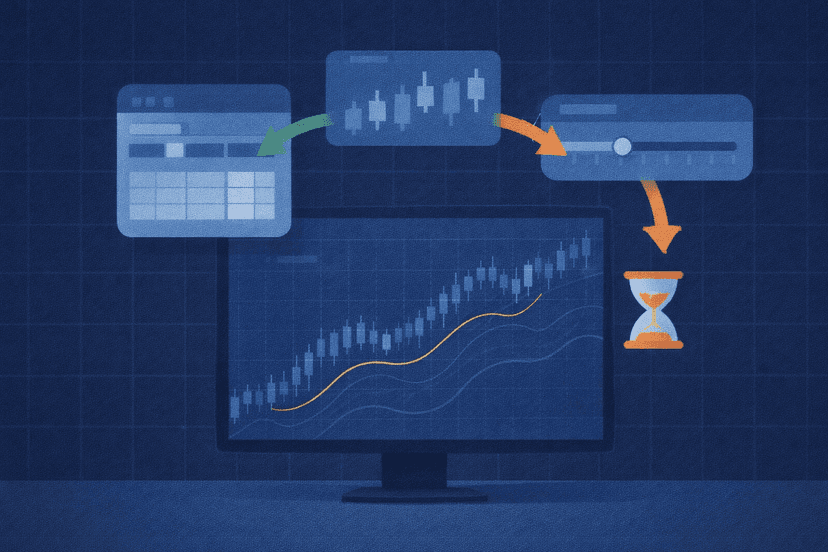
Sign in to your MQL5 account inside MT5, open the product listing and use its Free Demo or Free Download option. Find the downloaded EA in Navigator, right-click it and select Test. Confirm that Strategy Tester has loaded the correct Expert Advisor before changing any settings.
Start with the developer’s documented configuration, not settings chosen to manufacture a better curve. MT5 supports custom dates, deposits and leverage, multicurrency EAs, account commissions and limits, visual testing and several modeling modes. Your baseline should resemble the account on which you would actually deploy the product.
| Setting | Recommended baseline | Why it matters |
|---|---|---|
| Symbol and timeframe | Developer’s documented setup | Confirms the advertised use case |
| Date range | A representative period with enough trades to inspect | Exposes behavior across more than one market phase |
| Model | Every tick based on real ticks, when available | Uses the broker’s recorded ticks rather than reconstructed intrabar movement |
| Deposit and leverage | Match your intended account | Changes margin use, sizing effects and stop-out risk |
| Inputs | Documented defaults first | Tests the product as presented before tuning |
| Execution delay | No Delay for the baseline; realistic delay in stress runs | Separates strategy behavior from fill sensitivity |
| Agent | Local testing agent | Required when you use Visualization |
The available tick modes include real ticks, generated every tick, 1-minute OHLC and Open Prices Only. Real ticks come from the broker. Generated ticks are built from minute data, while Open Prices Only is a rough mode that can miss intrabar behavior. Use the most detailed mode available when stops, entries or exits can trigger inside a bar.
Before pressing Start, capture the exact EA version, broker server, symbol, date range, model, deposit, leverage and input set. Give the saved report a name that identifies those settings. Without that record, two different results can look like a strategy change when they actually came from a different feed, account configuration or forgotten input.
Run a Baseline Test, Then Stress the Assumptions
Run the default baseline once and save its report. Then change one major assumption at a time so you can identify what breaks the result. Retest on a separate or more recent period, include different market regimes, apply realistic commissions and account rules, and make modest changes to risk or other important inputs. If another broker is a realistic deployment choice, repeat the test on that broker’s feed.
Execution delay deserves its own pass. Strategy Tester can emulate No Delay, a fixed delay or Random Delay. In Random Delay mode, MT5 applies 0–8 seconds 90% of the time and 9–18 seconds 10% of the time. A fixed value can instead reflect measured server ping. You do not need every slower run to match the baseline, but a complete collapse under plausible delay is a warning for execution-sensitive logic.
Do not assume the tester invents a convenient fixed spread. MT5 takes spread from historical data and treats it as floating; if a historical spread is non-positive, it uses the last known spread. Confirm that the broker history and account rules are relevant to your intended setup rather than trusting the presence of a spread field.
You can reserve one-half, one-third, one-quarter or a custom share of the range with the tester’s Forward split. This creates an unseen historical segment, not an online demo-account trial. Keep optimization disabled until the original defaults and basic variations make sense; otherwise you risk tuning around defects instead of evaluating the product you were offered.
Use a small test matrix instead of making random reruns. Keep the baseline in the first column, then record one row each for a new period, realistic costs, delay, changed inputs and an alternate broker feed. Mark whether each run still meets the rules you set before testing. This makes sensitivity visible and stops you from quietly discarding inconvenient results.

Inspect the Report, Chart, Visual Mode, and Journal
Start with history quality, net profit and both balance and equity drawdown, but never judge the EA from one headline metric. Profit Factor is gross profit divided by gross loss. Recovery Factor is net profit divided by maximum drawdown. The report also exposes Sharpe ratio, trade counts and holding times, giving you several views of return, risk and sample size.
Look for concentration. Check whether one month, market regime or unusually large trade produced most of the gain; whether long and short trades behave differently; and whether the balance curve hides deeper floating losses on the equity curve. A smooth finish can still contain sizing or exposure you would not tolerate in real time.
Next, rerun a useful section in Visualization with optimization disabled and a local agent selected. Visual mode displays generated prices, trades, order and deal history, operations and the agent journal. Replay entries and exits, then inspect stop placement, lot sizing, overlapping positions and order behavior against the listing’s description.
Finally, read the Journal rather than assuming a completed chart means a clean run. It records history and tick synchronization, EA inputs, initialization or trade errors, stop-outs and whether the test ended early. Missing data, repeated order failures or unexplained termination can invalidate an attractive report.

The MQL5 EA Pre-Purchase Go/No-Go Checklist
Move the EA to the next diligence step only when you can answer “yes” to every item below. This is not purchase approval; it means the product has earned a more realistic observation stage.
- The symbol, timeframe, frequency, holding time and order behavior match the listing.
- Position sizing and balance/equity drawdown fit your predeclared account limits.
- Results remain credible on a separate period and under realistic costs and execution delay.
- Modest input changes cause gradual variation rather than immediate collapse.
- Visual trades make sense, no single trade or period dominates, and the Journal is clean.
Reject the EA if it depends on ideal conditions, takes unacceptable risk, behaves differently from the listing or produces errors you cannot explain. MQL5’s automatic pre-test is a formal check for programming errors, not a guarantee of the seller’s claims or future results. Market purchases cannot be returned, which makes caution before payment materially more useful than regret afterward.
If an affordable rental is available, use it to observe the EA under real conditions before committing to a full license. Only after renting or buying does an always-on MT5 VPS become relevant for controlled 24/5 observation. Stable hosting can reduce interruptions; it cannot repair weak strategy logic or turn a fragile backtest into positive expectancy.
Frequently Asked Questions
Can I run an MQL5 Free Demo on a demo account?
No. An MQL5 Market EA demo cannot run on an online chart, including a chart connected to a demo account. Its trading logic runs only in Strategy Tester. That lets you perform historical and visual tests, but it is not the same as watching the EA react to a live price stream.
Which Strategy Tester modeling mode should I use?
Use Every tick based on real ticks when your broker provides suitable real-tick history. It gives the closest available replay of recorded intrabar movement. Generated every tick is the next detailed option, while 1-minute OHLC and Open Prices Only trade speed for less intrabar precision and may be unsuitable for tight-stop or fast-entry EAs.
How long should I backtest an EA before buying?
Use enough history to cover different market regimes and produce a meaningful set of trades for that strategy’s normal frequency. A calendar duration alone is not a sound rule: a high-frequency EA and a system that trades a few times per month need different ranges. Always reserve or select a separate period the initial test did not rely on.
What metrics matter most in an MT5 test report?
Read net profit alongside balance and equity drawdown, Profit Factor, Recovery Factor, history quality, trade count and holding times. Then inspect the distribution behind those totals. A result is less convincing if one trade or short period produces most of the profit, even when the aggregate metrics look strong.
Does a profitable backtest mean the EA is safe to buy?
No. A profitable backtest is historical simulation under selected assumptions. It cannot prove future returns or reproduce every live execution condition. Use it to reject mismatched or fragile products, then consider a rental for real-condition observation if one is available. Keep your risk decision separate from the seller’s best-looking curve.

About the author
Thomas Vasilyev
Writer & Full Time EA Developer
Tom is our associate writer, and has advanced knowledge with the technical side of things, like VPS management. Additionally Tom is a coder, and develops EAs and algorithms.
Areas of Expertise