
8 Best MT4 Trade Copier Software Options (Free & Paid)
Compare the best MT4 trade copier software for copying trades across accounts. Includes free options, cloud-based copiers, and signal copiers for all budgets.
MT4 trade copier software lets you replicate orders across accounts without entering every position by hand. The quick verdict: Local Trade Copier is the best overall choice when your terminals run on one PC or VPS, Duplikium is the strongest cloud option for accounts in different locations, and FX Blue or Copiix are the first free tools to consider.
Your setup matters more than any single feature list. Choose a local copier for terminals on the same machine, a cloud copier for geographically separated accounts, or TelegramFxCopier when the source is a signal channel rather than another trading account.
How We Selected the Best MT4 Trade Copiers
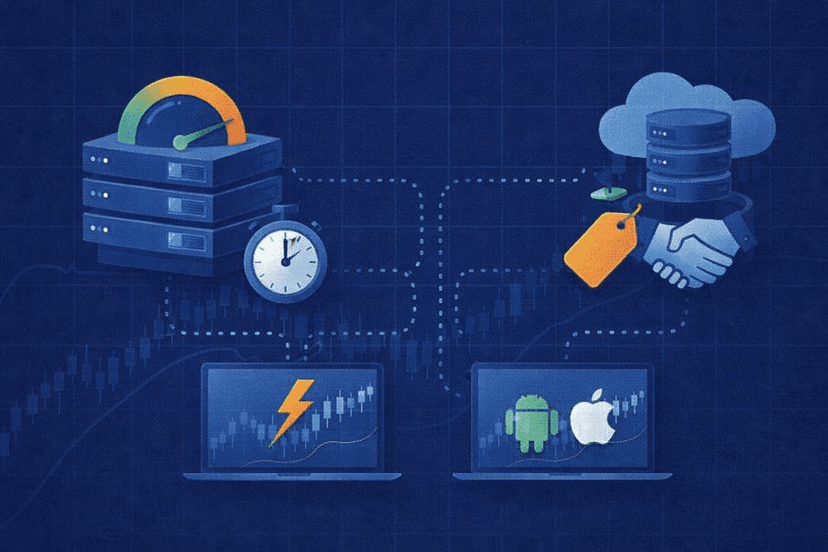
We compared these eight products on the factors that affect day-to-day operation: reliability, stated copy speed, MT4 and cross-platform support, pricing transparency, suitability for multi-account or prop-firm workflows, and whether you must keep your own computer or VPS online. The list deliberately mixes local, cloud, hybrid, and signal-copying tools so you can compare products built for different jobs.
- Architecture: local, cloud, hybrid, or Telegram signal copier
- Platform coverage: MT4 first, plus MT5 and other platforms where supported
- Cost: free tools, subscriptions, and upgrade paths using vendor pricing verified in July 2026
- Operational fit: personal accounts, account management, signal distribution, or continuous VPS use
Quick Comparison: MT4 Trade Copier Software
| Copier | Type | Best for | Starting price |
|---|---|---|---|
| Local Trade Copier | Local | Best overall on one PC or VPS | €29/month |
| Duplikium | Cloud | Cross-platform, multi-location copying | Credit-based; €30 trial credit |
| FX Blue Personal Trade Copier | Local | Free same-computer copying | Free |
| Social Trader Tools | Cloud | Account managers and signal sellers | $20/month |
| Heron Copier | Hybrid | Choice of cloud or local operation | Free local; cloud from $19/month |
| TelegramFxCopier | Signal/cloud | Following Telegram signals | $49.99/month |
| Copiix | Local | Completely free unlimited accounts | Free |
| FRZ Local Trade Copier | Local | Free-to-paid local upgrade path | Free; Pro $85 |
All prices in this table were checked against vendor pages in July 2026. Subscription terms and platform support can change, so verify the current plan before building a production setup around it.

1. Local Trade Copier — Best Overall Local Copier
Local Trade Copier, often shortened to LTC, is the strongest all-around option when every sending and receiving terminal can run on one computer or VPS. It copies between MT4 and MT5 in either direction, charges by the machine rather than by each connected account, and keeps the copying process local instead of routing it through a vendor cloud.
That design fits traders managing several personal accounts and operators who want control over the machine hosting their terminals. The vendor also markets manual-like entry, randomized stop-loss and take-profit values, and entry delays for prop-firm workflows. Treat these as execution features, not as a guarantee that a particular firm will allow your setup.
Key Specs
- Price: Personal €29/month; Manager €89/month as of July 2026
- Personal capacity: one PC or VPS and up to 32 MT4 or MT5 accounts
- Manager capacity: five PCs or VPSs and up to 160 accounts
- Platforms: MT4 and MT5, including MT4-to-MT5 and MT5-to-MT4 copying
- Manager extras: position-size splitting, martingale options, and an MAAB filter
Strengths and Caveats
The major strength is scale without a separate charge for every account. A Personal plan can cover a substantial same-machine setup, while Manager expands both the number of hosts and the account ceiling. Bidirectional MT4 and MT5 support also makes LTC practical during a gradual platform migration because master and receiver terminals do not all need to use the same MetaTrader generation.
The caveat is operational responsibility. Because LTC is local, your host must remain online, the terminals must stay connected, and you must maintain the PC or VPS. Also note the current subscription model: the old $99 and $149 one-time prices are obsolete. At €29 or €89 every month, LTC should win on required controls and account capacity, not on avoiding recurring fees.
Best for: Traders running many MT4 or MT5 accounts on controlled PCs or VPSs who want broad local-copying controls.

2. Duplikium — Best Cloud Copier
Duplikium is the best fit when accounts are spread across brokers, platforms, or locations and you do not want to maintain a local copier host. The service runs in the cloud, requires no software installation or dedicated VPS, and supports a wider platform mix than the local MetaTrader-only tools in this list.
It is also one of the more established options here. Duplikium says it has operated from Switzerland since 2013, with servers in Frankfurt, London, New York, and Singapore. Those locations matter when you are connecting accounts in different regions, although the copier’s internal processing time is only one part of end-to-end trade execution.
Key Specs
- Price: credit-based usage with €30 of free trial credit as of July 2026
- Platforms: MT4, MT5, cTrader, DXtrade, TradingView, FXCM, LMAX, plus beta connections for Tradovate, NinjaTrader, and Fortex
- Hosting: vendor-managed cloud service with no local installation or VPS required
- Vendor-reported performance: 99.95% uptime and internal latency below 5ms, with 1–3ms cited on its feature page
Strengths and Caveats
Platform breadth is Duplikium’s clearest advantage. It can serve a MetaTrader-only setup, but it becomes more compelling when a master and receiver use different technologies. The vendor reports more than 30,000 connected accounts, over six million copied orders per week, and support for more than 5,000 brokers. These are vendor figures rather than independent benchmarks, but they indicate the scale at which the service says it operates.
The pricing model needs more attention than a simple flat subscription. The trial provides €30 in credit with full access, while ongoing cost depends on usage and configuration. Estimate your expected account and order volume before comparing it with a fixed monthly plan. You also hand part of the operational chain to a third-party cloud, which is convenient but offers less host-level control than a local copier.
Best for: Traders copying across locations or multiple platform families who prefer managed cloud infrastructure.

3. FX Blue Personal Trade Copier — Best Free Local Copier
FX Blue Personal Trade Copier is the sensible first test for a trader who needs straightforward same-computer copying without a software subscription. It is free and designed to duplicate trades among MT4 or MT5 terminals running on the same machine. FX Blue says the tool is used by tens of thousands of traders, giving it a much larger stated install base than many free utilities.
The word “personal” captures its position well. This is a local tool for your own terminal environment, not a hosted network for distributing signals to accounts in different places. If your sender and receivers already run together on a Windows PC or trading VPS, that narrower scope can be an advantage rather than a limitation.
Key Specs
- Price: free as of July 2026
- Type: local personal trade copier
- Platforms: MT4 and MT5
- Host requirement: sender and receiver terminals run on the same computer
- Adoption: used by “tens of thousands” of traders, according to FX Blue
Strengths and Caveats
Its strongest argument is simple: you can validate whether local copying suits your workflow before paying for a commercial package. The MT4 and MT5 coverage is enough for many personal multi-account setups, and keeping the copier on your machine avoids introducing a vendor cloud between your terminals. It is a practical baseline against which to judge whether paid controls would actually improve your operation.
Free software does not make the complete setup cost-free. A local copier only operates while its terminals and host remain available, so continuous use still calls for an always-on computer or VPS. It is also the wrong architecture when receiving accounts live on separate machines. Test order sizing, symbol mapping, and failure behavior on demo accounts before allowing any copier to handle live positions.
Best for: Personal traders who want a proven free starting point for MT4 or MT5 terminals on one machine.

4. Social Trader Tools — Best for Account Managers
Social Trader Tools is more than a basic cloud copier. It combines account management, trade copying, equity monitoring, signal-provider and signal-follower tools, real-time email alerts, and white-label options. That bundle makes it a stronger fit for account managers and signal sellers than for someone who only wants to mirror two terminals on one VPS.
Because the system is cloud-based, connected MT4 and MT5 accounts do not need to share a local host. Social Trader Tools reports an average copy speed of about 50ms. That figure should be read as a vendor performance claim, not a promise of identical broker execution, because network routing and each broker’s order handling still affect the final fill.
Key Specs
- Price: Standard $20/month for up to two MT4 or MT5 accounts as of July 2026
- Plus plan: $60/month for up to five accounts
- Type: cloud account-management and trade-copying platform
- Supporting tools: equity monitors, signal pages, white-label features, and real-time email alerts
- Vendor-reported speed: approximately 50ms average
Strengths and Caveats
The surrounding business tools are the main reason to pay for this service. An operator can monitor account equity, run copying relationships, present signal pages, and build a branded client experience within one platform. The entry plan is also easy to understand: $20 per month covers two accounts, while the five-account Plus plan costs $60 per month.
Those account limits are the caveat. The price rises quickly if your goal is only to connect many personal terminals, and a local product with higher capacity may offer better value. Conversely, paying for white-label or signal features makes little sense if you will never use them. Compare the whole workflow, not just the stated copy speed, and confirm that the plan ceiling matches the accounts you intend to manage.
Best for: Account managers and signal businesses that need cloud copying plus monitoring and client-facing tools.

5. Heron Copier — Best Hybrid Copier
Heron Copier stands out by letting you choose between cloud and local operation instead of committing to one architecture. Its local tier is free and supports unlimited master and slave accounts, while the cloud service starts at $19 per month. That flexibility lets you begin with terminals on one host and move selected accounts to a managed cloud setup when location or platform requirements change.
It also covers seven platform or signal sources: cTrader, MT4, MT5, TradeLocker, MatchTrader, DXtrade, and Telegram. The package includes a trading journal, reverse mode, a killswitch, and prop-firm account-protection features. As with every prop-oriented product, built-in controls can help manage a workflow but do not override a firm’s rules.
Key Specs
- Price: free unlimited local tier; cloud from $19/month as of July 2026
- Cloud expansion: $8/month for each additional cloud account
- Coverage: cTrader, MT4, MT5, TradeLocker, MatchTrader, DXtrade, and Telegram
- Controls: reverse mode, killswitch, trading journal, and prop-firm account protection
- Local capacity: unlimited master and slave accounts
Strengths and Caveats
The hybrid model is Heron’s best feature. Local operation suits a dense same-host setup, while the cloud option covers accounts that cannot share that host. The seven-source coverage also makes Heron relevant when MetaTrader is only part of your environment. Heron reports 1,039 traders, 2,704 accounts, and 407,821 trades during the past 30 days; these are current vendor statistics, not independently audited usage figures.
Cost depends heavily on architecture. Unlimited local accounts are attractive at no software charge, but you still provide and maintain the machine. In cloud mode, the $19 starting point rises by $8 for every additional cloud account, so model the total before scaling. Traders who need only a basic two-terminal MT4 copier may find the platform breadth unnecessary, while mixed-platform operators can make much better use of it.
Best for: Traders who want one product that can support both local and cloud copying across several platforms.

6. TelegramFxCopier — Best for Telegram Signals
TelegramFxCopier solves a different problem from account-to-account copiers: as a Telegram-to-MetaTrader copier, it parses channel signals and sends the resulting orders to MT4 or MT5. It is built for traders following signal channels who otherwise have to read a message, interpret its levels, and enter the order manually. The cloud service handles the copier process, so you do not need to run a VPS for the copier itself.
The service uses AI signal parsing and supports unlimited Telegram channels. That can reduce the operational friction of monitoring several sources, but it does not assess whether a signal provider is skilled or whether a trade fits your risk tolerance. Automation makes an instruction faster to execute; it does not make the underlying instruction better.
Key Specs
- Price: $49.99 monthly as of July 2026
- Multi-month price: $89.99 for three months, advertised as a 40% saving versus monthly billing
- Platforms: MT4 and MT5
- Signal source: unlimited Telegram channels with AI parsing
- Dependency: requires a separate MetaAPI service
Strengths and Caveats
The strongest use case is clear and narrow. If Telegram is the source, a traditional master-to-slave copier does not remove the manual interpretation step. TelegramFxCopier is designed specifically to bridge that gap, and cloud operation removes the need to host its parsing software yourself. Unlimited channel support is useful when you evaluate or combine several signal feeds.
The extra dependency is the main caveat. MetaAPI is sold separately, so the headline subscription is not your complete operating cost. You also need to test how the parser handles the exact message style used by your channels before risking live funds. The three-month package lowers the effective subscription cost, but start monthly until the software has demonstrated reliable interpretation in your own workflow.
Best for: MT4 or MT5 users who follow Telegram channels and want cloud-based signal-to-order automation.

7. Copiix — Best Completely Free Option
Copiix is the broadest completely free local option in this roundup. It supports MT4, MT5, and cTrader, allows unlimited accounts, and does not require a subscription or registration. The software runs on Windows, Linux, and macOS, which gives it an unusually wide desktop operating-system range for a trading copier.
This is the product to shortlist when software cost and account limits are the deciding factors. It can cover a local multi-platform setup without moving into a paid tier. Because copying remains local, it is best suited to terminals and platform instances that you can keep together on a computer or server you control.
Key Specs
- Price: 100% free as of July 2026
- Accounts: unlimited
- Platforms: MT4, MT5, and cTrader
- Operating systems: Windows, Linux, and macOS
- Access: no subscription or registration required
Strengths and Caveats
Copiix combines three benefits that rarely appear together: no license charge, no stated account ceiling, and support beyond MetaTrader. That makes it useful for testing a large local topology or connecting cTrader with an environment that also contains MT4 or MT5. No registration also reduces the setup barrier when you simply want to evaluate whether the workflow fits.
The limitations come from local operation rather than the purchase price. Copiix does not replace the computer, server uptime, terminal maintenance, or network connection needed for continuous copying. “Free” therefore describes the copier license, not the complete infrastructure. A cloud service is still more appropriate when accounts must operate from separate locations and you do not want to consolidate their trading platforms on one host.
Run a demo test across every platform pair you intend to use. Check that symbols, contract sizes, and order behavior match your brokers before treating unlimited account support as permission to scale immediately.
Best for: Cost-conscious traders who need unlimited local accounts across MT4, MT5, or cTrader.

8. FRZ Local Trade Copier — Best Free-to-Paid Upgrade Path
FRZ Local Trade Copier provides a simple path from a free local tool to a paid Pro license. It supports MT4 and MT5 and is intended for terminals running locally rather than accounts connected through a vendor cloud. The vendor lists the product at $0 to $85, covering its Free and Pro tiers as of July 2026.
The licensing approach is the differentiator. One license can be used with unlimited accounts, although the vendor specifies that those accounts are non-simultaneous. That condition matters: FRZ is not presenting the $85 license as an unlimited concurrent account-management package. Read the current license terms against your exact terminal arrangement before upgrading.
Key Specs
- Price: $0 Free tier and up to $85 for Pro as of July 2026
- Platforms: MT4 and MT5
- Type: local-only copier
- License: one license covers unlimited non-simultaneous accounts
- Vendor-site rating: 4.50 out of 5 from seven reviews
Strengths and Caveats
The free tier gives you a low-risk way to test FRZ’s local workflow, while the $85 Pro price provides a clearly defined paid upgrade. The MT4 and MT5 focus is suitable for traders who do not need cTrader, Telegram, or a large cross-platform cloud network.
Its boundaries are equally clear. FRZ is local only, so it cannot remove your need for an always-on host when trades must copy continuously. The non-simultaneous-account wording also makes license fit more important than the headline “unlimited” claim. Finally, the 4.50 rating is based on just seven reviews on the vendor’s own site, which is too small and too closely controlled a sample to treat as decisive evidence.
Choose FRZ over the completely free alternatives only if its Pro workflow solves a requirement you have verified in testing. Otherwise, begin on Free and delay the upgrade until the practical benefit is clear.
Best for: MT4 and MT5 traders who want to test locally for free and retain a modest paid upgrade option.
How to Choose MT4 Trade Copier Software
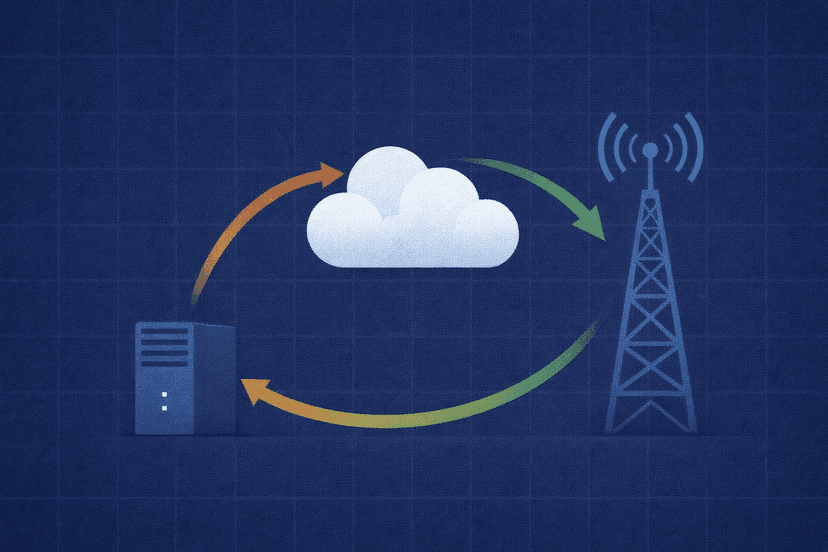
Choose local for one machine. If all MetaTrader terminals can run on the same PC or VPS, Local Trade Copier offers the most capacity and controls, while FX Blue, Copiix, and FRZ provide free starting points. Local operation gives you direct control of the host, but you are responsible for keeping that host and every required terminal online.
Choose cloud for different locations. Duplikium has the widest stated platform coverage, Social Trader Tools adds account-management and signal-business features, and Heron lets you mix cloud and local approaches. TradersConnect is another cloud alternative starting at $10 per month on a pay-per-account model, with equity protection and HFT support.
Choose a signal copier when Telegram is the master. TelegramFxCopier is purpose-built to translate channel messages into MT4 or MT5 orders. An ordinary account copier is the better choice when the source already exists as trades in a master account.
Budget for the whole system rather than the software line item. Free local copiers still need reliable hosting for 24-hour operation, while cloud subscriptions include the copier infrastructure but introduce recurring account or usage charges. A low-latency MT4 VPS is most relevant to local tools because it keeps the terminals and copying process running when your home computer is off.
Before going live, reproduce your exact broker and platform combination on demo accounts. Verify symbol names, lot scaling, stop-loss and take-profit handling, disconnections, and what happens when a receiver rejects an order. No product ranking can replace a controlled test of the route your own trades will take.
Frequently Asked Questions
What is MT4 trade copier software?
It is software that reads trades from a master MetaTrader 4 account or terminal and replicates them to one or more receiver accounts. Traders use it to synchronize personal accounts, manage multiple accounts, distribute a strategy, or automate order entry from another source.
Do I need a VPS for a trade copier?
You need an always-on computer or VPS for local copiers if you want continuous operation. Cloud products such as Duplikium and Social Trader Tools host the copier process for you, while TelegramFxCopier runs in the cloud but requires the separate MetaAPI service.
Can I copy trades from MT4 to MT5?
Yes, but verify the exact direction before buying. Local Trade Copier explicitly supports MT4-to-MT5 and MT5-to-MT4 copying. Duplikium is built for cross-platform connections and includes both MetaTrader versions among its supported platforms.
What is the difference between local, cloud, and remote copiers?
A local copier runs beside the trading terminals on one computer or VPS. A cloud copier runs on infrastructure managed by the vendor and connects accounts over the internet. “Remote copier” is a broader label for copying between accounts in different locations; many current remote products use a cloud service to do it.
Are free MT4 trade copiers reliable?
Free tools such as FX Blue, Copiix, and FRZ Free can be suitable for local copying, but reliability depends on the complete setup: host uptime, terminal connections, broker behavior, and correct configuration. Test with demo accounts and simulate a disconnect before trusting any free or paid copier with live trades.
Can I copy Telegram signals to MT4?
Yes. TelegramFxCopier parses Telegram signals and sends orders to MT4 or MT5 through a cloud workflow. Its subscription does not include MetaAPI, which must be purchased separately, and you should test the parser against the message format used by your chosen channels.

About the author
Matthew Hinkle
Lead Writer & Full Time Retail Trader
Matthew is NYCServers' lead writer. In addition to being passionate about forex trading, he is also an active trader himself. Matt has advanced knowledge of useful indicators, trading systems, and analysis.
Areas of Expertise