
7 Best Free Forex EAs and Robots for MT4 & MT5
Discover the 7 best free forex EAs and robots for MT4 & MT5 in 2026 — verified free, open-source options plus where to download them safely.
The best free forex EAs are Position Sizer for risk-based trade sizing, EarnForex’s EA Library for documented strategies, and MQL5 CodeBase for learning from visible source code. If you want a ready-to-run robot instead, the MQL5 Market free section is the most practical place to compare current options.
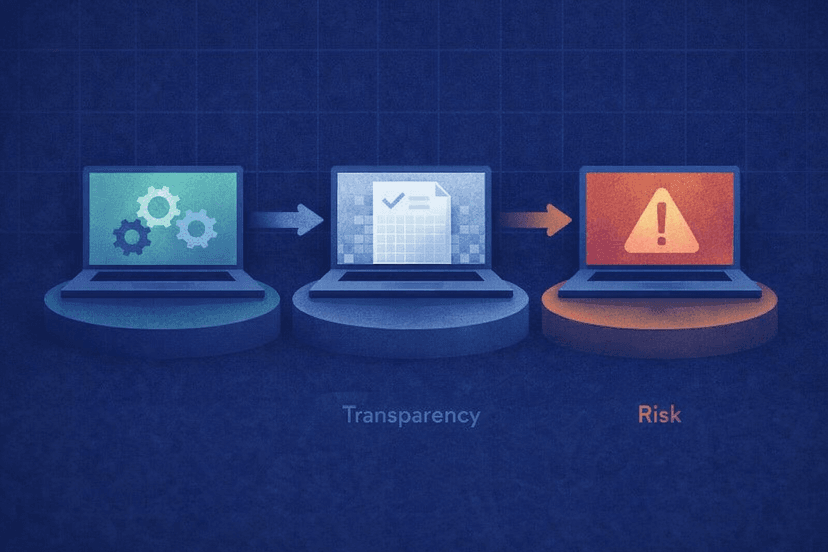
Every option below was verified as free and available in July 2026. Free does not mean profitable or low risk: treat these tools as starting points, inspect the strategy, and prove the settings on a demo account before you risk capital.
How We Chose the Best Free Forex EAs
We selected options that cost $0 rather than hiding the useful features behind a trial or demo lock. Each one had to be currently downloadable, support the stated MetaTrader platform, explain its purpose or expose its source code, and come from an established source while avoiding cracked-EA sites.
The seven entries mix individual EAs with trusted libraries because traders have different goals. A beginner may need safer position sizing, an active trader may want a ready-to-run robot, and a developer may value readable MQL code more than a polished installer. Backtest transparency also counted, but no historical result was treated as a promise of live performance.
Free Forex EA Comparison
| EA / Source | Platform | Type | Open Source? | Best For |
|---|---|---|---|---|
| Position Sizer | MT4 / MT5 | Risk-management EA | Yes | Consistent position sizing |
| EarnForex EA Library | MT4 / MT5 | Curated EA collection | Yes | Documented backtests |
| MQL5 Market Free Section | MT4 / MT5 | Robot marketplace | Varies | Ready-to-run downloads |
| MQL5 CodeBase | MT5 | Source-code library | Yes | Customization and learning |
| PersistentAnti EA | MT4 / MT5 | Trend EA | Yes | Long-horizon backtest evidence |
| Bollinger Bands Breakout EA | MT4 | Breakout EA | Yes | Low-drawdown test profile |
| GitHub EA Repositories | MT4 / MT5 | Developer repositories | Yes | Forking and development |

1. Position Sizer — Best Free Risk-Management EA
Position Sizer is the strongest first download for a trader who needs discipline more than another entry signal. The free EarnForex panel calculates position size from the percentage of account equity you are prepared to risk, then supports one-click trade execution. It is the current evolution of the older Position Size Calculator.
Key specs
- Price: Free
- Platforms: MT4 and MT5
- License: Open source
- Core function: Risk-based sizing and one-click execution
- Dependencies: No DLL imports
Strengths and caveats
The main strength is practical: you can define the loss you will accept before opening the position instead of guessing a lot size. That makes the tool useful across discretionary trades and other EAs, especially when stop-loss distances change from setup to setup. Its open code and lack of DLL imports also make its behavior easier to inspect than a closed executable from an unknown publisher.
The MT5 version is slightly more capable, although both platforms are supported. The important caveat is that Position Sizer does not find profitable trades for you. It improves order sizing and execution; it cannot repair a weak signal, poor stop placement, or excessive total exposure across several open positions.
Test the panel on a demo chart before making it part of your process. Enter a hypothetical entry price, stop level, and risk percentage, then check whether the calculated loss matches your account currency and intended limit. Repeat the check with a wider stop and confirm that the suggested position becomes smaller. That simple exercise verifies both your understanding and the settings. It also reinforces the behavior the tool is designed to support: determine acceptable loss first, calculate size second, and execute only after both numbers make sense.
Best for: Traders who want a transparent, reusable way to size every trade by risk before trying a fully automated strategy.
2. EarnForex EA Library — Best for Backtested Open-Source EAs
The EarnForex EA Library is a curated collection rather than one robot. Its advantage is context: the EAs are free and open source, support MT4, MT5, or both as listed, and include published backtest results. That gives you a defined strategy and a starting evidence set instead of an unexplained file.
Key specs
- Price: Free
- Platforms: MT4 and MT5, depending on the EA
- License: Open source
- Spike Trader test: USD/CAD D1, about 16.3% profit and 14% drawdown; MT4 and MT5
- Bill Williams Alligator test: EUR/USD H1, about 13.5% profit and 6.2% drawdown; MT4
- RSI EA test: EUR/USD M5, about 4.5% profit and 12.1% drawdown; MT5
Strengths and caveats
The range is useful for structured experimentation. You can compare a daily-chart idea such as Spike Trader with a faster RSI system, while 2 MA Crossover provides a basic starter EA for understanding signal logic. The RSI EA is built on EarnForex’s MT5 EA template, which is helpful if you want to connect a working example to reusable code structure.
Published tests are evidence, not forecasts. Pair, timeframe, test window, spread assumptions, and later market conditions can all change the outcome. The library is best used to shortlist transparent strategies, rerun them with your broker’s data, and then forward-test them on demo. Do not select an EA solely because one historical profit figure is the highest.
A practical comparison starts with the same questions for every candidate: What creates an entry, what closes a loss, how often does it trade, and can exposure grow while a trade moves against it? Read the source and description before changing inputs. If a fresh test differs sharply from the published one, investigate the data, costs, and settings instead of assuming the old result will return.
Best for: Traders who want several inspectable free forex robots with clearly presented historical tests to reproduce and challenge.

3. MQL5 Market Free Section — Best for Ready-to-Run Robots
The MQL5 Market free section is the practical choice when you want an EA packaged for MetaTrader rather than a source-code project. It is the official MetaQuotes marketplace filter for free expert advisors, with the familiar Market workflow for browsing listings and installing a selected product into MT4 or MT5.
Key specs
- Price: $0 within the free filter
- Platforms: MT4 or MT5, depending on the listing
- Format: Ready-to-install marketplace products
- Comparison signals: Product details, user reviews, and download activity where shown
- Source visibility: Varies by product
Strengths and caveats
The main benefit is convenience. You can stay inside the MetaTrader ecosystem, compare current listings, read the supplied documentation and feedback, and use the platform’s install process. This reduces the temptation to download a renamed executable from a random forum or a site advertising a “cracked” premium robot.
Official distribution is not the same as independent validation. Free listings vary in documentation, maintenance, code transparency, and risk controls. Reviews and download totals show interest, not profitability. We also did not verify any specific product count in July 2026, so this guide deliberately avoids legacy download totals. Check the current listing, update history, inputs, and strategy description before installation.
Shortlist products whose current pages answer basic operational questions. You should be able to identify the platform, strategy, supported symbols or conditions, risk inputs, and any external requirements before the file touches a live terminal. After installation, watch the Experts and Journal output on demo and confirm that trades follow the described rules. Remove an EA that produces unexplained behavior rather than searching for a setting that excuses it. Convenience is valuable only when you keep the same due diligence you would apply to manually downloaded code.
Best for: MetaTrader users who want a current, ready-to-run free EA and prefer a marketplace install over compiling code.
4. MQL5 CodeBase — Best for Customization and Learning MQL
MQL5 CodeBase is MetaQuotes’ source-code library for MetaTrader 5. It describes itself as the largest free source code library for the platform and includes ready-made expert advisors, indicators, and scripts. Unlike a closed Market download, a CodeBase entry lets you inspect the implementation and use it as a learning reference.
Key specs
- Price: Free
- Platform: MetaTrader 5
- Contents: EAs, indicators, and scripts
- Code access: Visible MQL5 source
- Activity: Current in 2026, including recent submissions such as Asian Session Breakout
Strengths and caveats
Code access changes the evaluation process. You can trace entry conditions, identify whether position sizes increase after losses, add logging, or modify an exit rule. Even if you do not deploy the original EA, reading a focused example beside MetaEditor is an efficient way to learn how trading rules become executable MQL5.
The trade-off is inconsistent polish. A public code sample may be educational without being production-ready, and recent publication does not prove robust risk management. Compile it yourself, read the comments and inputs, inspect order-handling behavior, and run both historical and demo tests. If you cannot review the code yet, choose a simple strategy with clear documentation rather than the most complex submission.
For a first CodeBase project, keep the experiment narrow. Compile the unchanged source, record its default behavior, and save that baseline before editing one rule at a time. Recompile and retest after each change so you can connect code to outcome. Pay particular attention to position sizing, stop handling, repeated entries, and what happens after a terminal restart. This workflow is slower than installing a black-box robot, but it produces knowledge you can reuse and makes it easier to catch a risky assumption before it reaches a live account.
Best for: MT5 users who want to study, alter, and compile free expert advisors instead of treating a robot as a black box.
5. PersistentAnti EA — Best Backtested Free Trend EA
PersistentAnti is a free, open-source EarnForex EA built around an anti-persistence idea: it trades against persistence in price movement rather than simply chasing the latest move. It stands out in the library because its published test spans more than two decades and produced a stronger headline result than the other individual EAs in this roundup.
Key specs
- Price: Free
- Platforms: MT4 and MT5
- EarnForex rating: 7
- Best published test: EUR/USD, W1
- Test period: January 1, 2001 to April 14, 2022
- Test result: About 84% profit with about 11% maximum drawdown
Strengths and caveats
The long test window is useful because it covers multiple market regimes rather than one favorable year. The weekly timeframe also makes PersistentAnti easier to evaluate without confusing a large trade count for evidence. Support for both MetaTrader versions gives you room to reproduce the test on the platform you already use.
Do not read 84% as an expected return. It is the result for a specific EUR/USD weekly backtest over the stated period, not a verified live account or annual performance target. A long sample can still contain modeling assumptions and may not capture your broker’s costs. Recreate the test, examine trade frequency and losing periods, and forward-test before deciding whether the logic still suits current conditions.
Because the published best result uses W1 data, evaluate it with the patience that timeframe demands. Look beyond the final balance to the number of trades, time spent in drawdown, and whether a few positions account for most gains. Then test separate date ranges rather than tuning every parameter on the full 2001–2022 sample. An EA that survives unchanged outside the period used for adjustment is more informative than one optimized until its original curve looks smooth.
Best for: Patient MT4 or MT5 users who want a transparent trend-related EA with a long published backtest to investigate.
6. Bollinger Bands Breakout EA — Best Low-Drawdown Free Breakout EA
Bollinger Bands Breakout is a simple free EarnForex EA for traders who prefer understandable rules and a modest historical risk profile. It targets breakouts using Bollinger Bands rather than layering an opaque set of filters. Among the supplied library tests, its standout figure is the low maximum drawdown, not an outsized profit claim.
Key specs
- Price: Free
- Platform: MT4 only
- EarnForex rating: 7
- Published test: EUR/USD, H1
- Test period: March 1, 2019 to December 1, 2020
- Test result: About 3.2% profit with about 2.7% maximum drawdown
Strengths and caveats
A clearly defined indicator and hourly timeframe make the EA approachable for testing. The 2.7% maximum drawdown in the published run is substantially lower than the accompanying profit figure, which may appeal to traders who would rather examine a restrained result than a spectacular equity curve. Open source also lets you verify how the breakout and trade management rules are implemented.
The test lasted less than two years and applies only to the specified EUR/USD H1 setup. Breakout behavior changes with spreads, volatility, and false breaks, so the result should not be generalized to every pair or later period. MT5 users will also need another option. Test current data and realistic costs rather than optimizing until the old period looks perfect.
Use the published run as a baseline, then extend the dates forward and backward without changing the default logic. Compare how often the system enters, how losses cluster, and how spreads affect marginal trades. A low drawdown over one sample is encouraging only if the behavior remains controlled elsewhere. If you modify the Bollinger settings, change one variable at a time and preserve an untouched result for comparison. That guards against turning a transparent starter strategy into an overfitted one.
Best for: MT4 traders who want a readable breakout EA with a low-drawdown historical test to use as a research baseline.

7. GitHub Free EA Repositories — Best for Developers
GitHub is the best route when your goal is to own the development workflow, not merely install someone else’s robot. Public repositories can expose the complete MQL project, issue history, revisions, and documentation. EarnForex’s verified organization is at GitHub under the exact handle “EarnForex” and provides a reliable place to start.
Key specs
- Price: Free to inspect and fork public repositories
- Platforms: MT4 and MT5 projects are available
- Code access: Full source in public repositories
- Verified starting point: EarnForex organization
- Best workflow: Review, fork, test, and maintain your own version
Strengths and caveats
Version history is the differentiator. You can see what changed, keep your modifications separate, and audit the exact code you compile. That makes GitHub valuable for building on an EA template, adding risk controls, or learning how a maintained MetaTrader project is organized. A fork also prevents an upstream change from silently altering the version you tested.
Public does not automatically mean safe, maintained, or profitable. Check the repository owner, license, recent activity, unresolved issues, external dependencies, and code before compiling anything. Never run an executable merely because it was attached to a repository release. If you cannot evaluate the source, use a curated library and avoid random projects returned by a broad “forex EA” search.
Before forking, confirm that the license permits your intended use and tag the exact revision you test. Build from source in your own MetaEditor environment, document any warnings, and keep strategy changes separate from formatting or cleanup commits. If the repository becomes inactive, you will know precisely which version remains on your terminal. That discipline matters in trading software: a reproducible build and change history make troubleshooting easier when live behavior differs from a backtest or a MetaTrader update exposes an old assumption.
Best for: Developers and serious MQL learners who want to fork transparent EA code and control every change they deploy.

How to Choose a Free Forex Robot
Choose by job, not by the largest return shown on a page. Start with Position Sizer if your immediate problem is inconsistent risk. Use the EarnForex library or PersistentAnti when you want documented tests to reproduce, Bollinger Bands Breakout for a simple MT4 research project, MQL5 Market for convenient installation, and CodeBase or GitHub when code access matters most.
Then verify the exact download. Avoid cracked-EA sites, Telegram shares of “free premium” robots, and random forum attachments. Be especially skeptical of martingale or unlimited-grid logic, which can accumulate exposure until one trend exhausts the account. Dark Venus is a useful warning: its formerly cited MQL5 product now returns a 404, so its reputation is not proof that a current official free download exists. Imperium EA was also excluded because we could not verify a live free listing.
Run every candidate on demo with your broker’s symbol names, spreads, and account rules. For 24/5 automation, you will also need an always-on computer or a forex VPS; hosting can cost more than a free EA, but it prevents a sleeping PC, reboot, or home connection failure from stopping the robot. A typical premium EA may cost roughly $150–$500, yet paying more does not remove the need for testing or reliable uptime.
Frequently Asked Questions
Are free forex EAs profitable?
Some can produce profitable periods, but a free price and a positive backtest do not establish live profitability. Recreate the test with realistic costs, then forward-test on demo. Judge the drawdown, trade logic, and stability across conditions rather than one return percentage.
Are free forex robots safe to download?
They are safer when downloaded from an official MQL5 page, EarnForex, or a verified developer repository, but you should still inspect the source or permissions where possible. Avoid cracked products, Telegram files, and unknown forum attachments because they may be modified or malicious.
What is the best free EA for a beginner?
Position Sizer is the best starting point because it teaches risk-based sizing without pretending to generate profitable signals. For strategy automation, choose a simple documented EA from EarnForex, understand its rules, and run it on demo before considering a small live account.
Why do developers give EAs away for free?
Developers may publish an EA to teach MQL, invite code contributions, build a reputation, collect feedback, or support a broader toolset. Open-source releases also let other traders inspect and improve the implementation. Those motives do not guarantee that the strategy will make money.
Can a free EA match a paid one?
Yes in code quality or strategy fit, but not automatically in support, updates, documentation, or ease of installation. Paid robots can fail too. Compare transparent logic, current maintenance, risk controls, and your own test results instead of assuming price predicts performance.
Do I need a VPS for a free EA?
You need an uninterrupted MetaTrader session whenever the EA must monitor or manage trades. A VPS is the practical option for 24/5 operation if you do not keep a reliable computer online. It does not improve a bad strategy; it keeps the tested software running consistently.

About the author
Thomas Vasilyev
Writer & Full Time EA Developer
Tom is our associate writer, and has advanced knowledge with the technical side of things, like VPS management. Additionally Tom is a coder, and develops EAs and algorithms.
Areas of Expertise