
How To Choose a Forex VPS Provider: Buyer’s Guide (2026)
Most “best forex VPS” lists rank providers on price, specs, and affiliate payouts. A trader needs a different checklist: where […]
Most “best forex VPS” lists rank providers on price, specs, and affiliate payouts. A trader needs a different checklist: where the server sits, how close it is to the broker, whether MetaTrader is ready when you log in, whether the host stays online during market hours, and whether support understands trading platforms rather than only generic Windows Server tickets.
This guide is the checklist we would give a trader choosing their first VPS or moving away from a cheap provider that is costing them execution quality. For the other side of that decision, see our breakdown of the real costs of cheap forex VPS providers. If you already know what you want, the forex VPS plans page has the direct spec-and-pricing comparison. This article is the decision layer before that.
Use this guide if you run EAs, scalp, trade prop-firm challenges, manage multiple accounts, or need a Windows trading desktop you can reach from Mac or mobile. If you place one swing trade a week from your phone, you may not need a VPS yet.

Criterion 1: Latency to Your Broker
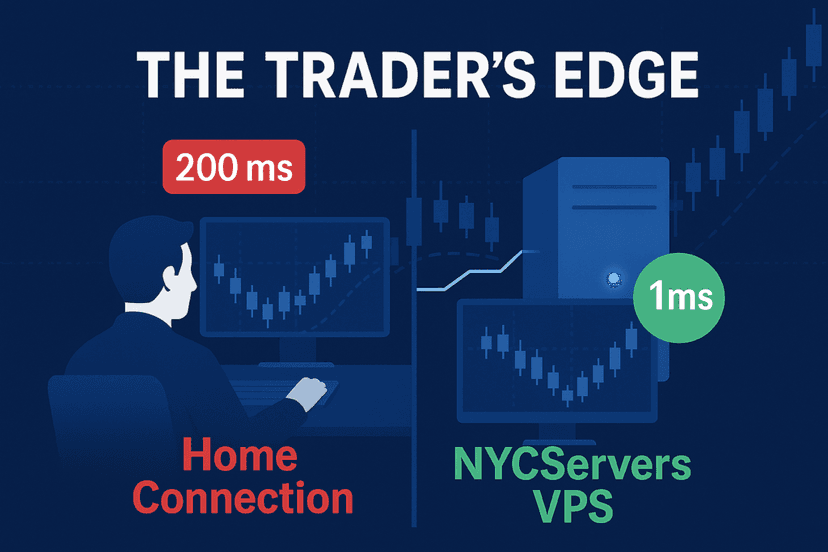
Latency is the round-trip time between your trading platform and your broker. From home internet, that can be 50–200ms or worse. From a VPS in the right financial datacenter, it can be 1ms or less to many popular brokers. That gap matters most for scalpers, news traders, and EAs that react to fast price changes.
Ask any provider three questions before signing up:
- What is your measured latency to my broker, not your best marketing number?
- Can I check latency before buying?
- Is the VPS in the broker’s facility or routed through a nearby cloud region?
NYCServers’ broker latency checker is the standard you should expect: enter your broker and compare round-trip times from each location.
- Under 1ms: same facility or direct cross-connect path — ideal.
- 1–5ms: same metro area or strong peering — acceptable for most traders.
- 5–20ms: regional hosting — fine for slower strategies, weak for scalping.
- 20ms+: general-purpose hosting — usually not worth paying for as a Forex VPS.
Criterion 2: Datacenter Location and Broker Proximity
The fastest VPS is not automatically the one closest to you. It is the one closest to your broker. Forex brokers colocate infrastructure in specific financial hubs, and your VPS should be in the same building or the nearest practical equivalent.
- Equinix NY4 in Secaucus, NJ — a major North American forex and liquidity hub.
- Equinix LD4 in Slough, UK — the main European/London-session hub.
- Equinix TY3 in Tokyo — important for JPY pairs and Asia-Pacific broker routing.
If your broker is in LD4, a VPS in New York can add transatlantic latency. If your broker is in NY4, a London VPS is the wrong choice. Ask providers which facilities they operate in by name, whether they can migrate you if your broker changes servers, and whether they offer real location choice rather than vague “global cloud” hosting.
NYCServers operates in Equinix NY4, Equinix LD4, and Tokyo/TY3, with broader Asia-Pacific and Middle East coverage. Choose the location that matches your broker and strategy.
If you use multiple brokers, do not average the locations. Put the VPS where your most latency-sensitive strategy runs. A weekly swing strategy can tolerate a slower route; a scalper, news EA, or copier master usually cannot. Larger traders sometimes run two smaller VPS instances in different hubs instead of forcing every account through one location.
Criterion 3: Platform Support — MT4, MT5, cTrader, NinjaTrader
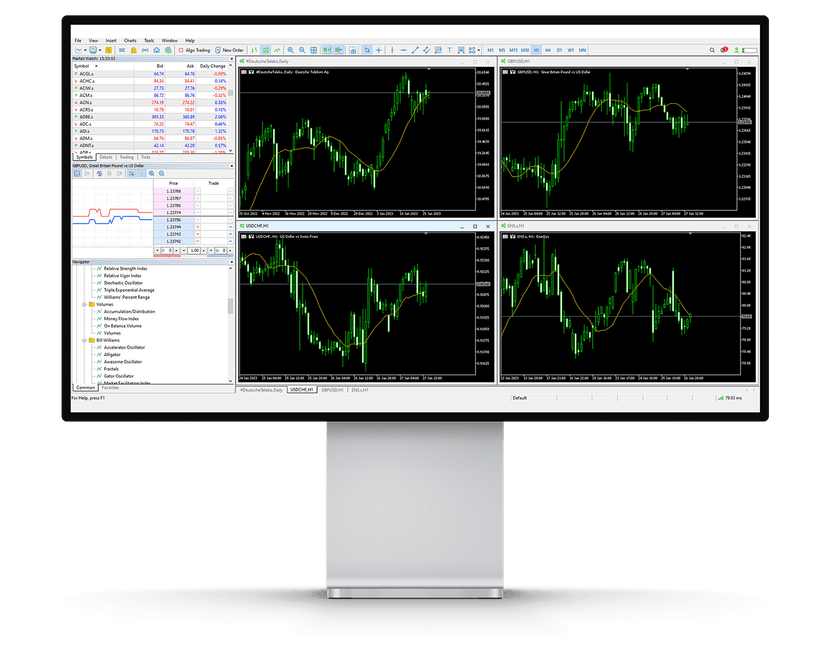
Almost any Windows VPS can run MetaTrader. A forex-focused VPS should do more than merely boot Windows. It should provision the trading platform cleanly, allow EAs and custom indicators, and support the platform mix traders actually use.
- MetaTrader 4: still dominant for retail EAs. A purpose-built MT4 VPS should arrive pre-installed for your broker.
- MetaTrader 5: heavier, broader, and better for multi-asset traders. A proper MT5 VPS should account for the extra resource footprint.
- cTrader: popular with ECN scalpers and API users.
- NinjaTrader: useful for traders combining futures and forex workflows.
Ask whether your platform can be pre-installed, whether multiple MT4/MT5 instances are allowed, and whether EAs/custom indicators are permitted. For multi-platform setups, confirm provisioning before purchase; general-purpose VPS sellers often leave all setup to you.
Criterion 4: Uptime Guarantee and SLA
Every provider claims high uptime. The important question is what happens during trading hours. A generic 99.9% SLA can still allow roughly 43 minutes of downtime per month, and those minutes matter if they hit during London open, New York open, or a news event.
Look for:
- 100% uptime guarantee during trading hours, with maintenance pushed outside market-critical windows.
- Real service credits if the provider breaks the SLA.
- Redundant power and network inside serious financial datacenters.
- Controlled Windows updates so the VPS does not reboot during your session.
NYCServers backs a 100% uptime guarantee during trading hours. Remember, though: a VPS SLA covers the host, not your broker’s outage, your EA crashing, or your local internet connection failing while you are watching over RDP. https://www.youtube.com/embed/9O1wElRvX2E
Criterion 5: Windows Admin Access
Some “trading VPS” products are locked-down panels where you can only launch approved apps. That may be fine for a beginner, but it becomes a problem when you need to install a trade copier, run a Python script, move EA files, export logs, or debug a platform issue.
A serious forex VPS should provide full Windows Server access over RDP, Administrator rights, file transfer, and the ability to install normal Windows software. RDP also works from Mac, iOS, Android, and Windows, so your trading environment can stay on Windows even if your daily device does not.
Criterion 6: Support Quality
Generic VPS support knows servers. Forex VPS support needs to know servers and trading platforms. The difference matters when your EA stops opening positions and you need to know whether the issue is the VPS, broker connection, MetaTrader setting, or EA logic.
Before signing up, ask:
- Is support available 24/7?
- Are response times measured in minutes or business days?
- Do support agents understand MetaTrader, EAs, slippage, reconnects, and broker server names?
- Can support help through RDP with permission?
If the support team has handled forex tickets for years, they have probably seen your issue before. If not, you are paying them to learn it during market hours.
Criterion 7: Resource Sizing — CPU, RAM, and Disk
Do not overbuy, but do not starve the workload. Match the VPS tier to the number of platforms, EAs, indicators, and trade-copying tools you run.
| Workload | CPU | RAM | Disk | Tier |
|---|---|---|---|---|
| 1–2 MT4/MT5 + 1–3 EAs | 2 vCPU | 2 GB | 40–60 GB | Basic ($25/mo) |
| 3–5 MT4/MT5 + multiple EAs | 2 vCPU | 4 GB | 60–80 GB | Standard ($40/mo) |
| 5–10 platforms, mixed MT4/MT5/cTrader | 4 vCPU | 8 GB | 100 GB | Professional ($60/mo) |
| 10+ platforms, heavy backtests, copy master | Dedicated | 16+ GB | 250 GB+ NVMe | Dedicated server |
Check usage during your busiest market hour. If CPU stays under 70% and RAM has headroom, you do not need to upgrade. If you regularly hit 90%+ CPU or memory pressure during trading, move up. For heavier automation stacks beyond MetaTrader, our algorithmic trading tech stack guide covers the tooling side.
Watch RAM first. Most MetaTrader performance issues on small VPS plans are not caused by raw network speed; they come from too many charts, indicators, browser tabs, or terminal instances competing for memory. If the VPS starts swapping to disk, chart updates lag and EAs can behave unpredictably. A slightly larger tier is cheaper than debugging random slowdowns during live trading.
You have outgrown VPS when you run 10+ terminals, heavy MT5 backtests, a large copy-trading master, or need single-tenant infrastructure. At that point, a dedicated trading server gives you the full physical machine, custom hardware, and more room to scale.
Criterion 8: Broker and Platform Auto-Installation
This is where forex-focused hosting separates from generic VPS hosting. At signup, do you get a blank Windows server, or do you get MT4/MT5/cTrader already installed and configured for your broker?
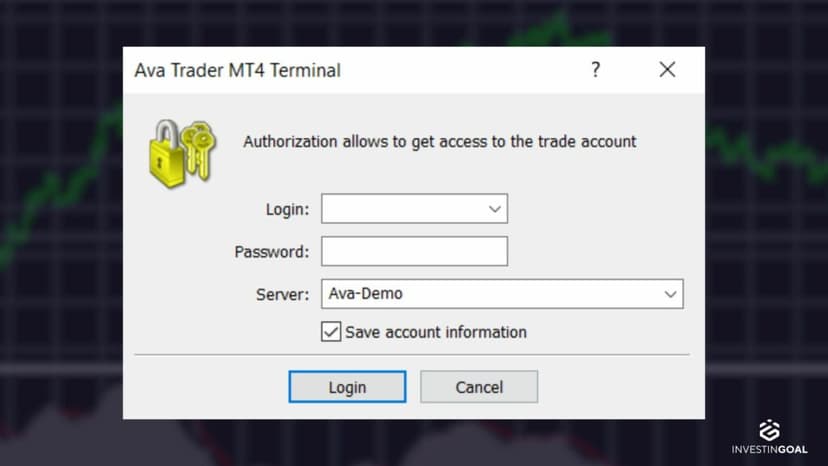
Good auto-installation means you select your broker and platform at checkout; the VPS arrives with the platform installed, broker server configured, and desktop shortcut ready. You log in, enter your account credentials, and trade.
NYCServers maintains pre-built installers for 100+ brokers, including IC Markets, FTMO, FundedNext, Exness, Axi, Fusion Markets, Global Prime, Blueberry Markets, OANDA, and many other major retail names. If your broker is not on a provider’s list, ask whether they will install it manually before you pay.
Auto-installation does not remove your responsibility to test. After provisioning, confirm the broker server is correct, log into a demo or live account, check the Journal tab for connection errors, and run the broker through the latency checker. The best setup is not just pre-installed; it is verified before you attach real capital or funded-account rules to it.

Criterion 9: Refund Policy and Trial Period
You will not know if a VPS fits your strategy until you trade on it. Look for a practical test window.
- Money-back guarantee: 7 to 14 days is common; NYCServers offers 14 days.
- Free trial or free VPS program: usually tied to broker-volume requirements.
- Month-to-month billing: useful if you are testing a provider or broker setup.
Ask whether refunds are conditional, when the refund clock starts, and how cancellation works. A provider that will not let a trader test the platform with real broker latency is not confident enough in the product.
The Forex VPS Buyer’s Checklist
| Criterion | What to Confirm | Red Flag If… |
|---|---|---|
| Latency | Measured latency to your broker; public tool available | Only vague “low latency” claims |
| Location | NY4, LD4, TY3, or the facility your broker uses | Only generic cloud-region answers |
| Platform support | MT4, MT5, cTrader, NinjaTrader; EAs allowed | Manual install only or EAs banned |
| Uptime | 100% during trading hours, with credits | Generic SLA with vague maintenance windows |
| Access | Full RDP and Administrator rights | Locked-down web panel only |
| Support | 24/7 trader-aware support | Business-hours or ticket-only support |
| Sizing | Clear VPS tiers plus dedicated upgrade path | One-size-fits-all hosting |
| Auto-install | Broker/platform configured at checkout | Blank Windows server with no help |
| Refund | 7–14 day money-back window | No refund or long-term contract required |
Frequently Asked Questions
What should I look for in a forex VPS provider?
Prioritize measured latency to your broker, the right datacenter location, MT4/MT5/cTrader support, uptime during trading hours, full RDP access, trader-aware support, correct resource sizing, broker auto-installation, and a realistic refund window.
What’s the best location for a forex VPS?
The best location is the same datacenter or region as your broker. For many North American-facing brokers that is NY4; for UK/EU brokers it is LD4; for JPY and Asia-Pacific routing it may be TY3. Use a latency checker before buying.
Does it matter whether I run MT4 or MT5 on my VPS?
Yes. MT4 is lighter and still common for older EAs. MT5 uses more CPU/RAM but supports more instruments and a richer strategy tester. If you run both, size the VPS for MT5’s heavier footprint.
How much RAM and CPU do I need for EAs?
As a rule of thumb, budget about 512 MB to 1 GB RAM per active MT4 instance, 1 to 2 GB per MT5 instance, plus Windows overhead. A 2 vCPU / 2 GB tier works for small setups; 4 GB or 8 GB is safer for multiple terminals or heavier EAs.
Do forex VPS providers offer free trials?
True free trials are uncommon. Money-back guarantees are more common. NYCServers offers a 14-day money-back guarantee, and some broker-linked programs provide a free VPS if you meet trading-volume requirements.
Should I start with a VPS or go straight to dedicated?
Start with a VPS unless you already know you need 10+ terminals, heavy backtests, or a large copy-trading setup. Dedicated servers make sense once VPS CPU/RAM ceilings become the constraint.
Pick One Criterion at a Time
There is no universal “best forex VPS provider.” There is only the best provider for your broker, platform, workload, and support needs. Run the checklist against any host you are considering. If they cannot show measured latency, broker-aware provisioning, real trading-hour uptime, and a clear support path, keep looking.
When you are ready for the product layer, compare Basic, Standard, and Professional options on the forex VPS plans page. If you already know your broker’s location, start with NY4, LD4, or the relevant regional VPS page. If you have outgrown VPS entirely, move to the dedicated server lineup.
The right provider should make the technical layer feel boring: low latency, stable uptime, correct platform install, enough resources, and fast support when something breaks. Once those pieces are handled, you can focus on strategy instead of server maintenance.

About the author
Thomas Vasilyev
Writer & Full Time EA Developer
Tom is our associate writer, and has advanced knowledge with the technical side of things, like VPS management. Additionally Tom is a coder, and develops EAs and algorithms.
Areas of Expertise